Battery operation
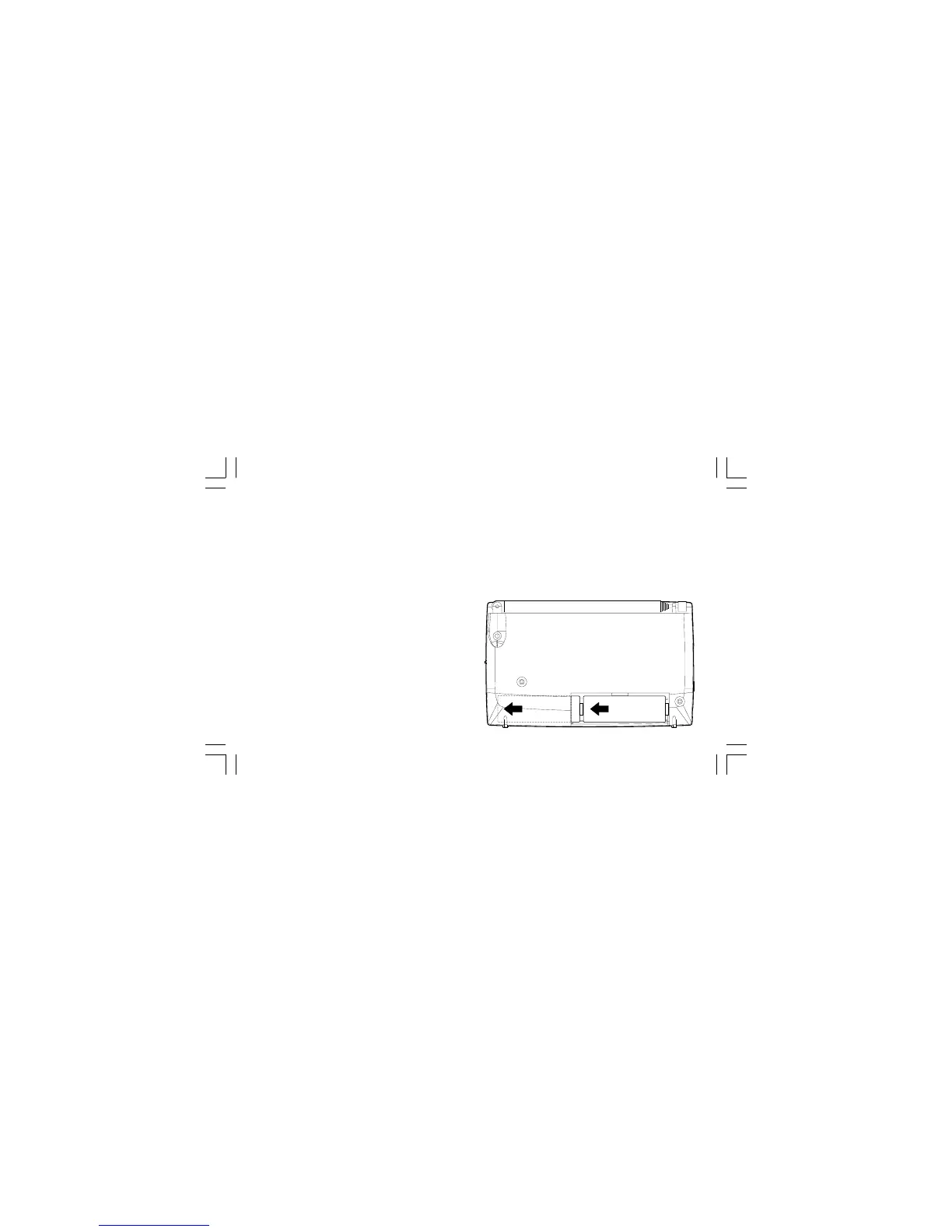
1. Remove the battery compartment cover on the back of the unit by
sliding the cover downwards. Open the battery compartment door.
Note:
Before you insert the batteries, if you use non-rechargeable batteries,
make sure the NiMH/NiCad/Alkaline switch which located on the side of
the unit is switched to OFF. If you use rechargeable batteries,
make sure to switch NiMH/NiCad/Alkaline switch to ON.
2. Insert two LR6 (AA size) batteries into the space in the compartment.
Take care to ensure all batteries are inserted with the correct polarity
as shown on the rear of your radio. Close the battery
compartment door.
3. When the battery capacity drops below a certain level the low battery
indicator will light. When you see this indicator you should replace
the batteries as soon as it is convenient to do so. Reduced power,
distortion and a “stuttering” sound are also signs that the batteries
may need replacing.
7



 To Next Page