SEC3002 FIRE ALARM CONTROL PANEL
Lit yellow when one or more loop devices, zones or outputs are
disabled
Lit yellow when the panel’s mains power, battery or charger is in
fault condition
Steadily lit yellow when delay is configured as part of one or more
cause and effect rules. Flashes when there is a delay running
Lit yellow when the panel is in access level 2 or 3
Lit yellow when there is loop sounder in fault condition
Lit yellow when loop sounders are disabled
Lit yellow when all sounders of the system have been silenced by
pressing the SILENCE/RESOUND button
Lit yellow when the panel is unable to provide mandatory
functions
Lit yellow when the sounder circuit output (S.C.Out) is disabled and
flashes when it has a fault. Disable has priority over fault
Lit yellow to indicate the F.P.E. Out is disabled
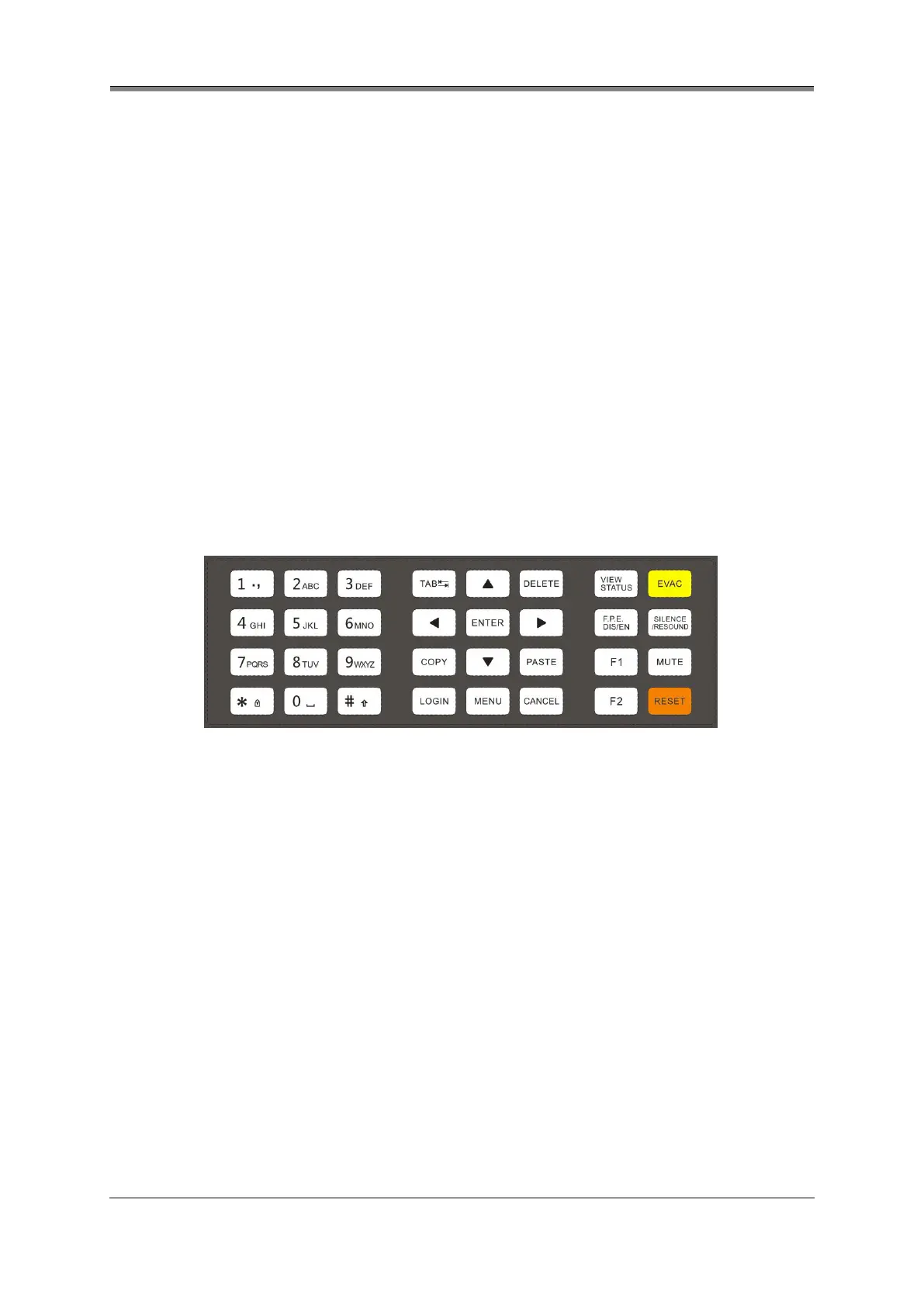
4.2 Button controls
Used to enter numbers, letters and marks in a text box.
Plus, * button provides access to LOGIN and LOGOUT
windows at non-text-input state
Pressed to make the cursor move, or toggle between
different items or windows from left to right, up to down
For toggling, scrolling, or moving the input cursor
Deletes the character left to the cursor
Confirms a text input or a manual operation
Copies the content of text selected currently
Pastes the content of text copied to current text box
Provides access to the prompt window for user’s login or
logout
Provides access to the panel’s user menus at access level
2&3
Used to cancel a navigation step or exit the current menu
Displays the window of current alarm message (as
appropriate). Then press TAB, ◄ or ► to go through fire,
disablement or fault messages.


 To Next Page