EasyManua.ls Logo

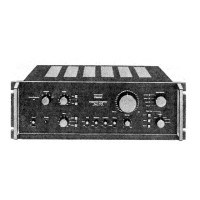
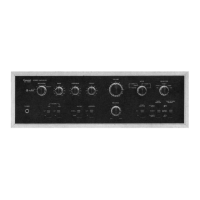
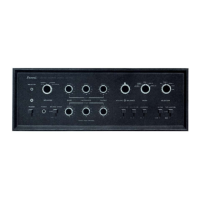
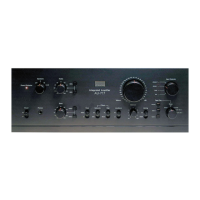
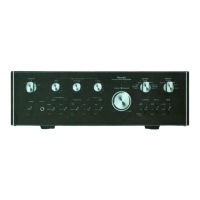
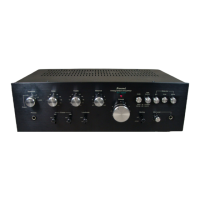
Sansui AU-70 - Switches and Controls Overview; Power Controls and Indicators; Audio Adjustment Controls

Sansui AU-70
15 pages
Print Icon
To Next Page IconTo Next Page
To Previous Page IconTo Previous Page
Loading...
SWITCHES
AND
CONTROLS
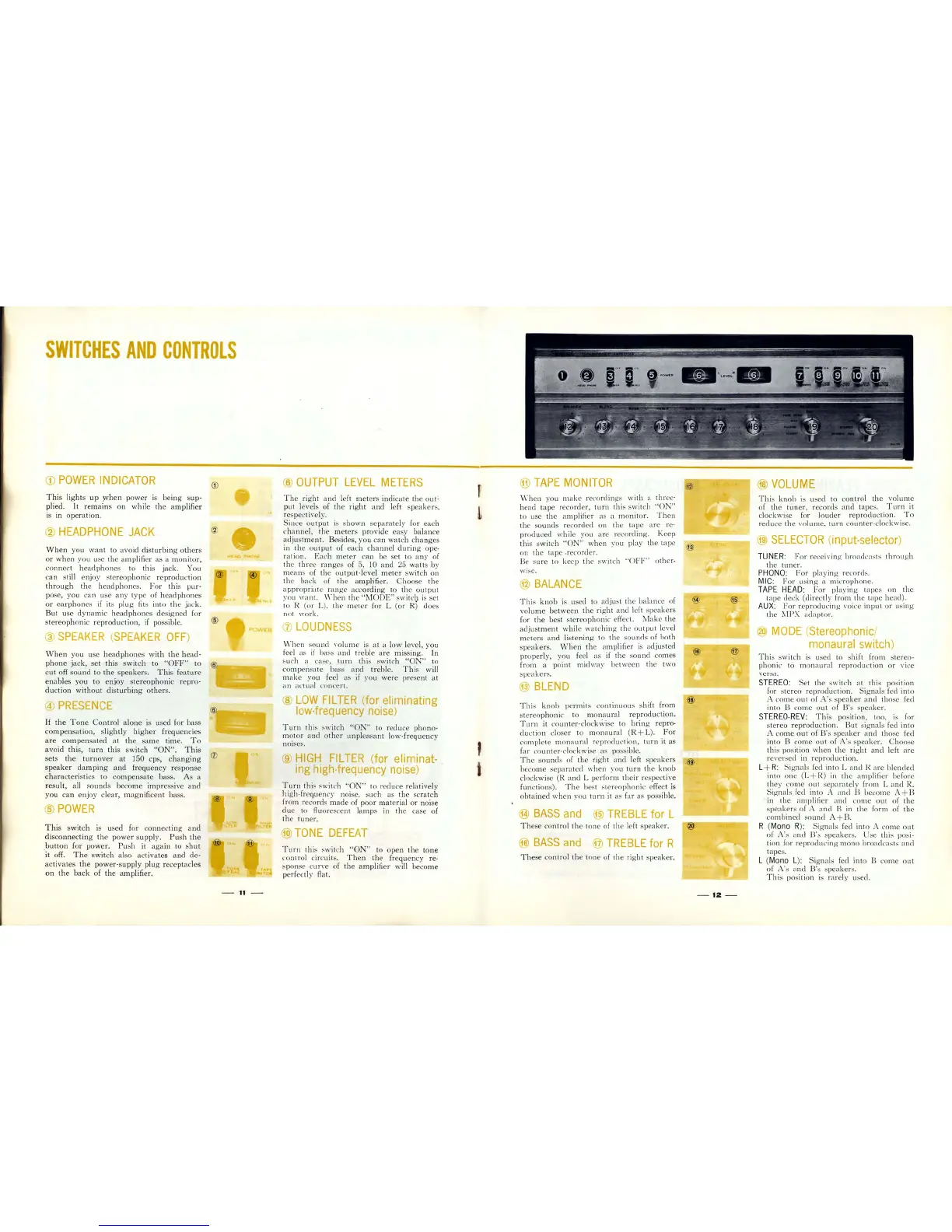
CD
POWER
INDICATOR
T his
lights
up
yvhen
power
is
being
sup-
plied.
It
remains
on
whi
le
the
amplifier
is
in
oper
ation.
@
HEADPHONE
JACK
When
you
want
to avoid
disturbing
others
or
when you use
the
ampl
ifier
as
a
monitor,
co
nnect
h
ead
phon
es to this jack. You
can
still
enjoy
s
tereophonic
reprodu
ction
through
the
h
ea
d
phone
s.
For
thi
s
pur-
pose, you can use a ny type of
headphones
or
earphones
if
its plug fits
into
the
jack.
But
use dynamic
headphones
designed
for
stereophonic
reproduction,
if
possible.
@
SPEAKER
(
SPEAKER
OFF)
When
you
use
headphones
with
the
head-
phone
jack,
set
this
switch
to
"OFF
" to
cut
off
sound
to
the
speakers
.
This
feature
enables
you
to
enjoy
stereophonic
repro-
duction
without
disturbing
others.
@
PRESENCE
If
the
Tone
Control
al
one
is used
for
bass
com
pensat
ion,
slightly
higher
frequencies
are
compensated
at
the
same
time.
To
avoid
this,
turn
this
switch
"ON"
_
This
sets
the
turnover
at
150 cps,
changing
speaker
damping
and
frequency
re
s
ponse
ch
ara
cteristics
to
compensate
bass.
As
a
resu
lt, all s
ounds
become
impressive
and
you
can
enJoy clear, m
ag
nifice
nt
bas
s.
@
POWER
This
switch
is used f
or
connecting
and
disconnecting
the
power
supply.
Push
the
.
button
for
poweL
Pu
sh it
again
to
shut
it
off_
The
switch
also
activates
and
de
-
activates
the
power
-
supp
ly
plug
recept
acles
on
the
back
of
the
amplifieL
CD
HE"O
PHON
®
POWER
®
@
@
ow
..
TER
-
11
®
OUTPUT
LEVEL
METERS
Th
e
right
and
left
meters
indic
ate
the
out:
put
l
eve
ls of
th
e
right
and
left sp
eake
rs,
re
spectively.
Since
output
is s
hown
se
par
ate
ly for
each
c
hannel
,
the
met
e
rs
provide
easy
balance
adjus
tment.
Besides,
you
ca
n
wat
ch c
hang
es
in
th
e o
utput
of each
channel
dur
i
ng
ope-
ration
.
Each
meter
can
be
set
to
any
of
th
e
thr
ee
range
s of 5, 10
and
25
watts
by
means of
th
e
output-
level
meter
s
witch
on
the
back of the amplifieL
Choose
th
e
a
ppropriat
e
range
according
to
th
e
output
YOU
want. \
'-h
en the
"MODE
"
sw
itch is set
io
R (or L), t he
meter
for L (or R)
does
not \york.
(J)
LOUDNESS
\\
-
hen
so
und
\'olume
is
at
a low level,
you
ieel
as
if
bass and
treble
are missing.
In
such a case,
turn
this
switch
"ON
" to
compensate
bass
and
treble.
Th
is will
mak
e you f
ee
l
as
if
you
were
present
at
an
ac
tual concert,
@
LOW
FILTER
(for eliminating
low-frequency
noise)
.
Turn
this
5w
it
ch
"ON
" to red uce
phono
"
motor
and
other
unplea
sa
nt
low-frequency
nOI
ses.
®
HIGH
FILTER
(for eliminat-
ing high-frequency
noise)
Turn
this sw
it
ch
"ON
" to red uce relatively
high-frequen
cy noise, such as
the
sc
ratch
from
rec
orel
s
made
of
poor
mat
erial
or
noise
du
e
to
fluoresce
nt
lamp
s in
th
e
case
of
th
e
tun
er.
@)
TONE
DEFEAT
Turn
this
sw
it
ch "
ON
" to
open
the
tone
co
ntrol
circuit
s_
Then
th
e fre
qu
en
cy
re-
s
pons
e c
ur\'
e of
the
amp
lifier wi
ll
be
co
me
perfectly flat.
,
1
®
TAPE
MONITOR
vVh
en
you
mak
e record
in
gs
with
a
thr
ee
-
he
ad
tape
record
er,
turn
this
sw
itch
"ON"
to use
th
e
am
pI
ifi
er
as
a
mon
itor.
Then
th
e s
ounds
rec
ord
ed on
th
e
tape
are re-
pro
duced while
yo
u
are
reco
rding.
Keep
th
is switch "
ON
"
when
you play
the
t
ape
on
the tap
e
.recorder.
Be s
ure
to k
eep
th
e
~\\"itch
"OFF"
othe
r-
wIse.
@
BALANCE
Th
is
knob
is used to adjust
the
balan
ce of
volume
be
tw
ee
n
the
right
and
left
spea
kers
for
the
best ste
reoph
on
ic
e
ff
ect.
J\
,
1ake
the
adjustment
while
watching
th
e o
utput
l
eve
l
met
ers
and
li
s
tening
to
the
so
und
s of
both
spea
kers
. \\Then
the
amplifier is
adjusted
pr
ope
rly,
yo
u feel as
if
th
e so
und
co
mes
fr
om a
point
midway
between
th
e
two
spea
kers.
@
BLEND
Thi
s
knob
permits
continuous
shift
from
stereo
phoni
c to
monaural
reproduction
.
Turn
it co
unter-clo
c
kwi
se to
brin
g repro-
du
ction closer to
monaural
(
R+L).
For
co
mp
l
ete
mon
aural re
produ
ction,
turn
it
as
far
co
unter-
c
lo
c
kwi
se
as
possible.
Th
e so
und
s of the
righ
t and left sp
ea
kers
beco
me
sepa
rated \"hen you
turn
th
e
knob
cl
oc
kwi
se (R
and
L pe
rform
th
eir respec
tive
functions) .
Th
e best ster
eop
honic effect is
obtained
when you
turn
it
as
far
as possible_
@)
BASS
and
@
TREBLE
for L
Th
ese control the tone of
the
left
spea
ker.
@
BASS
and
®
TREBLE
for R
These
control
the
ton
e of
th
e
right
speaker.
@
®
@
-12
-
@)
VOLUME
Thi
s
knob
is used
to
co
ntrol
th
e
volume
of
the
tuner
, rec
ord
s
and
tap
es.
Turn
it
clockwise for
louder
reprodu
ct
ion.
To
redu
ce
th
e
\'01
ume,
turn
co
un
ter-clockwise.
@
SELECTOR
(input-selector)
TUNER:
For
receiving
bro
a
dca
sts
through
the
tuner.
PHONO:
For
playing reco
rd
s.
MlC:
For
us
in
g a mic
roph
one,
TAPE
HEAD
:
For
playing
tapes
on
th
e
t
ape
c1
eck
(directly
from
the
tape
head).
AUX
:
For
r
epro
du
cing \'oice
input
or
u
si
ng
the
MPX
adaptor.
@
MODE
(Stereophonic/
monaural switch)
Thi
s s
wit
ch is used to shift
from
s
ter
eo-
phoni
c · t6
mon
a
ur
al re
produ
ction
or
vIce
versa
.
STEREO:
Set
the
switch
at
this po
si
tion
for
stereo
reproduction.
Signa
ls f
ed
int
o
A come
out
of
A's
s
peak
er
and
tho
se fed
into
B come
out
of
B
's
sp
ea
ker.
STEREO-
REV
:
Thi
s position, too, is for
stereo
reproclu
ct
ion.
But
signals fed
into
A
come
out
of
B'
s s
peaker
a
nd
tho
se fed
into
B come
out
of
A's s
peak
er.
Choose
this position
when
th
e rig
ht
and
l
eft
are
r
e\'e
rsed
in
r
ep
rodu
ct
ion.
L+ R:
Signals
fed into
Land
H.
are
bl
e
nd
ed
into
one (L + R)
in
the
amplifier befor
e
th
ey
come
out
se
paratel
y
from
Land
R.
Signals
f
ed
into A
and
13
become
A+B
in
th
e amplifier
and
come
o
ut
of
the
spea
kers
of
A
and
13
in
the
form
of
tb
e
co
mbined
so
und
A+B.
R (Mon o R
):
Signals fed into A come
out
of
A's
and
B
's
sp
ea
kers. Use this pos
i-
tion for
reprodu
cing
mono
broad
casts
and
tape
s.
L (Mono L):
Signals
fed
into
B co
me
out
of
A's
and
B's sp
ea
ker
s.
Thi
s position is rarel y u
secl
.

Related product manuals