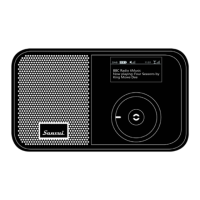
DAB/DAB+ RADIO
Pocket Radio
search is nished, the screen will display the number of radio stations found and
will play the rst station found. If no stations are found, it will display “0”. When the
search is the radio will display the Playing screen.
Region
You can select the appropriate region from the following: China, Korea, Europe and
UK
The different regions use the following frequency bands:
China Band
:
7A-11D 176.720MHz-213.856MHz
Korea Band: 7A-13C 175.280MHz-214.736MHz
Europe Band: 5A-13F 174.928MHz-239.200MHz
UK Band
:
11B-12D 218.640MHz-229.072MHz
DRC
Dynamic Range Control. Some broadcasts contain information to allow the radio to
compress the dynamic range of the audio to assist listening in noisy conditions. The
DRC can be set to three states: high, low, and off .The default is off
Record
In the DAB mode, you can record your favourite programmes. The recordings can
be stored in the internal Flash memory or the SD card.
In the DAB mode, select the <Record> menu; it will offer the storage options, to
Flash or SD card if present. If SD Card is selected when an SD card is not present,
a warning No SD will appear. Having selected the desired storage option, the
display will change to say Preparing, Press the Enter Button to start to record. To
Pause during the recording, press the Enter Button, and to stop recording, press
the Back Button. If you stop the recording and then press the Enter Button, a new
recording will start.
Sort
The stations stored in the <Station List> can be sorted, either according to the fre-
quency, or in alphanumeric order, (which is the default setting).
System Setup
Please refer to <System Setup Menu introduction and operation> of this user
manual.
Main Menu
Please refer to <Main Menu introduction> of this user manual
DAB Mode Operation
Basic Operation
Power on DAB for the First Time
When using the DAB mode for the rst time, or after a Reset, the radio will display
the auto-search screen, and when the search is nished, it will show the <Station
List> screen, which will display all of the stations found. It will play the rst station in
the list automatically, and the radio will store all of the stations found.
Power on DAB after the First Time
When using DAB after the rst time, it will play the last station that was selected
automatically.


 To Next Page