DAB/DAB+ RADIO
Pocket Radio
Seek Mode
Press Back Button to go back to the main menu, select <Seek Mode> and press
the Enter Button, to search for stations automatically.
Turn the Control Wheel to search for FM stations automatically.
Turn the Control Wheel clockwise to seek in a frequency increasing direction and
anti-clockwise to seek in a frequency decreasing direction.
When the seek function nds a radio station, it will stop and play that station auto-
matically.
Tune Mode
During normal radio playing, press the Back Button to enter the FM main menu.
Turn the Control Wheel to <Tune mode>, press the Enter Button to enter <Tune
Mode> for manual tuning thereafter.
Turn the Control Wheel and the frequency will change by 0.05MHz per step.
Clockwise to increase the frequency, anticlockwise to decrease the frequency.
Turn the Control Wheel until the desired radio stations is located
Auto Program
In the FM menu, turn the Control Wheel to <Auto Program> and press the Enter
Button to enter Auto Program Mode.
The system will search the stations between 87.50MHz
~
108.00MHz automati-
cally and will show the frequency.
At the same time, it will store the received stations in the Channel List. (30 stations
at most).
After the search is completed, it will automatically revert to the Channel List.
The Channel List will show the stored stations, and any previously stored stations
will be replaced.
Clear All Station
To access the <Clear All List> menu during playing , press the Back Button to dis-
play the FM main menu, and turn the Control Wheel to <Clear All List> and press
the Enter Button to enter the <Clear All List> menu.
In the <Clear All List> menu, you can delete all the stations in the Preset List and
Channel List.
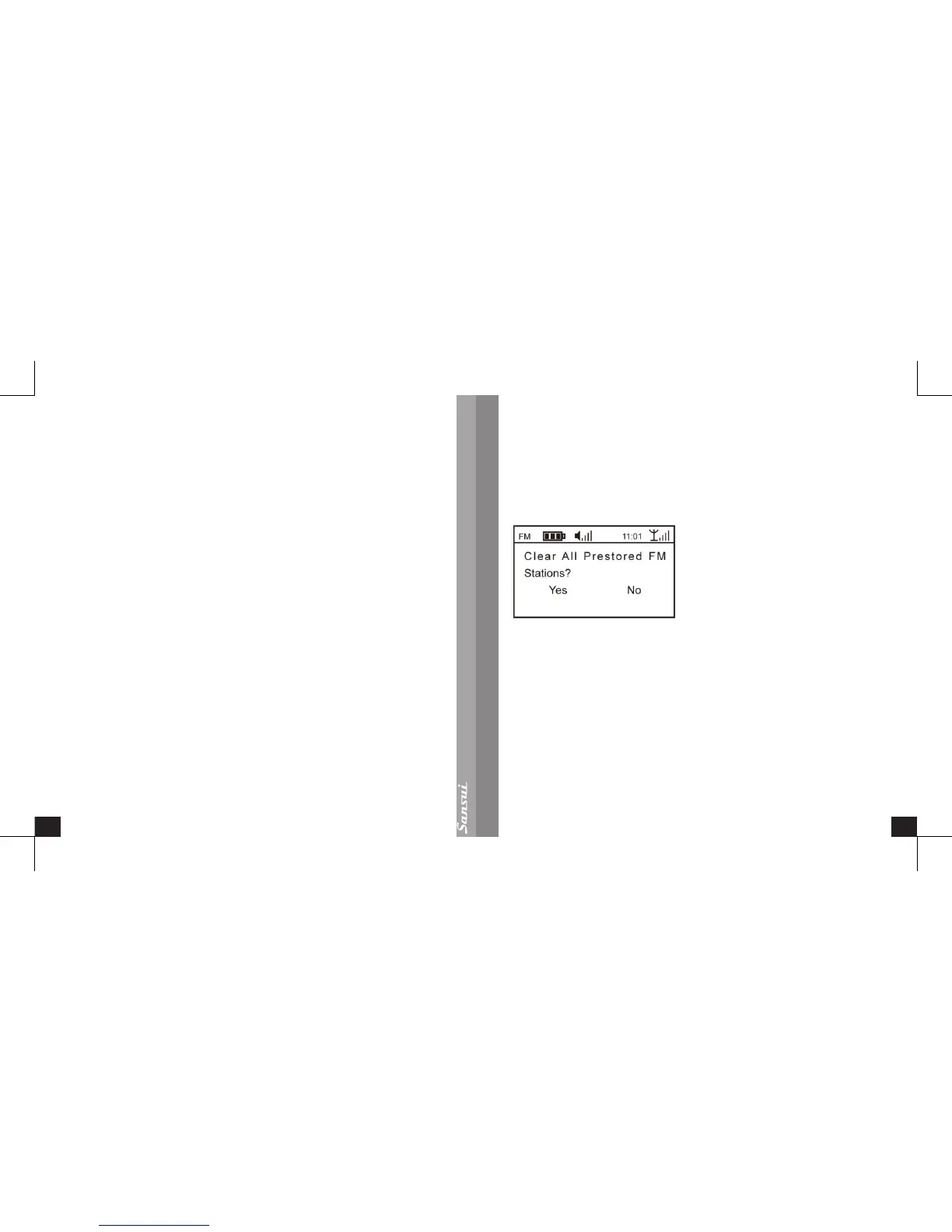
Once selected, the screen promptly appears to conrm this action, as below
If you conrm and press the Enter Button, the radio will clear all the stored stations
in the Preset List and Channel List and conrm with ‘Clear All’, then the radio will go
back to the playing screen. To exit without clearing the list, press the Back Button
Region
In the playing interface, press the Back Button to enter the FM main menu, turn
and press the Control Wheel to <Region>, you can select the corresponding region
according to your location. The Region contains: <U.S.A>, <Europe>, <Japan>;
press Enter Button to save and go back to FM main enu.
Scan Setting
In the playing interface, press Back Button and enter the FM main menu, turn the
Control Wheel to <Scan Setting> and press the Enter Button. The screen will show


 To Next Page