EasyManua.ls Logo

Sansui G-9700 - Using a Microphone; About Microphones; Howling While Using a Microphone

Sansui G-9700
50 pages
Print Icon
To Next Page IconTo Next Page
To Previous Page IconTo Previous Page
Loading...
36
Oo00000
°®O000
OrO
ooo00©@
Oa
©
¢
Using
a
microphone
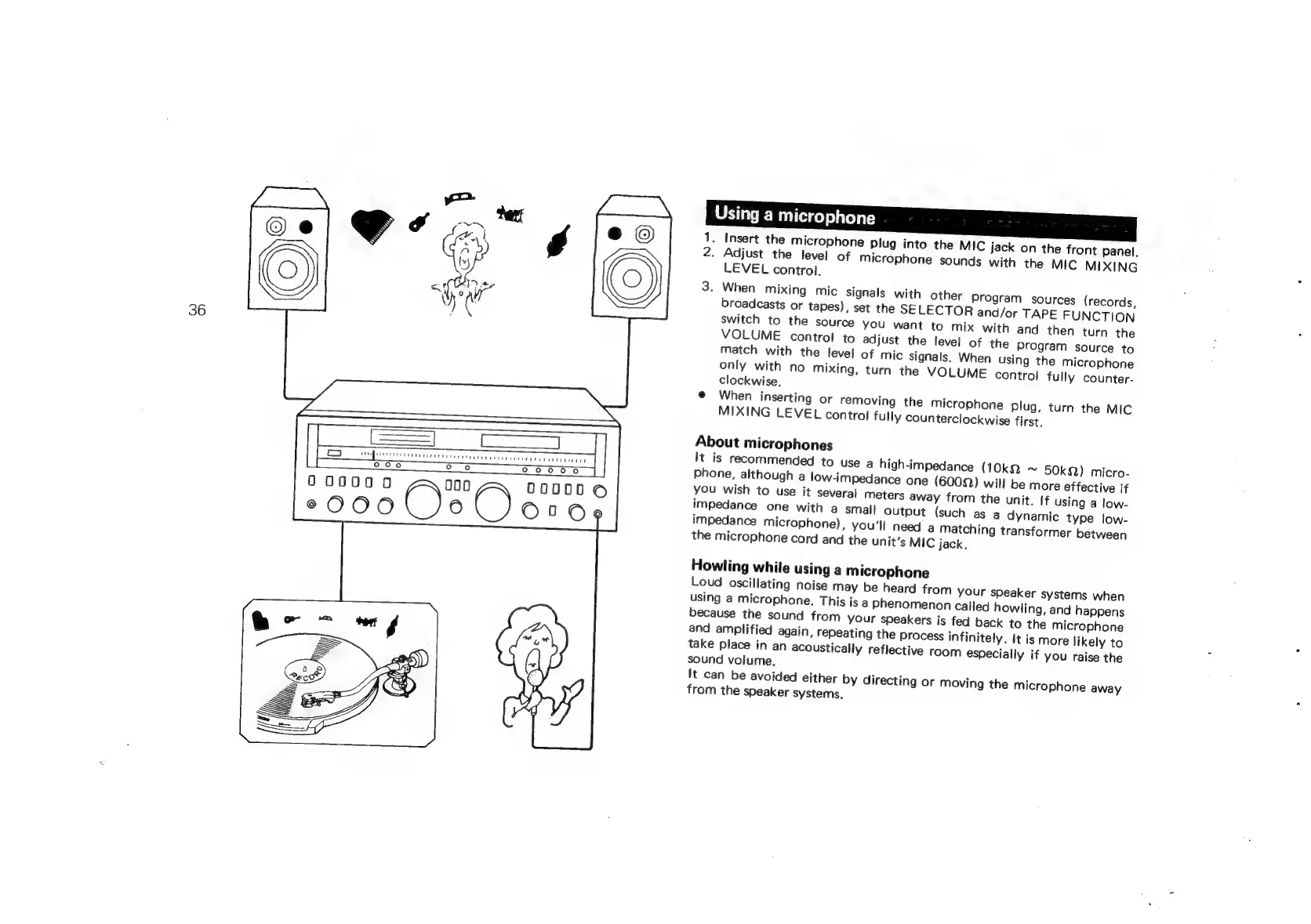
1.
Insert
the
microphone
plug
into
the
MIC
jack
on
the
front
Panel.
2.
Adjust
the
level
of
microphone
sounds
with
the
MIC
MIXING
LEVEL
control.
3.
When
mixing
mic
signals
with
other
program
sources
(records,
broadcasts
or
tapes),
set
the
SELECTOR
and/or
TAPE
FUNCTION
switch
to
the
source
you
want
to
mix
with
and
then
turn
the
only
with
no
mixing,
turn
the
VOLUME
control
fully
counter-
clockwise,
@
When
inserting
or
removing
the
microphone
Plug,
turn
the
MIC
MIXING
LEVEL
control
fully
counterclockwise
first.
About
microphones
It
is
recommended
to
use
a
high-impedance
(10k2
~
50k)
micro-
phone,
although
a
low-impedance
one
(60022)
will
be
more
effective
if
you
wish
to
use
it
several
meters
away
from
the
unit.
If
using
a
low-
impedance
one
with
a
small
output
(such
as
a
dynamic
type
low-
impedance
microphone),
you'll
need
a
matching
transformer
between
the
microphone
cord
and
the
unit’s
MIC
jack.
Howling
while
using
a
microphone
Loud
oscillating
noise
may
be
heard
from
your
speaker
systems
when
and
amplified
again,
repeating
the
process
infinitely.
It is
more
likely
to
take
place
in
an
acoustically
reflective
room
especially
if
you
raise
the
sound
volume.
It
can
be
avoided
either
by
directing
or
moving
the
microphone
away
from
the
speaker
systems.

Related product manuals