SOUNS Menu
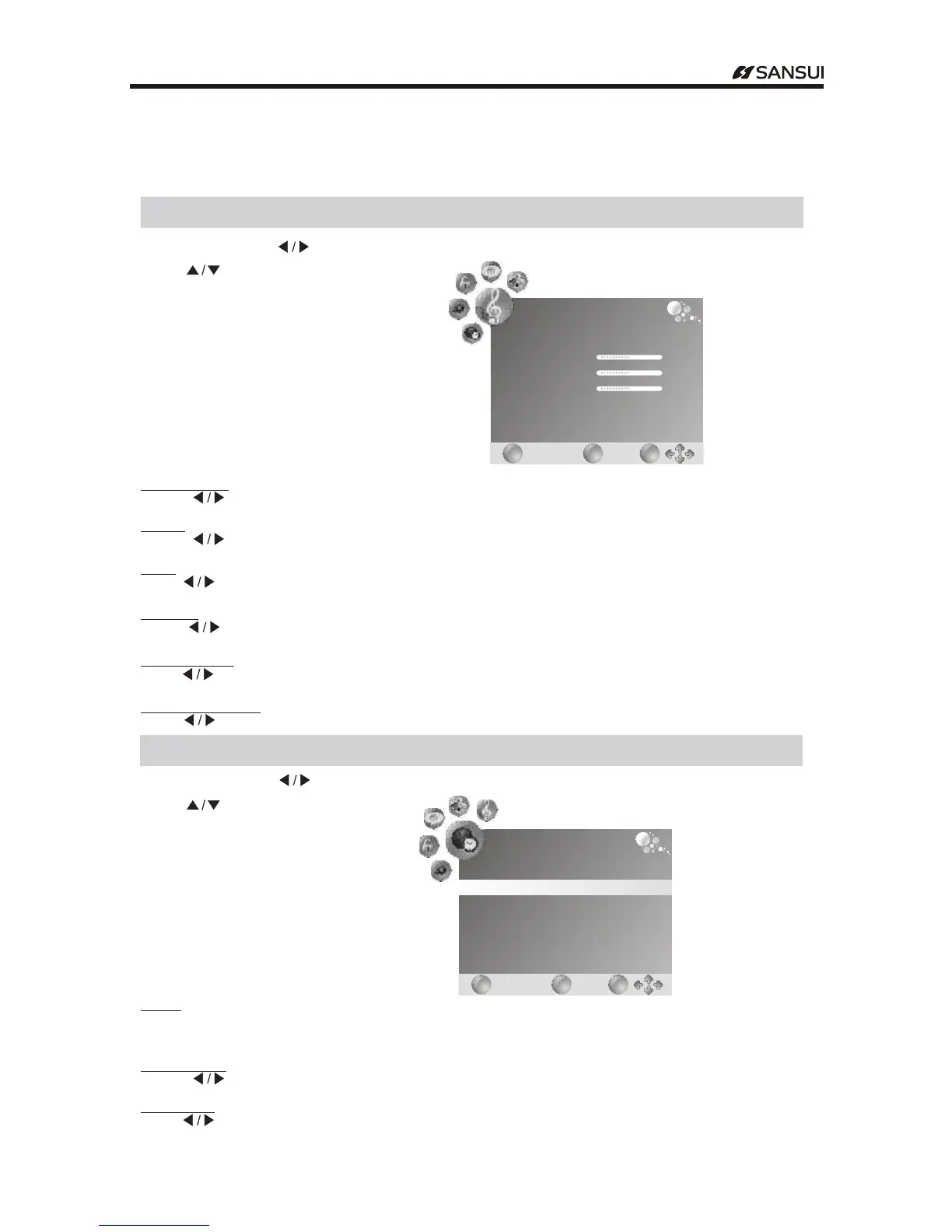
Press "MENU" .And " "buttons to select the SOUND MENU
Press .to" "button select items
Menu Operation
SOUND
EXIT
EXIT
MENU
MENU
OK
OK
Sund Mode
Treble
Bass
Balance
Auto Volume
Surround Sound
Standard
50
50
50
Off
Off
Sound Mode
Press button to select among Standard Music Movie Sports and User, , , ."
Treble
Press button to adjust the level of the higher pitcher sounds- ."
Bass
Press button to adjust the level of the lower pitcher sounds- ."
Balance
Press button to adjust the audio output between left and right speakers."
Auto Volume
Press button to turn on off the function of auto volume/ ."
Surround Sound
Press button to turn on off the function of surround sound/ ."
"
"
"
"
"
"
Time Menu
Press "MENU" .and buttons to select the TIME MENU"
Press to ." "button select items
"
Clock
Display the system time get from DTV signal or set the system time.
Sleep Timer
Press button to set the sleep timer."
Time Zone
Press button to set the time zone."
Note cannot be modified once obtain the local time from DTV channel: .Clock
"
"
TIME
EXIT
EXIT
MENU
MENU
OK
OK
Clock
Time Zone
Sleep Timer
-- --
New South Wales GMT+10
Off
- 15 -
Operating Instructions



 To Next Page