- 7 -
Introduction
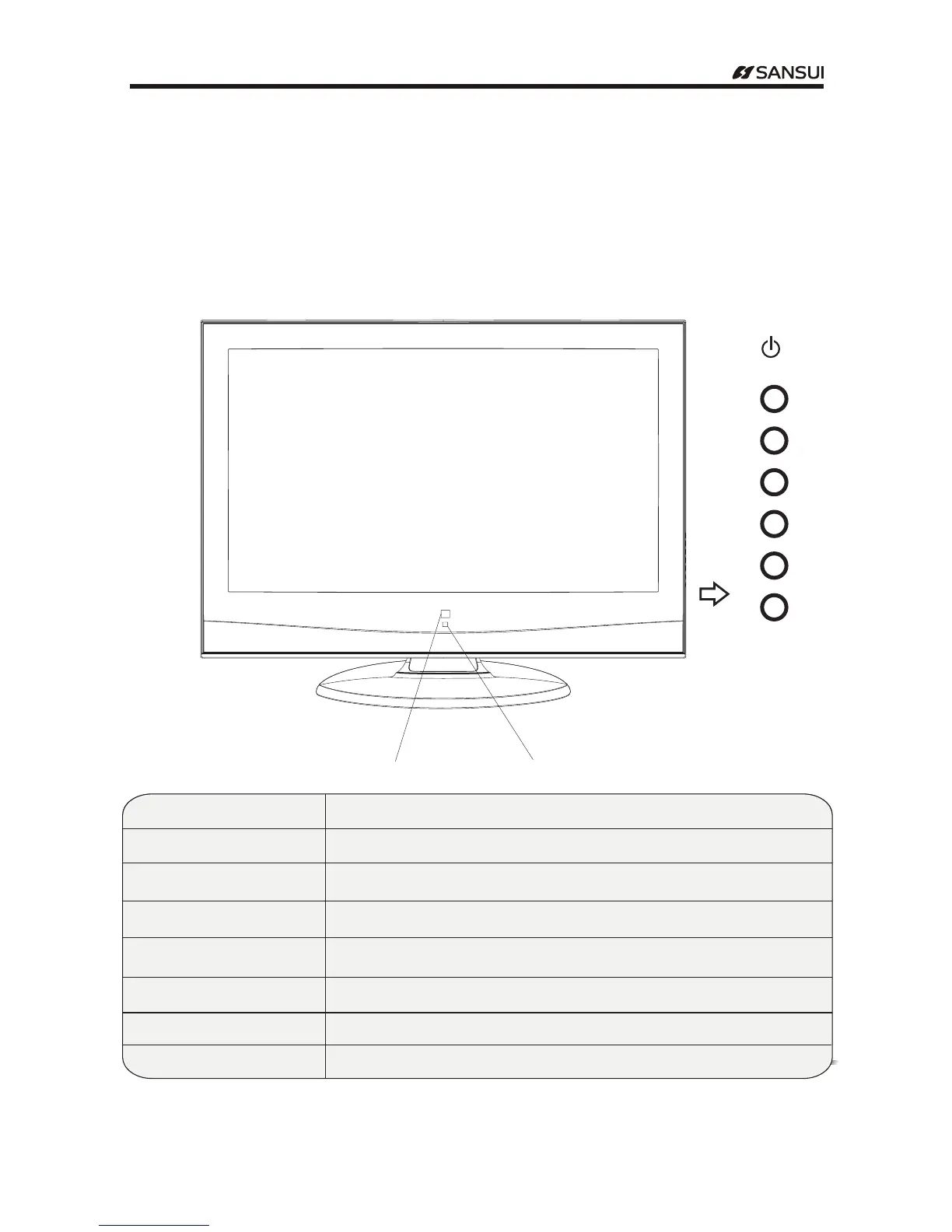
Front Panel
-The pictures are for function illustration
-Here shown may be somewhat different from your TV.
-Please take the TV as the standard
BUTTON NAME FUNCTION DESCRIPTION
VOL + Press to increase or decrease the sound level./VOL-
CH + CH -
Press to scan through channels.
MENU Press to bring up the main menu to the screen.
SOURCE Press to select the input source.
POWER INDICATOR Show red in standby mode,show green when your TV is switched on.
INFRARED SENSOR Infrared sensor for the remote control.
STANDBY Switch on the LCD TV when at standby mode or vice versa.
POWER INDICATOR
INFRARED SENSOR
VOL+
VOL-
CH +
CH -
/
STANDBY
MENU
SOURCE
Operating Instructions



 To Next Page