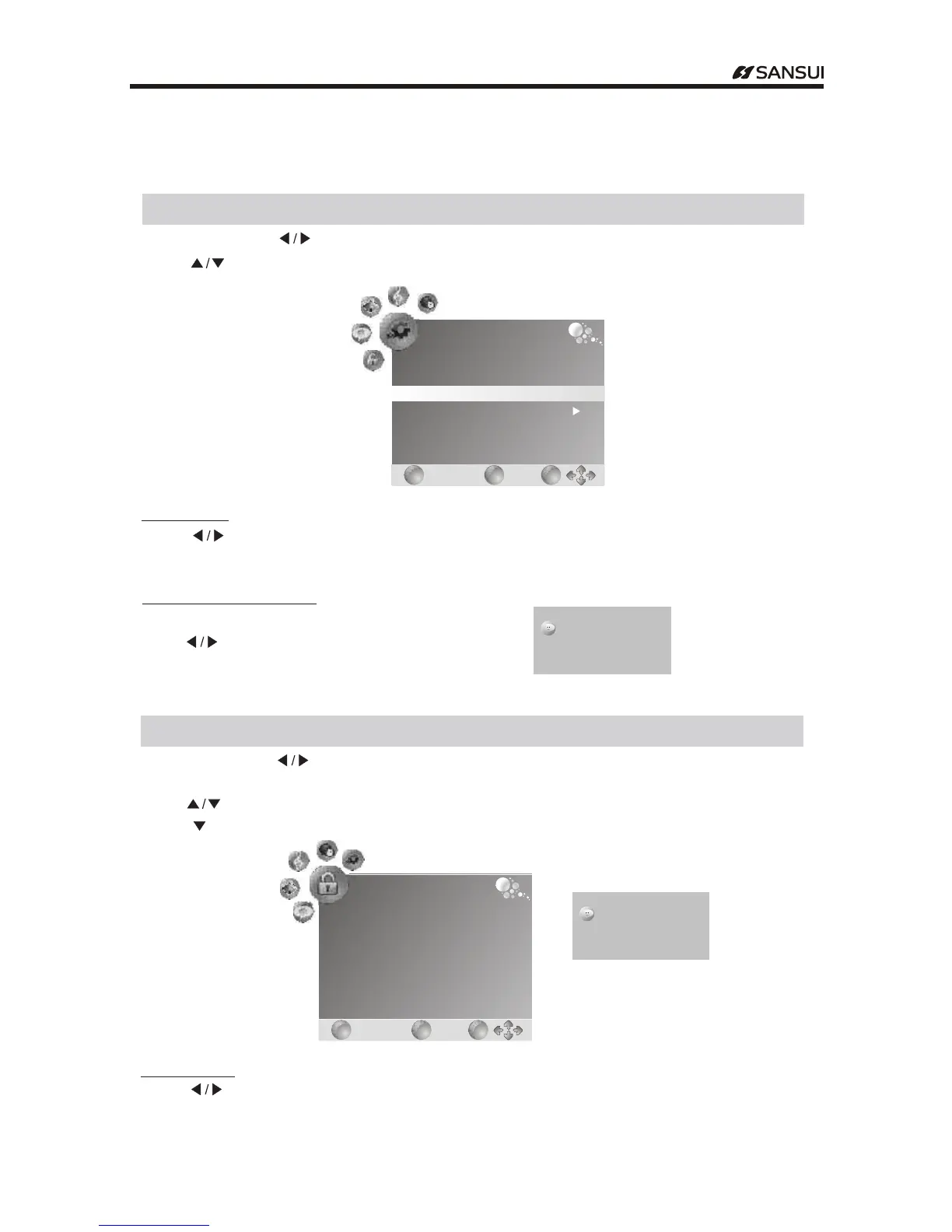
Option Menu
Menu Operation
Press "MENU" .and buttons to select the OPTION MENU" "
Press to enter the ." " Button Submenu
Restore Factory Default
Press button to select yes no/ ." "
Enter the password Default password is 0000.( )
Press EXIT to exit.button
Blue Screen
Press button to turn on off the function of/ ." " blue screen
With this function on when no signal is received in analog TV mode the TV will display a mild
blue screen
,
.
" "
Lock Menu
Press "MENU" .and buttons to select the LOCK MENU" "
Press to ." "button select items
Press to enter the ." " " "or Ok button Submenu
Enter the password Default password is 0000.( )
Lock System
Press button to turn on off the function of Lock System/ ." "
OPTION
EXIT
EXIT
MENU
MENU
OK
OK
Language
Country
Restore Factory Default
Blue Screen
English
Australia
Off
Please enter password
X X X
Please enter password
X X X
LOCK
EXIT
EXIT
MENU
MENU
OK
OK
Lock System
Set password
Block Program
Parental Guidance
Off
No Block
- 16 -
Operating Instructions



 To Next Page