Important Unique Buttons
Unique Buttons Operation
RECALL
Press to the channel."RECALL"button restore former
ZOOM
Press to , : , : , , ."ZOOM"button select among Auto 4 3 16 9 Zoom1 Zoom2
LIST
Press to .+/ -" "CH CH button page up or down the channel list
Press EXIT to exit." "button
Press OK to enter the channel
." "button
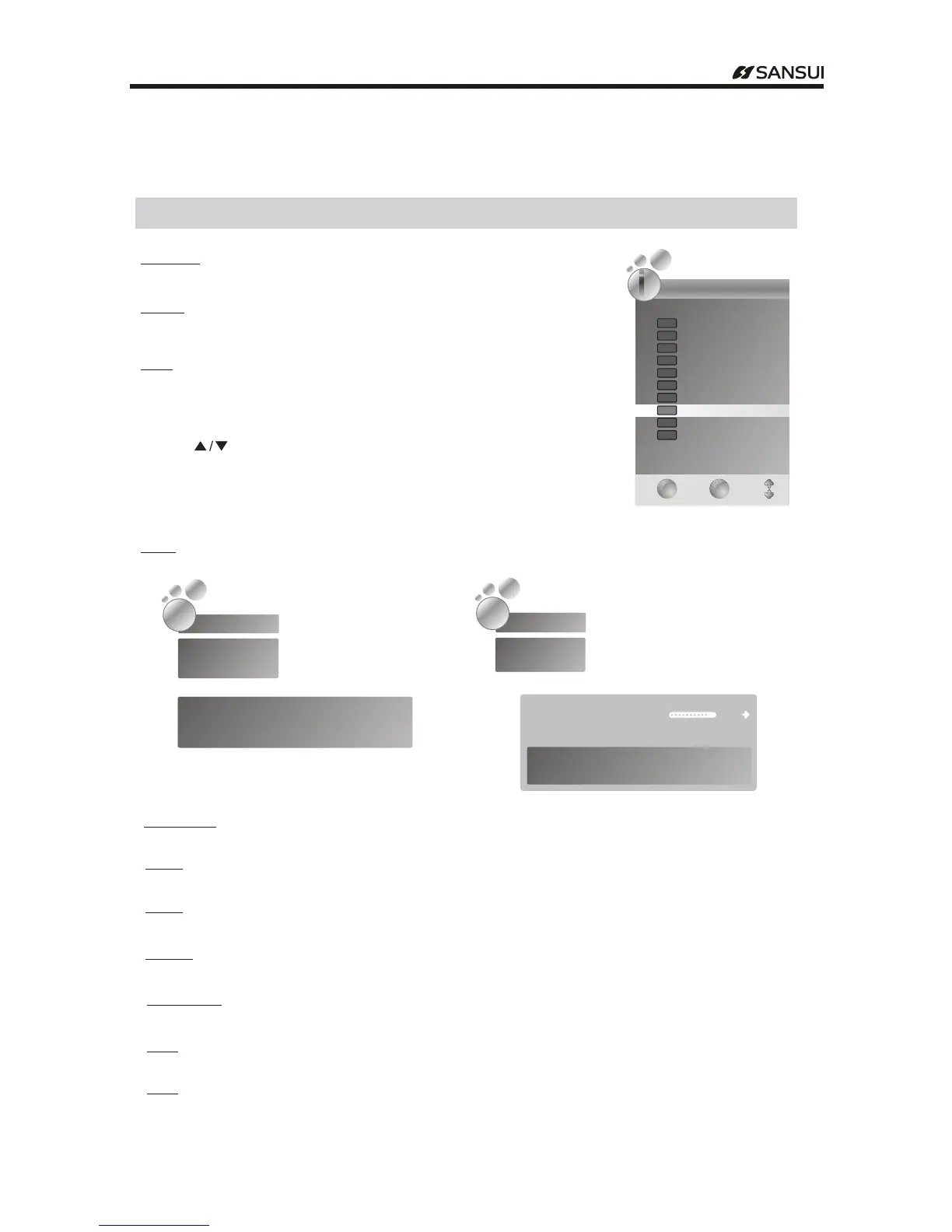
INFO
Press INFO to display the information of current channel
.
button
Press LIST to display the channel list
." "button
Press to ." " select the items
" "
Channel ListChannel List
EXIT
EXIT
OK
OK
ii
2 ABC1
20 ABC HDTV
21 ABC1
22 ABC2
23 ABC3
200 ABC DIG Radio
1 BBC1
3 S-42
4 C-04
2 cy@K
TVTV
TVTV
TVTV
TVTV
DTVDTV
DTVDTV
DTVDTV
DTVDTV
DTVDTV
RadioRadio
AUDIO
Press to ."AUDIO"button select the audio source of current channel
HDMI
Press to ."HDMI"button switch the desired HDMI input
SUBTITLE
Press to .( )"SUBTITLE"button select subtitle of current channel DTV ONLY
TV RADIO/
Press / to .( )"TV RADIO"button switch between DTV and radio channel DTV ONLY
FAVS
Press to .( )"FAVS"button display the favorite list Except under the TELETEXT mode
In TV signal
In DTV signal
C 10---
TV
Mono
PAL DK
No Information 01 16:::
576i
2121
ABC1ABC1
DTVDTV
SD MPEG
BodyHitsLoveBugs 0052
WedMar052008 SIG Next
:
,
-
: - :00360105
--
: - :: - :
Subtitle English Teletext 576i M 13
Reserved for future use
Packed with quirky facts and some shocking rev,e.la.t.io.n..s
In TV signal
21
.
2121
9
- 18 -
DTV
Press to"DTV "button switch the desired DTV mode.
ATV
Press to"ATV "button switch the desired ATV mode.
Operating Instructions



 To Next Page