Unique Buttons Operation
Important Unique Buttons
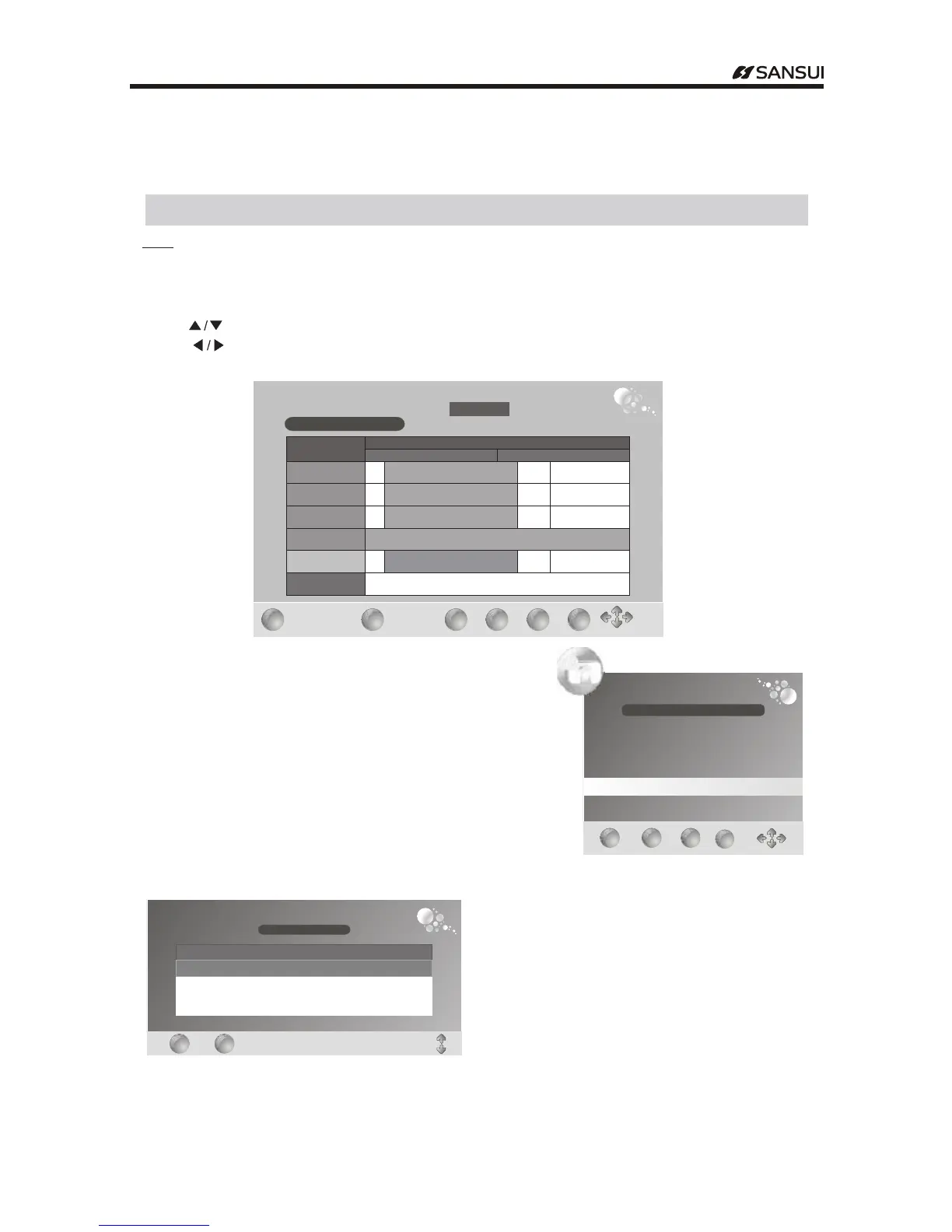
EPG( )only available in DTV mode
Press EPG to display the
You can check the program information for the next 7days
If the information is available from the broadcaster
.
( ).
button Electronic Programme Guide.
Press to ." "button select the channel
Press and yellow button to select the time." "
Press INFO button to show the information of the program." "
" "
PROGRAMME GUIDEPROGRAMME GUIDE
05Mar 20080107
:
DTV 23 ABC3
01050220MovieDangerous Mission
: - : :
DTVDTV
2
ABC1
20ABC HDTV
21ABC1
22ABC2
23ABC3
B..
B..
B..
Movie Dangerous Mission:::
Movie Dangerous Mission:::
Movie Dangerous Mission:::
05Mar
0100::: 0200:::
Anim..
Anim..
Anim..
Movie Crossfire:::
Movie Crossfire:::
Movie Crossfire:::
ABC2resumes at700am...
....
Movie Dangerous Mission:::
Anim..
No Information
EXIT
EXIT
INFO
INFO
Schedule
Schedule
DATE
DATE
Reminder
Reminder
OK
OK
If you find the desired program which will show in the future
Press blue button to set the Reminder
When the reminder program is about to start
a reminder window will appear
.
.
,
.
Reminder
Programme
Hour
21ABC1
03
Date
05Mar20080106:
Minute
25
Mode
Once
Month
Mar
Thurs06..
.
EXIT
EXIT
Schedule
Schedule
MENU
MENU
OK
OK
SCHEDULE LISTSCHEDULE LIST
05 Mar 2008 01 08
:
Title Time Date Programme Mode
NoNo TitleTitle
0112:01120112:: Wed 05Mar.Wed 05MarWed 05Mar..
2121
ABC1ABC1
OnceOnce
Press gree n button to show the schedule list and red button to delete the prog ram
EXIT
EXIT
DELETE
DELETE
- 19 -
Operating Instructions



 To Next Page