18
SETUP
LANGUAGE ENGLISH
CLOCK SET 12:00 AM
TV/CABLE CABLE
AUTO CH MEMORY
ADD/DELETE ADD
:SELECT :ADJUST
SETUP
LANGUAGE ENGLISH
CLOCK SET 12:00 AM
TV/CABLE CABLE
AUTO CH MEMORY
ADD/DELETE ADD
:SELECT :ADJUST
SETUP
LANGUAGE ENGLISH
CLOCK SET 12:00 AM
TV/CABLE CABLE
AUTO CH MEMORY
ADD/DELETE ADD / DELETE
:SELECT :ADJUST
SETUP
LANGUAGE ENGLISH
CLOCK SET 12:00 AM
TV/CABLE CABLE
AUTO CH MEMORY
ADD/DELETE ADD / DELETE
:SELECT :ADJUST
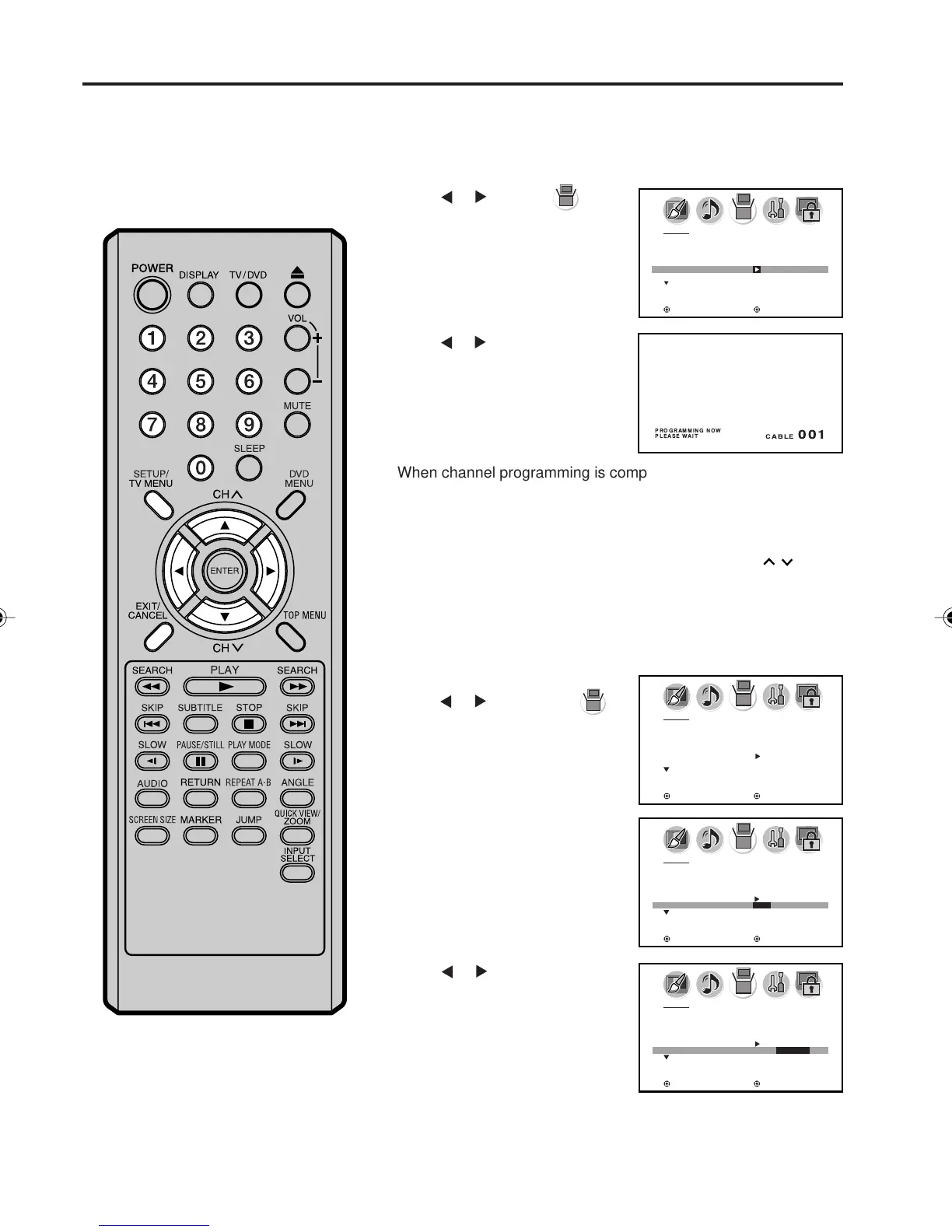
Press SETUP/TV MENU in the TV mode.
The TV menu screen will appear.
Press
or to select
(SETUP) menu, then press ▲ or
▼ to select “AUTO CH MEMORY”.
Automatic memory tuning
1
2
3
To ADD/DELETE channels
Press or . The unit will begin
memorizing all the channels
available in your area.
While the TV/DVD is cycling
through the channels, the
message “PROGRAMMING
NOW PLEASE WAIT” appears.
Press SETUP/TV MENU, then
press
or to select the
(SETUP) menu.
2
3
Press ▲ or ▼ to select “ADD/
DELETE”.
4
Press or to select “ADD” or
“DELETE”.
6
Repeat steps 1-5 for other channels you want to add or delete.
Select the desired channel to add or delete using CH
/ or
Direct Channel Selection (0-9).
Note:
To add channels, you must select the channel using Direct
Channel Selection (0-9).
1
Memorizing channels (continued)
When channel programming is complete, the message “COM-
PLETED” appears.
Press EXIT to return to the normal screen.
5
5V10101A[EN] P13-18 9/30/05, 15:0918



 To Next Page