41
NOTES:
Some discs may not work with the
repeat operation.
In A-B repeat mode, subtitles near
point A or B may not appear.
During the A-B Repeat Playback the
ANGLE feature will not operate.
You may not be able to set A-B
Repeat, depending on the scenes of
the DVD.
A-B Repeat does not work with an
interactive DVD, MP3/MPEG/WMA/
JPEG-CD.
Repeat playback
Press PLAY to start Repeat playback.
To resume normal playback, select Repeat “Off”.
Title, Chapter, Track Playback
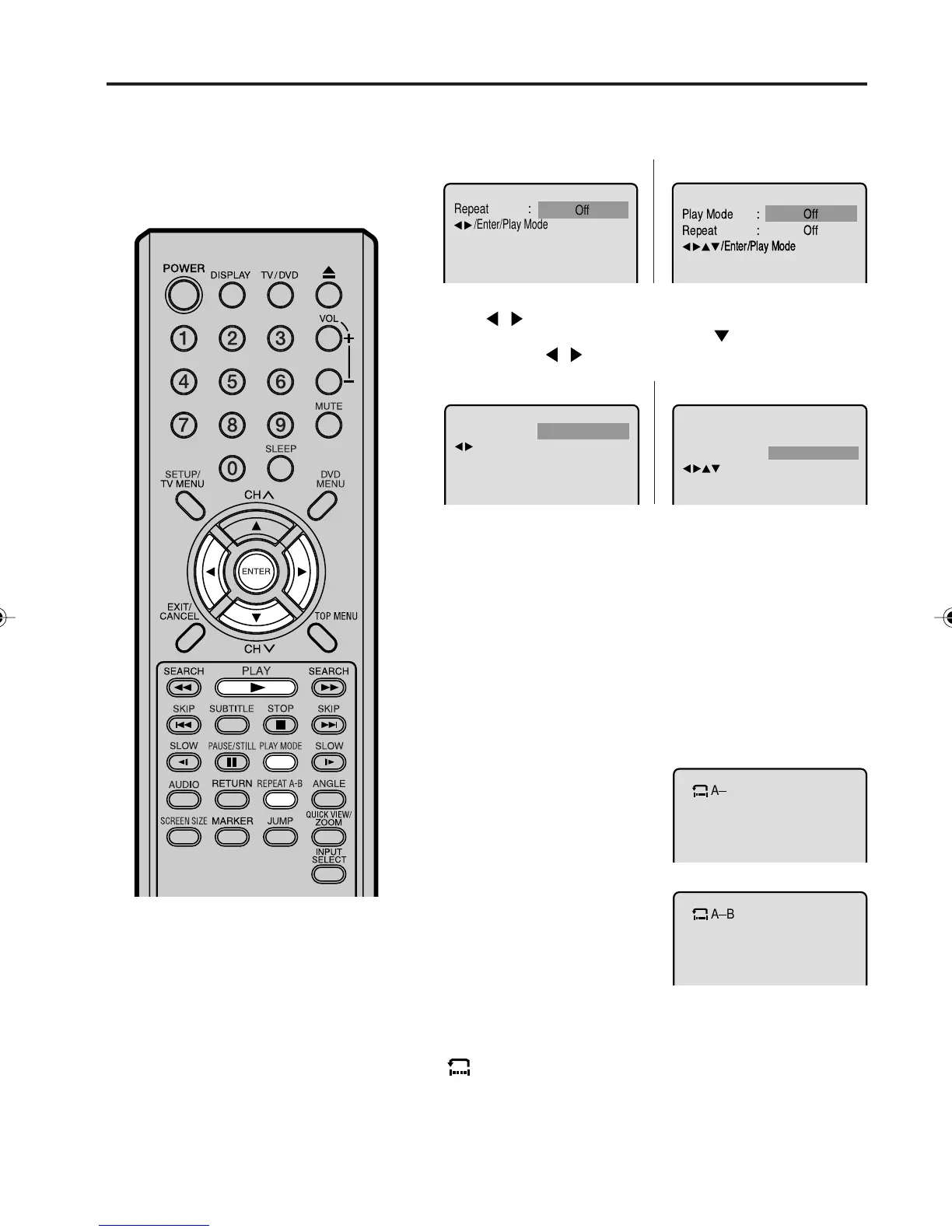
A-B repeat playback allows you to repeat material between two
selected points.
1
Press REPEAT A-B during
playback.
The start point is selected.
2
Press REPEAT A-B again.
The end point is selected.
Playback starts at the point
that you selected. Playback
stops at the end point, returns
to Point A automatically, then
starts again.
A-B Repeat Playback
Audio-CD
•
•
•
•
•
2
Press / or ENTER once or twice to select “Chapter” or
“Title”. In case of an Audio-CD, first press
to select “Repeat”,
and then press
/ or ENTER once or twice to select “Track”
or “All”.
DVD
Audio-CD
1
Press PLAY MODE during playback or stop mode.
DVD
3
Press PLAY MODE again to make the screen disappear.
•
•
To resume normal playback press REPEAT A-B again.
“
Off
” appears on the screen.
Repeat
Play Mode Off
All
:
:
/Enter/Play Mode
Chapter
:
Repeat
/Enter/Play Mode
Off
:
Repeat
/Enter/Play Mode
5V10101A[EN] P34-42 9/30/05, 15:1141



 To Next Page