48
1
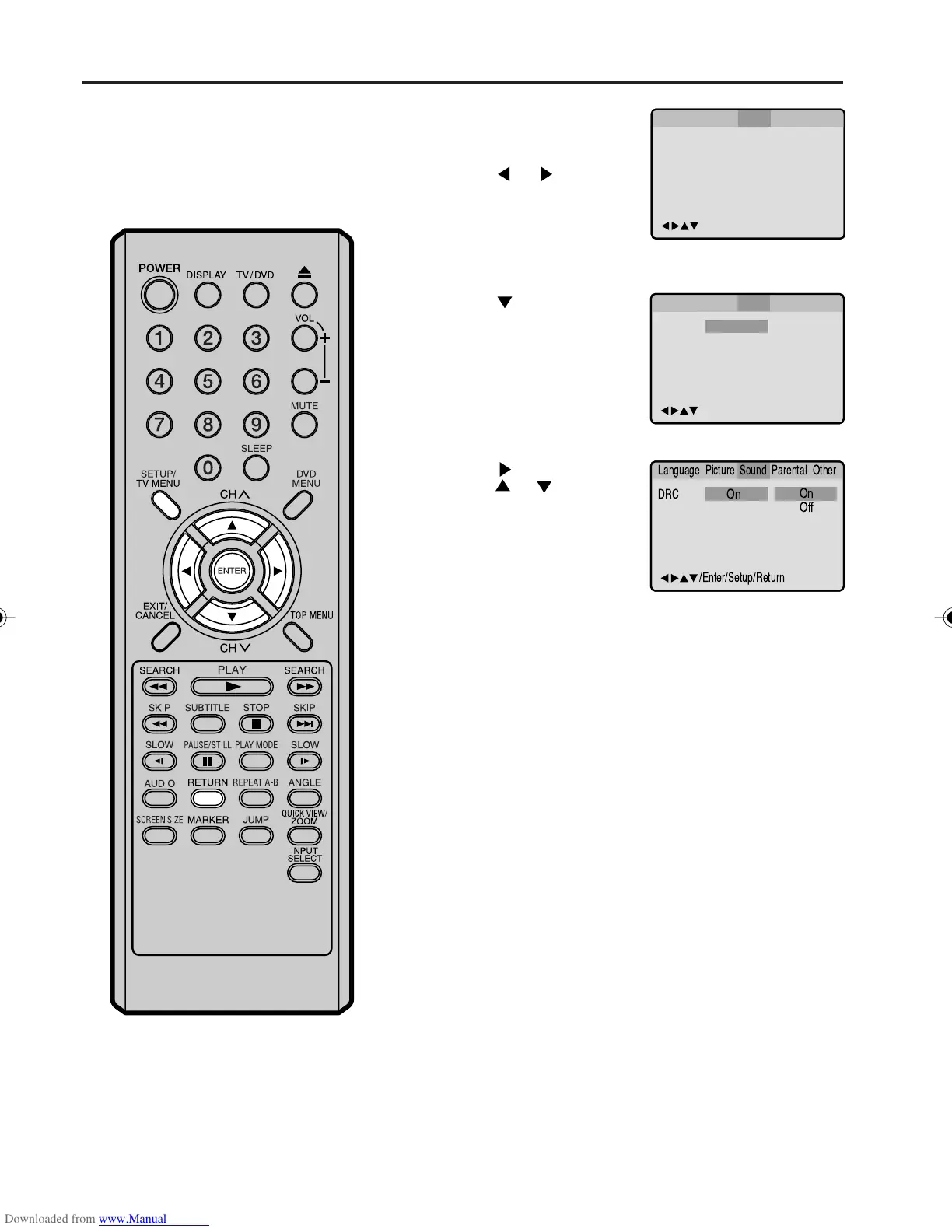
Press SETUP/TV MENU
in the stop mode or No
Disc.
Press
or to select
“Sound”.
2
Press or ENTER to
select “DRC”.
3
Press or ENTER, then
press
or to select
“On” or “Off”, then press
ENTER.
4
Press SETUP/TV MENU or RETURN to remove the Menu
screen.
Dynamic Range Control
DRC (Dynamic Range Control)
enables you to control the dynamic
range so as to achieve a suitable
sound for your equipment.
NOTES:
• This function works only during
playback of Dolby Digital recorded
discs.
• The level of Dynamic Range Reduc-
tion may differ depending on DVD
video disc.
/Enter/Setup/Return
Language Picture ParentalSound Other
DRC
On
/Enter/Setup/Return
Language Picture ParentalSound Other
/Enter/Setup/Return
Language Picture ParentalSound Other
DRC
Off
On
On
5V10101A[EN] P43-48 9/30/05, 15:1148



 To Next Page