57
or
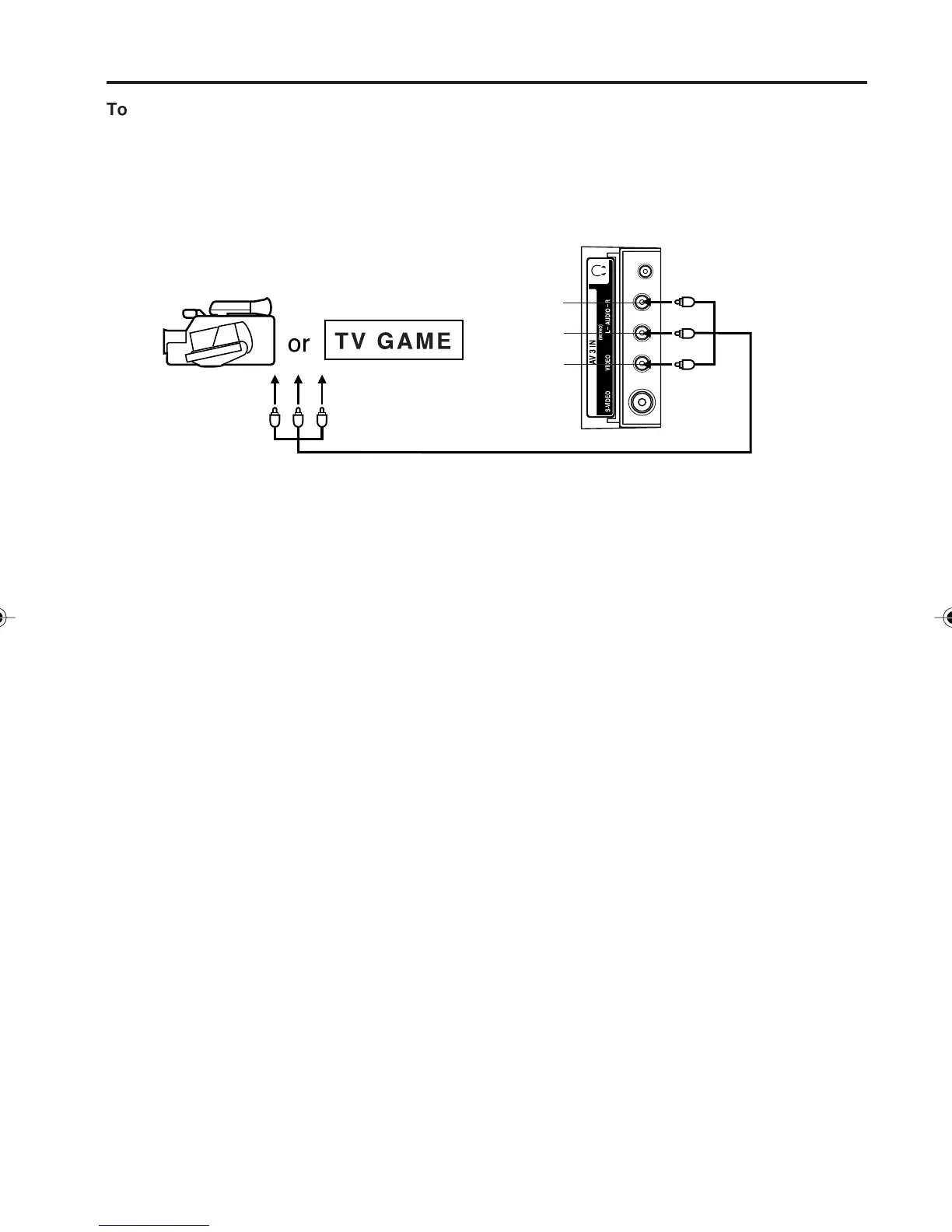
To connect the TV/DVD to a camcorder, or a TV Game
To playback from a camcorder, connect the camcorder to the unit as shown.
This unit can also be used as a display device for many video games. However, due to the wide variety of
signals generated by these devices and subsequent hook-up variations required, they have not all been
included in the suggested connection diagrams. You'll need to consult each component's Owner's Manual for
additional information.
Left side of unit
Camcorder
To Audio/
Video OUT
Audio/Video cord (not supplied)
VIDEO IN
AUDIO IN (L)
AUDIO IN (R)
Connections to other equipment (continued)
5V10101A[EN] P56-Back 9/30/05, 15:1257



 To Next Page