EasyManua.ls Logo

Sansui RA-1000 - Effect Mode

Sansui RA-1000
20 pages
Print Icon
To Next Page IconTo Next Page
To Previous Page IconTo Previous Page
Loading...
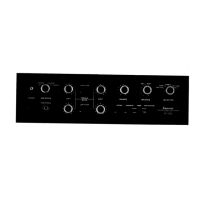
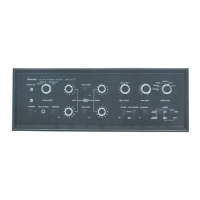
Panel
information
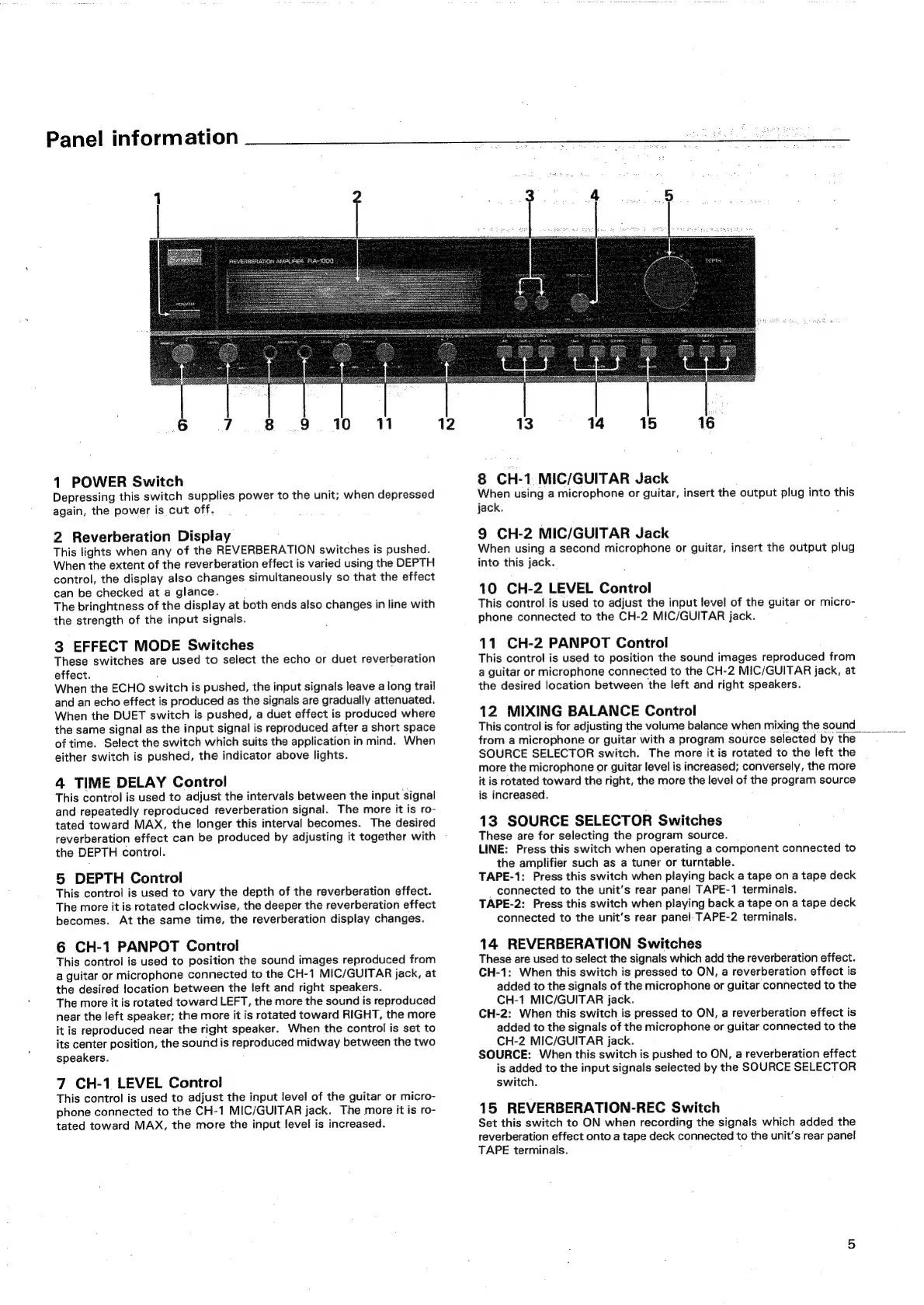
1
POWER
Switch
Depressing
this
switch
supplies
power
to
the
unit;
when
depressed
again,
the
power
is
cut
off.
2
Reverberation
Display
This
lights
when
any
of
the
REVERBERATION
switches
is
pushed.
When
the
extent
of
the
reverberation
effect
is
varied
using
the
DEPTH
control,
the display
also
changes
simultaneously
so
that
the
effect
can
be
checked
at
a
glance.
The
bringhtness
of
the
display
at
both
ends
also
changes
in
line
with
the
strength
of
the
input
signals.
3
EFFECT
MODE
Switches
These
switches
are
used
to
select
the
echo
or
duet
reverberation
effect.
.
When
the
ECHO
switch
is
pushed,
the
input
signals
leave
a
long
trail
and
an
echo
effect
is
produced
as
the
signals
are
gradually
attenuated.
When
the
DUET
switch
is
pushed,
a
duet
effect
is
produced
where
the
same
signal
as
the
input
signal
is
reproduced
after
a
short
space
of
time.
Select
the
switch
which
suits
the
application
in
mind.
When
either
switch
is
pushed,
the
indicator
above
lights.
4
TIME
DELAY
Control
This
control
is
used
to
adjust
the
intervals
between
the
input
signal
and
repeatedly
reproduced
reverberation
signal.
The
more
it
is
ro-
tated
toward
MAX,
the
longer
this
interval
becomes.
The
desired
reverberation
effect
can
be
produced
by
adjusting
it
together
with
the
DEPTH
control.
5
DEPTH
Control
This
control
is
used
to
vary
the
depth
of
the
reverberation
effect.
The
more
it
is
rotated
clockwise,
the
deeper
the
reverberation
effect
becomes.
At
the
same
time,
the
reverberation
display
changes.
6
CH-1
PANPOT
Control
This
control
is
used
to
position
the
sound
images
reproduced
from
a
guitar
or
microphone
connected
to
the
CH-1
MIC/GUITAR
jack,
at
the
desired
location
between
the
left
and
right
speakers.
The
more
it
is
rotated
toward
LEFT,
the
more
the
sound
is
reproduced
near
the
left
speaker;
the
more
it
is
rotated
toward
RIGHT,
the
more
it
is
reproduced
near
the
right
speaker.
When
the
control
is
set
to
its
center
position,
the
sound
is
reproduced
midway
between
the
two
speakers.
7
CH-1
LEVEL
Control
This
control
is
used
to
adjust
the
input
level
of
the
guitar
or
micro-
phone
connected
to
the
CH-1
MIC/GUITAR
jack.
The
more
it
is
ro-
tated
toward
MAX,
the
more
the
input
level
is
increased.
16
13
14 15
8
CH-1
MIC/GUITAR
Jack
When
using
a
microphone
or
guitar,
insert
the
output
plug
into
this
jack.
9
CH-2
MIC/GUITAR
Jack
When
using
a
second
microphone
or
guitar,
insert
the
output
plug
into
this
jack.
10
CH-2
LEVEL
Control
This
control
is
used
to
adjust
the
input
level
of
the
guitar
or
micro-
phone
connected
to
the
CH-2
MIC/GUITAR
jack.
11
CH-2
PANPOT
Control
This
control
is
used
to
position
the
sound
images
reproduced
from
a
guitar
or
microphone
connected
to
the
CH-2
MIC/GUITAR
jack,
at
the
desired
location
between
the
left
and
right
speakers.
12
MIXING
BALANCE
Control
This
control
is
for
adjusting
the
volume
balance
when
mixing
the
sound
_
from
a
microphone
or
guitar
with
a
program
source
selected
by
the
SOURCE
SELECTOR
switch.
The
more
it
is
rotated
to
the
left
the
more
the
microphone
or
guitar
level
is
increased;
conversely,
the
more
it
is
rotated
toward
the
right,
the
more
the
level
of
the
program
source
is
increased.
13
SOURCE
SELECTOR
Switches
These
are
for
selecting
the
program
source.
LINE:
Press
this
switch
when
operating
a
component
connected
to
the
amplifier
such
as
a
tuner
or
turntable.
TAPE-1:
Press
this
switch
when
playing
back
a
tape
on
a
tape
deck
_
connected
to
the
unit’s
rear
panel
TAPE-1
terminals.
TAPE-2:
Press
this
switch
when
playing
back
a
tape
on
a
tape
deck
connected
to
the
unit’s
rear
panel:
TAPE-2
terminals.
14
REVERBERATION
Switches
These
are
used
to
select
the
signals
which
add
the
reverberation
effect.
CH-1:
When
this
switch
is
pressed
to
ON,
a
reverberation
effect
is
added
to
the
signals
of
the
microphone
or
guitar
connected
to
the
CH-1
MIC/GUITAR
jack.
CH-2:
When
this
switch
is
pressed
to
ON,
a
reverberation
effect
is
added
to
the
signals
of
the
microphone
or
guitar
connected
to
the
CH-2
MIC/GUITAR
jack.
SOURCE:
When
this
switch
is
pushed
to
ON,
a
reverberation
effect
is
added
to
the
input
signals
selected
by
the
SOURCE
SELECTOR
switch.
15
REVERBERATION-REC
Switch
Set
this
switch
to
ON
when
recording
the
signals
which
added
the
reverberation
effect
onto
a
tape
deck
connected
to
the
unit’s
rear
panel
TAPE
terminals.
;