98162 EN 1.3 - 01 2010 9 / 23 www.santos.fr
Cycle counter
The stop function has a partial cycle counter which allows the number of recipes carried
out over a given period to be counted:
This code: "4 – 5 – 2" is used to view the counter,
Hit the 1 key to reset the counter to zero while viewing it.
PRE-RECORDED RECIPES
The appliance is delivered with 3 basic menus loaded as standard, each containing
consisting of 6 recipes among the 30 recipes pre-recorded in the appliance.
"Universal menu" which allows most recipes usually needed to be carried out
"Coffee shop menu" which is more suited to coffee shops
"Juice bar menu" which is more suited to juice bars.
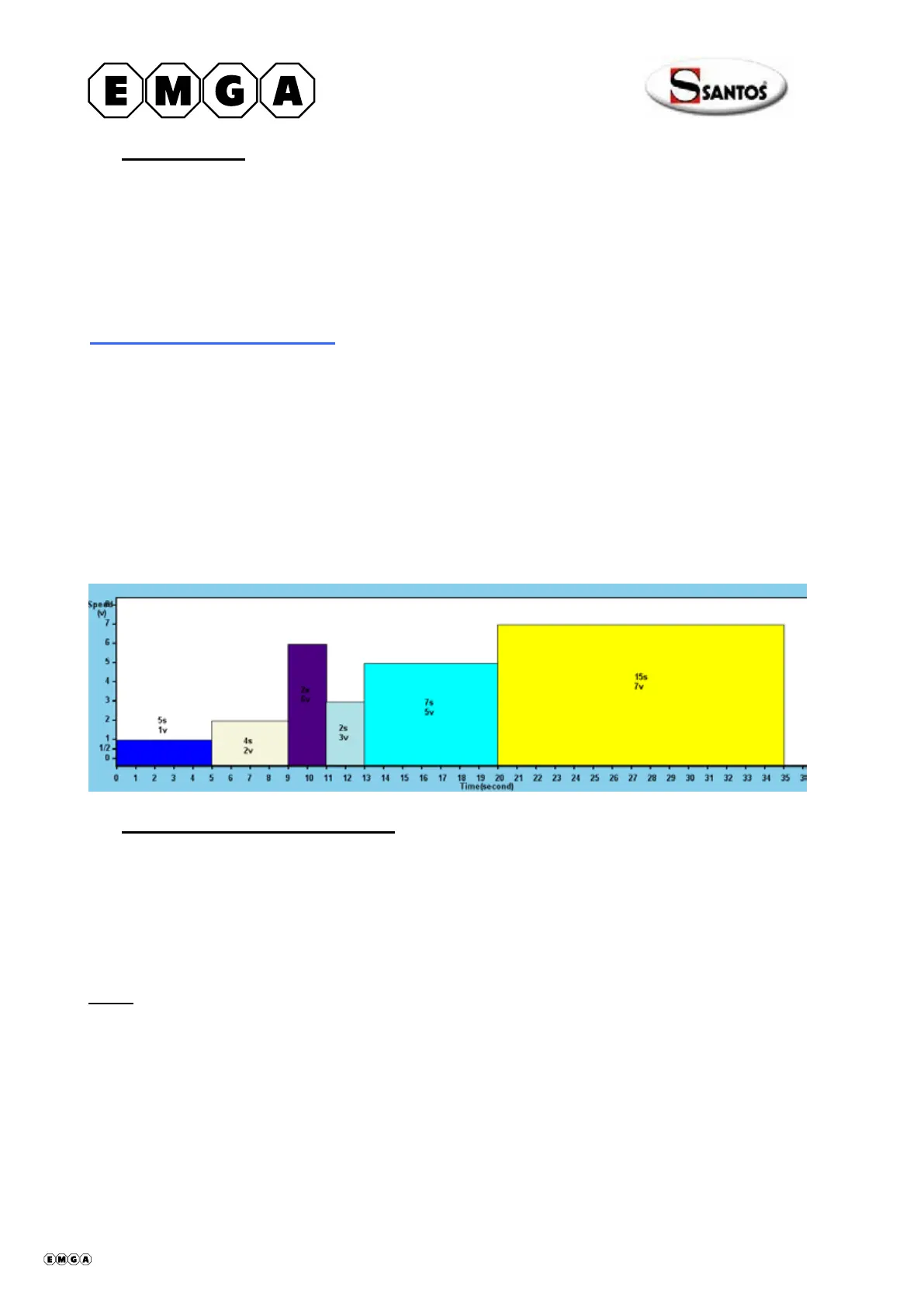
Note: Each menu has 6 recipes. A recipe consists of several sequences (speed/time);
here is an example of a recipe:
Selecting a pre-recorded menu
The menus are selected using the following key combinations:
"Universal menu" press the following keys in quick succession "2 – 5 – 1"
"Coffee shop menu" press the following keys in quick succession "2 – 5 – 2"
"Juice bar menu" press the following keys in quick succession "2 – 5 – 3
"Custom menu" press the following keys in quick succession "2 – 5 – 4"
Note:
when the appliance is delivered, the "Custom menu" is empty. See the following
section on how to enter parameters.
408062 en ma 2010.01 9/23


 To Next Page