10
TILT ADJUSTMENT
08
T
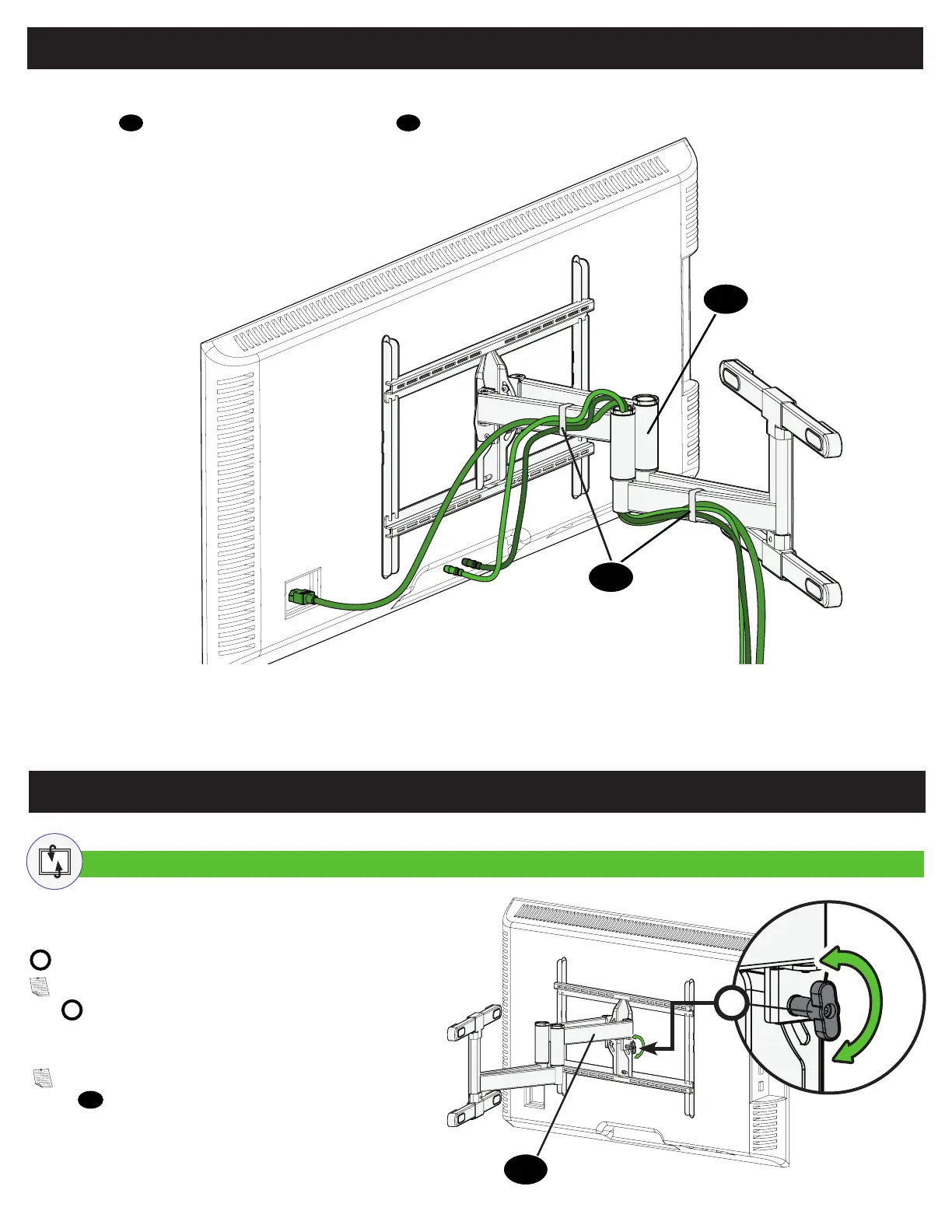
TV Adjustments
Your TV should adjust easily when moved, then stay in place.
If your TV is too loose or too tight, adjust the side tension knob
T
by hand.
NOTE: Once your TV is in place, tighten the side tension
knob
T
to prevent unwanted movement.
NOTE: Additional tension can be applied using the M4
hex key
13
.
Manage Cables
Fully extend the arms before routing cables.
Use cable ties
12
to bundle and attach cables to the arms
08
for a cleaner look.
08
12


 To Next Page