9
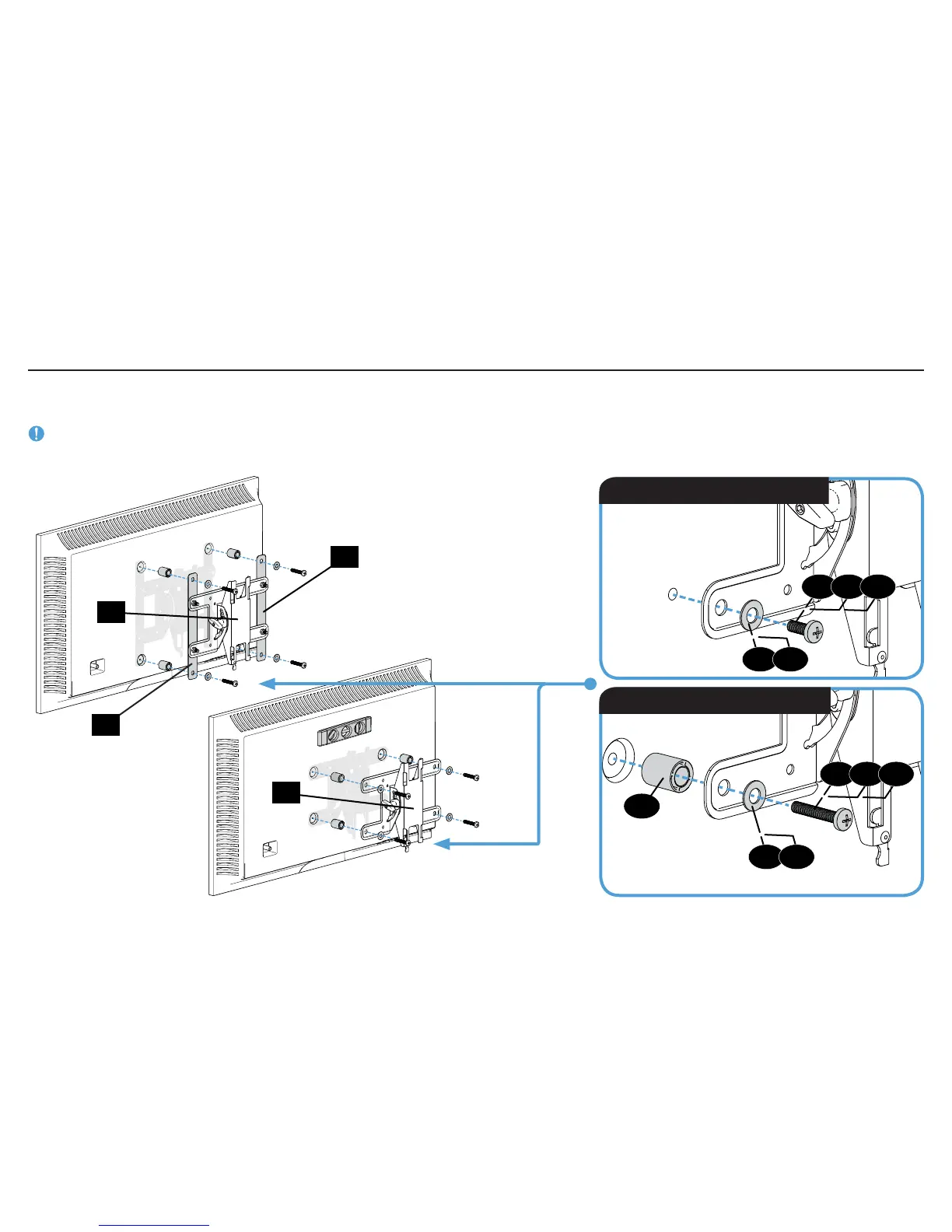
1-5 Attach TV Bracket
02
01
TV Bracket
Confi guration A
Illustrated
(with spacers)
TV Bracket
Confi guration B
Illustrated
(with spacers)
01
Short screw and washer
Spacer, long screw and washer
02
Position your TV bracket configuration
over your TV hole pattern - making sure the brackets are vertically centered and level.
Install using either the short screw and washer or spacer, long screw and washer combination you selected for your TV.
IMPORTANT: Ensure TV bracket is securely fastened before moving on to the next step.
13
05
06
07
08
09
10
11
11
12
12



 To Next Page