8
RESET THE LAMP TIMER
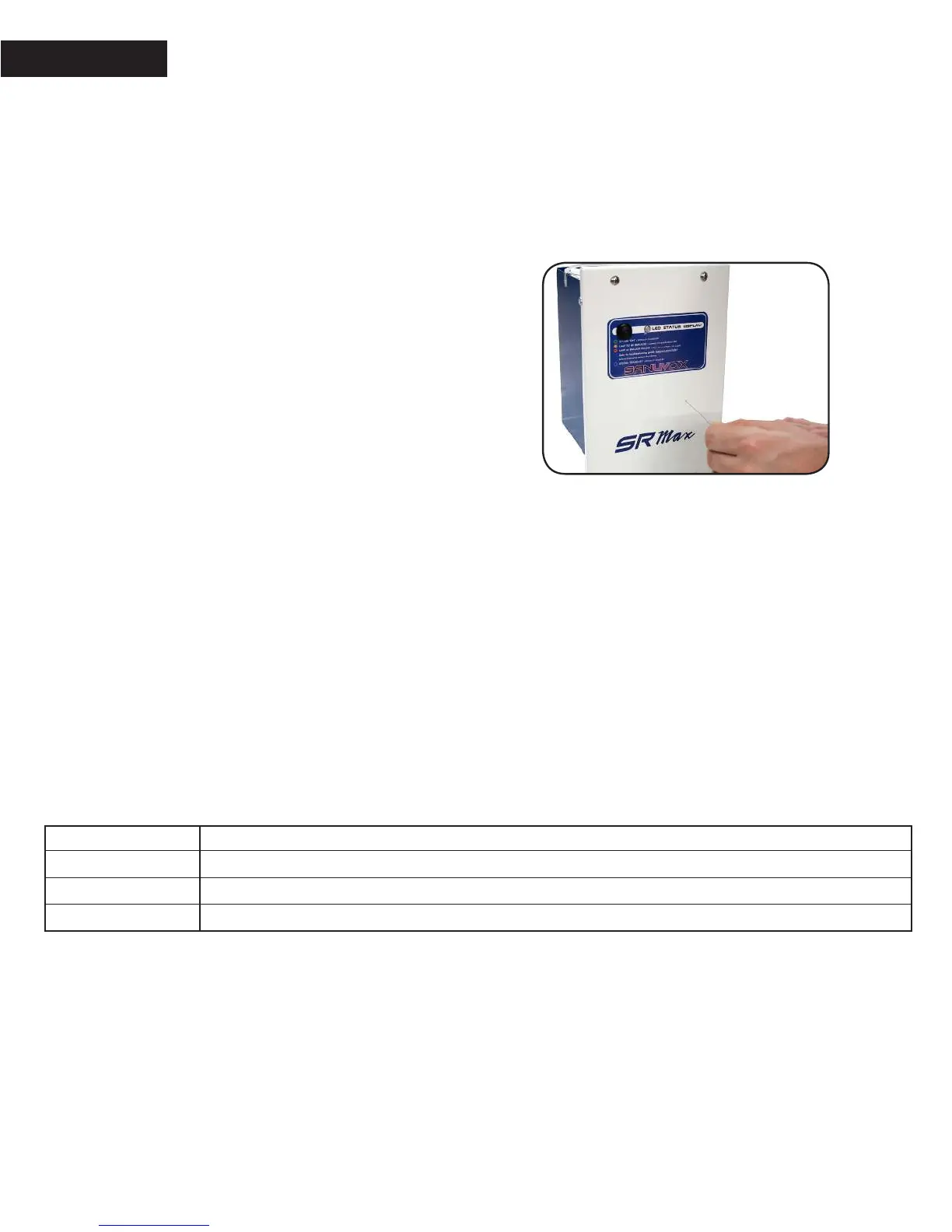
Aer installing the lamp, make sure the timer function is reset.
1. To reset the lamp timer the unit needs to be powered and turned ON. e status LED should either be ‘Green’
or ‘Blue’ (heartbeat).
2. Use a small object similar to a paper clip and insert it into the hole in order to be able to press the reset button.
3. Press and hold the reset button for a minimum of 3 seconds. When releasing the reset button the counter will
be reset.
Replacement parts
Part Number Description
BST120/240GL Ballast with mutli-voltage input of 120 to 240V (50-60Hz)
LMPRGXJ65 T6 Regular Dual Zone (UVC / UVV) 6.5in “J” shape UV lamp
LMPRGJ65 T6 Regular Germicidal (UVC) 6.5in “J” shape UV lamp
ACTIVATING AIRFLOW DETECTION
(OPTIONAL)
e SRMax default factory mode, when the unit
is plugged in and the power switch is ON, will leave
the lamp ON at all times in order to reduce the cycling
strain on the lamp and improve its life.
It is possible to activate the airow detection if required.
e activation procedure is the following:
1. If your unit is powered ON, start by turning OFF
the power switch.
2. Use a small object similar to a paper clip and insert
it into the reset hole in order to be able to press
the reset button.
3. First, turn ON the power switch and then press
the reset button. You have 5 seconds from the moment
the unit is powered ON to press the reset button
to activate the airow detection.
Every time you press the button you will notice that the
LED color will either be “Blue” or “White”. When the
LED is “Blue” the airow detection is activated. Wait 5
seconds for the control circuit to save the setting.
4. From now on, the SRMax will only activate when
airow is detected in your duct system.


 To Previous Page