9
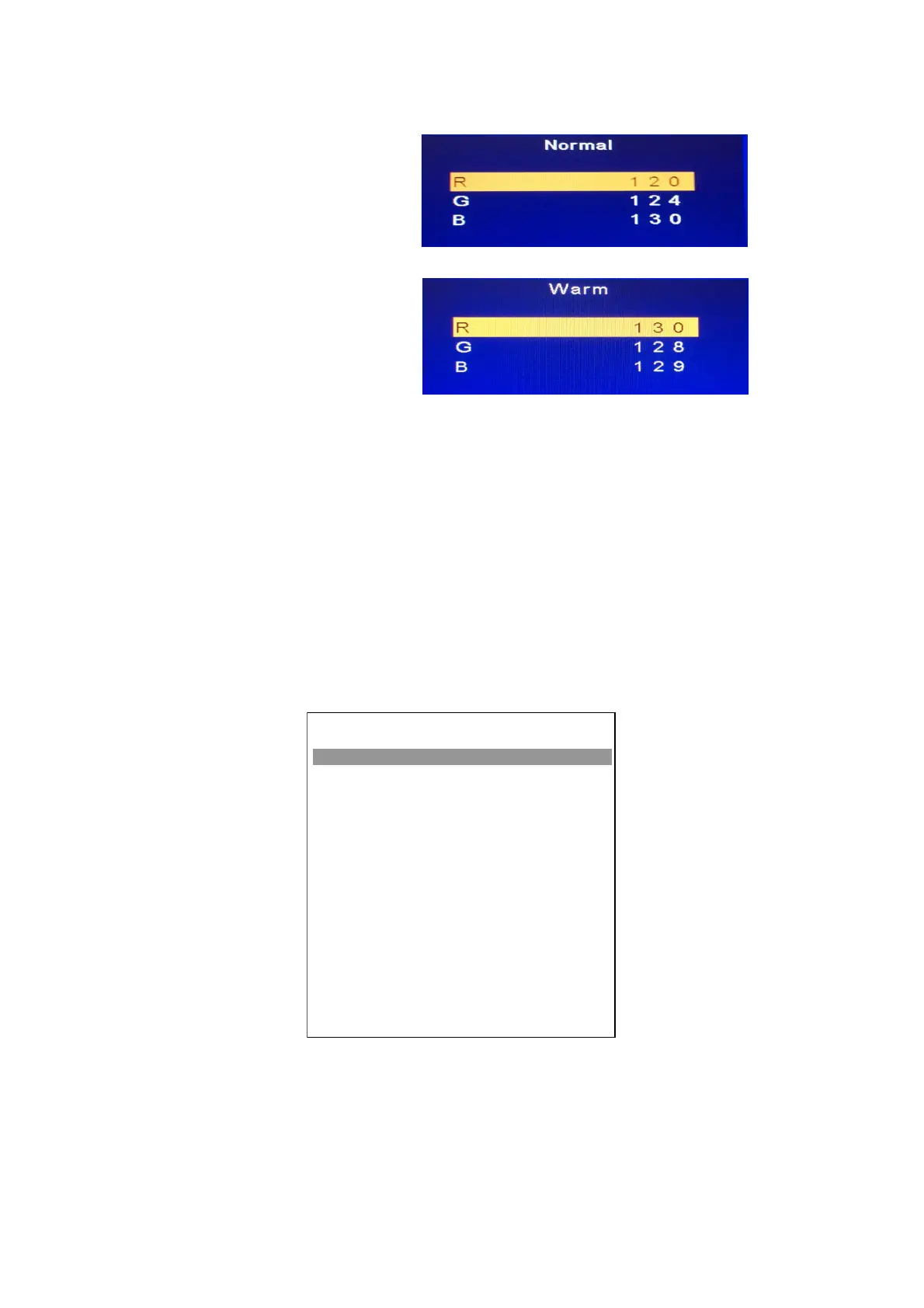
4-2.4. Select [Normal]
Normal spec.: 26”/32”/42”
x=0.281±0.010
y=0.288±0.010
Normal spec.: 19”
x=0.300±0.010
y=0.310±0.010
Adjust G drive (GREEN) or B drive (BLUE) to set x and y above.
4-2.5. Select [Warm]
WARM spec.: 26”/32”/42”
x=0.301±0.010
y=0.310±0.010
WARM spec.: 19”
x=0.314±0.010
y=0.323±0.010
Adjust G drive (GREEN) or B drive (BLUE) to set x and y above.
4-2.6 Exit Factory Mode:
After finish adjusting color temperature, press [MENU] to exit factory mode.
5. Items of Factory menu
Vendor may customize design and add adjustment items Factory menu as far as all required items are
included.
Press up and down key can move high light item from Cool ->Warm -> Normal ->Shipping-> NV clear-> Full
Power -> Auto Calibration -> RF Burn In -> Reset.
The NV Clear and Reset to Default items will have a check dialog “yes or no” to do or not.
Push “Enter” key can select high light item function. (Press left and right can adjust value)
Display model name, firmware version and released date on bottom
Board Name: L19112_Rev.1
VERSION: SSA19C-WXGA V1.0
04/10/09 00:00:00
FACTORY MENU
Cool
Warm
Normal
Shipping
NV Clear
Full Power
uto Calibration
RF Burn In
Service Mode
Reset
OK
OK
OK
< Factory >
OK
OK
>
< Off >
< Off >
OK


 To Next Page