EasyManua.ls Logo

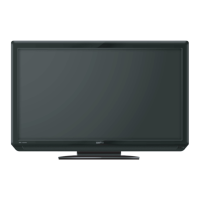
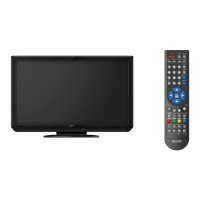
Sanyo LCD-42K40A-HD - User Manual

Sanyo LCD-42K40A-HD
52 pages
Print Icon
To Next Page IconTo Next Page
Loading...
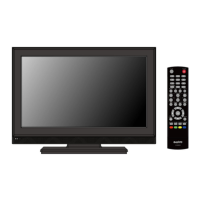
Owners Manual
MODEL LCD-32K40
LCD-32K40A
LCD-42K40-HD
LCD-42K40A-HD
LCD TV
LCD-K40.indd 1 1/21/2010 10:47:00 AM

Questions and Answers

  • E
    Eric WoodAug 6, 2025
    What to do if my Sanyo LCD-42K40A-HD LCD TV has no image?
    • S
      Shawn McbrideAug 6, 2025
      If your Sanyo LCD TV shows no image, first verify the connection between any external equipment and the TV. Remember that it can take a few seconds for the image to appear after turning the TV on. Ensure that the selected system corresponds with the external or video equipment. Also, confirm that the TV is operating within the correct temperature range (0°C ~ 40°C). If the issue persists, try turning the power off and then on again to restart the TV.
  • N
    nicole48Aug 10, 2025
    How to turn on Sanyo LCD-42K40A-HD LCD TV?
    • C
      Catherine BurgessAug 10, 2025
      If your Sanyo LCD TV isn't powering on, ensure it's properly plugged into the AC outlet. Then, press the ON/STAND-BY button on either the side control or the remote control to turn it on. Check the POWER indicator; a flashing indicator signals a potential issue with the TV.
  • C
    charlesbakerAug 16, 2025
    Why is my Sanyo LCD-42K40A-HD LCD TV remote not working?
    • J
      Jacqueline KempAug 16, 2025
      If the remote control for your Sanyo LCD TV isn't working, start by checking the batteries. Ensure that there are no obstructions between the remote receiver on the TV and the remote control itself. Make sure you are within the maximum operating range of 16.4 feet (5 meters). Finally, check if direct sunlight or strong artificial light is shining on the TV's infrared remote receiver; if so, eliminate the light source.
  • D
    Dean BrownAug 20, 2025
    How to fix no sound on Sanyo LCD-42K40A-HD?
    • J
      Jeffrey WhiteAug 20, 2025
      If you're experiencing no sound from your Sanyo LCD TV, begin by checking the audio cable connection from the audio input source. Adjust the audio source settings. Try pressing the VOLUME (+) button and ensure the MUTE button is not activated.
  • B
    Bradley MartinAug 27, 2025
    How to adjust color on Sanyo LCD TV?
    • R
      Riley StevensAug 27, 2025
      If the colors on your Sanyo LCD TV appear abnormal, try adjusting the color settings. Alternatively, select a different color system option in the settings menu.
  • L
    Linda AllenAug 31, 2025
    Are tiny dots on Sanyo LCD-42K40A-HD LCD TV normal?
    • B
      barrymariaAug 31, 2025
      Dark or bright points of light (red, green, or blue) may appear on the screen of your Sanyo LCD TV. This is a characteristic of the LCD panels and not a malfunction.

Summary

Important Safety Information

Positioning and Stability Precautions

Hazards of unstable placement and precautions to prevent falling injuries.

Owner Information and Installation Cautions

Safety and Handling Guidelines

Risks of fire/shock, proper positioning, and careful installation handling.

General Operating Safety

Guidelines for safe operation and electrical connections.

Product Features and Connectivity

Picture and Sound Enhancements

Visual and audio quality improvements.

Connectivity and Special Modes

Input support, special modes, and installation options.

Preparation and Connections

Component Identification and Controls

Part names, indicators, and side control panel functions.

Connecting Peripherals

Attaching stand, power, aerial, computer, and video equipment.

Operation and Menu Navigation

Remote Control and Basic Setup

Remote usage, battery installation, Plug & Play, and input selection.

On-Screen Menu System

Navigating TV/AV/HDMI and PC mode menus.

Core Operation Modes and Features

Channel, volume, sound/picture control, viewing modes, and advanced features.

Dealer Mode Settings

Dealer Mode Features

Options like Volume Lock, Tuning Lock, Start Mode, AC Power, Music Mode, Reset.

Appendix and Technical Information

Maintenance and Safety Features

Instructions for cleaning and product safety features.

Troubleshooting and Specifications

Problem solving and technical details.

Connection Details and Stand Removal

VGA, signal modes, Xacti models, and stand removal.

Sanyo LCD-42K40A-HD Specifications

General IconGeneral
Screen Size42 inches
Display TechnologyLCD
Aspect Ratio16:9
Brightness450 cd/m²
Response Time8 ms
Speakers2 x 10W
Viewing Angle178°
InputsHDMI, USB, Component, Composite, VGA

Related product manuals