EasyManua.ls Logo

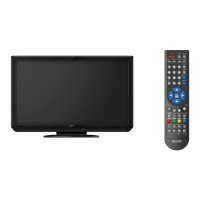
Sanyo LCD-42K40TD - User Manual

Sanyo LCD-42K40TD
52 pages
Print Icon
To Next Page IconTo Next Page
Loading...
INSTRUCTION MANUAL
LCD-32K40TD
LCD-42K40TD
LCD TV

Table of Contents

Other manuals for Sanyo LCD-42K40TD

Questions and Answers

  • F
    frichardsonJul 31, 2025
    How to turn on Sanyo LCD-42K40TD LCD TV?
    • W
      wallcoreyJul 31, 2025
      First, ensure the LCD TV is plugged into the AC outlet. Then, press the ON/STAND-BY button located on the side control or the remote control. Check the POWER indicator; if it flashes, it indicates a problem with the TV.
  • J
    Jason BowmanAug 5, 2025
    How to fix abnormal color on Sanyo LCD-42K40TD?
    • Z
      Zachary SmithAug 5, 2025
      Adjust the color value in the settings menu. You can also try selecting a different color system to see if it improves the image.
  • K
    Kimberly JonesAug 10, 2025
    What to do if there is no sound on my Sanyo LCD TV?
    • K
      Kerri SuttonAug 10, 2025
      First, verify the audio cable connection from the audio input source. Next, adjust the audio source settings. Then, press the VOLUME (+) button to increase the sound. Also, ensure the MUTE button is not activated.
  • S
    Stacey BrownAug 15, 2025
    Why is my Sanyo LCD-42K40TD remote control not working?
    • A
      Aaron BaldwinAug 15, 2025
      Check the batteries in the remote. Ensure there are no obstructions between the remote receiver on the TV and the remote control. Make sure you are within the maximum operating range of 16.4' (5m). Also, check if direct sunlight or strong artificial light is shining on the TV's infrared remote receiver; if so, eliminate the light source.
  • K
    kaufmanrobertAug 20, 2025
    What to do if there is no image on my Sanyo LCD-42K40TD?
    • S
      shanehernandezAug 20, 2025
      Check the connection between the external equipment and the LCD TV. When turning the LCD TV on, allow a few seconds for the image to display. Verify that the selected system corresponds with the external or video equipment. Ensure the ambient temperature is within the operating range of 0°C to 40°C. As a last resort, turn the power off, then on again to restart the LCD TV.
  • C
    Christopher MurphyAug 26, 2025
    Why does my Sanyo LCD-42K40TD have tiny black or bright points?
    • D
      Daniel ClarkAug 26, 2025
      Dark or bright points of light (red, green, or blue) may appear on the screen. This is a characteristic of LCD panels and not a malfunction. LCD panels are produced with very high accuracy, but a small percentage of dot pixels may lack or be constantly lit, which is not a defect. Also, regarding LCD panel characteristic, picture remain (look like a mirror) may occur when the screen is changed if it displays same screen for a long time. Changing the picture or turn-off the power supply may recover. Stripe patterns may appear depending on the reflected picture.

Summary

To the Owner

Safety Precaution

Guidelines to reduce the risk of fire and electric shock, including ventilation and proper installation.

Safety Instructions

Preparation

Part Names and Functions

Identifies and describes the front panel and indicator lights of the LCD TV.

Connecting LCD TV

Connecting AC Power Cord

Instructions for safely connecting the LCD TV to the AC power supply.

Installing Stand

Step-by-step guide for attaching the TV stand to the unit.

Preventing the TV from Falling Over

Safety measures to stabilize the TV and prevent it from accidental tipping.

Before Operation

Operation of Remote Control

Detailed explanation of all buttons and functions on the remote control.

Main Menu Overview

An overview of the TV's main menu structure and navigation system.

Basic Operation

Turning On; Off LCD TV

Steps to power the LCD TV on, off, and into standby mode.

Selecting Input Source

How to choose the desired input source (TV, AV, HDMI, PC) for viewing.

Channel and Programme Selection

Methods for selecting TV channels and programs, including channel list and favorite lists.

TV Setting

Auto Tuning

Instructions for performing an automatic channel search and storing available channels.

Manual Channel Tuning

Steps for manually tuning digital (DTV) and analog (ATV) TV channels.

Picture Menu

Picture

Adjusting picture settings like mode, contrast, brightness, color, sharpness, tint, and noise reduction.

Sound Menu

Sound

Adjusting sound settings including mode, treble, bass, balance, auto volume, surround, and bass expander.

Setup Menu

System Setup

Configuring system settings like ECO mode, illumination, S/P DIF, and operating mode.

Manual Update

Instructions for manually updating the TV's software via the setup menu.

Lock Menu

Lock System

Enabling the lock system, setting a password, and locking/unlocking the TV.

Change Password

Procedures for changing the existing password for the lock system.

Appendix

Troubleshooting

A guide to identifying and resolving common problems with the LCD TV.

Sanyo LCD-42K40TD Specifications

General IconGeneral
BrandSanyo
ModelLCD-42K40TD
CategoryLCD TV
LanguageEnglish

Related product manuals