EasyManua.ls Logo

Sanyo PDG-DSU30 - User Manual

Sanyo PDG-DSU30
51 pages
Print Icon
To Next Page IconTo Next Page
Loading...
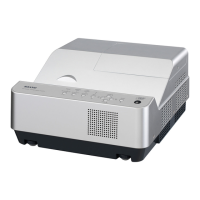
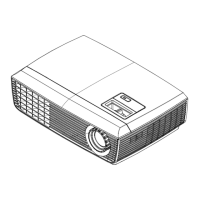
Multimedia Projector
MODEL PDG-DSU30
Owner's Manual

Other manuals for Sanyo PDG-DSU30

Questions and Answers

  • C
    Chad ClineAug 19, 2025
    What to do if my Sanyo PDG-DSU30 has no image?
    • J
      Joyce BakerSep 12, 2025
      If your Sanyo Projector displays no image, ensure the signal cable and source are working. If you connect multiple sources, use the 'Source' button on the remote. Also, ensure all connectors are securely connected and not broken. If the issue continues, check the Main Board, DMD Board, DMD Chip, Color Wheel, and Engine Module.
  • J
    Jeremy DyerAug 21, 2025
    How to troubleshoot no power on Sanyo PDG-DSU30 Projector?
    • A
      Amy YoungAug 21, 2025
      If your Sanyo Projector shows no power, make sure the power cord and AC power outlet are securely connected. Also, ensure all connectors are securely connected and not broken. If the issue persists, check the LVPS, Lamp Driver, and Main Board.
  • A
    Amber CowanAug 23, 2025
    Why does my Sanyo Projector auto shut down?
    • L
      lopezshannonAug 23, 2025
      If your Sanyo Projector is automatically shutting down, it might be due to lamp failure. Check the LED status; a flashing red power LED every 1 second indicates lamp failure. You should also check the lamp, lamp driver, and main board. Overheating can also cause this; check the fan and thermal switch. A locked fan can also cause auto shutdown; check the fan.
  • J
    jessicahamiltonAug 26, 2025
    How to fix image flicker on Sanyo PDG-DSU30 Projector?
    • H
      hernandeznicholasAug 26, 2025
      If your Sanyo Projector exhibits image flicker, try an OSD reset via the OSD Menu. Also, ensure the signal cables and source are working correctly. If problems persist, check the Lamp Driver and waveform, Lamp Module, Color Wheel, Photo Sensor (and clean it), DMD Board, and Main Board.
  • S
    Susan BartlettAug 27, 2025
    Why is there no light on my Sanyo PDG-DSU30?
    • T
      Taylor SmithAug 27, 2025
      If your Sanyo Projector has no light, ensure all connectors are securely connected and not broken. Check the Lamp Cover and Interrupt Switch. If the problem persists, check the Lamp Driver, LVPS, Main Board, Color Wheel, and Photo Sensor Board.
  • A
    Andrew ZimmermanAug 30, 2025
    How to correct color abnormal on Sanyo PDG-DSU30?
    • T
      Thomas AyalaAug 30, 2025
      If your Sanyo Projector shows color abnormalities, try performing an 'OSD reset' from the OSD Menu. You might also need to adjust the Color Wheel Index. If the issue remains, check the Main Board, DMD Board, and Color Wheel.
  • A
    Amber MooreAug 31, 2025
    What causes a garbage image on Sanyo PDG-DSU30 Projector?
    • U
      uparkAug 31, 2025
      If your Sanyo Projector is producing a garbage image, ensure that the signal cables and source are working correctly. If the issue persists, check the Main Board and DMD Board.
  • M
    Michael YoungSep 3, 2025
    How to reduce mechanical noise from Sanyo PDG-DSU30 Projector?
    • J
      Julia CannonSep 3, 2025
      If your Sanyo Projector produces mechanical noise, check the Color Wheel and Fan Module.
  • A
    Angela OrtegaSep 5, 2025
    What to do if remote control or control panel failed on Sanyo Projector?
    • T
      thomasdannySep 5, 2025
      If your Sanyo Projector's remote control or control panel has failed, check the remote control batteries and the remote controller itself. For both remote and control panel issues, check the Main Board.
  • D
    David Morgan DDSSep 7, 2025
    How to fix line bar or line defect on Sanyo Projector?
    • T
      Thomas RamseySep 7, 2025
      If your Sanyo Projector displays line bars or line defects, check if the Main Board and DMD Board are assembled properly. If the problem continues, check the Main Board, DMD Board, and DMD Chip.

Sanyo PDG-DSU30 Specifications

Projection Specifications IconProjection Specifications
projection screen size0.7 to 7.7 meters
projection distance1.2 to 12.0 meters
number of pixels800 x 600
Power IconPower
power supply100-240 V
power consumption normal mode255 W
input current2.5-1.0 A
Operating Environment IconOperating Environment
operating temperature5 to 35 °C
storage temperature-20 to 60 °C
humidity80% maximum (Non-condensing)
Weight and Dimensions IconWeight and Dimensions
weight2.3 kg
width286.3 mm
depth192.0 mm
height88.0 mm

Related product manuals