EasyManua.ls Logo

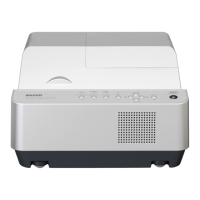
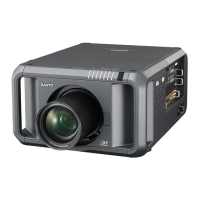
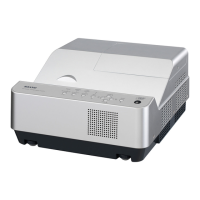
Sanyo PDG-DXL2000 - User Manual

Sanyo PDG-DXL2000
142 pages
Print Icon
To Next Page IconTo Next Page
Loading...
Owners Manual
Multimedia Projector
MODEL PDG-DXL2000
3D Ready
DLP
®
Link and IR format compatible
Network Supported
Refer to the Owner's Manual below for
details about network function.
Network Set-up and Operation

Table of Contents

Other manuals for Sanyo PDG-DXL2000

Questions and Answers

  • K
    kimberlyturnerAug 23, 2025
    What to do if my Sanyo Multimedia projector has no sound?
    • R
      Ryan GregoryAug 25, 2025
      If your Sanyo Multimedia projector isn't producing any sound, begin by inspecting IC5101 (Audio Selector), the audio input stage, and their surrounding circuits. Ensure the 12V_AUDIO power supply is functioning correctly. Also, check the audio output circuit or muting circuit, noting that the Mute signal comes from pin 137 of IC401 (DLP Data Processor), and the OUT_DET signal is sent from the Audio Out terminal. A high signal at pin 137 of IC401 and a low signal at pin 1 of IC001 indicates Mute-On. Further, examine IC001 (Audio Output) or the speaker drive circuit and peripheral components, along with the 16VA power supply and the speaker terminal connection.
  • Z
    Zachary MartinezNov 7, 2025
    What to do if my Sanyo Multimedia projector has no picture from all input sources?
    • T
      Tina WadeNov 8, 2025
      If your Sanyo Multimedia projector shows no picture from any input sources, examine the signal processing and DMD driving stages. Specifically, check IC401 (DLP Data Processor), IC2501 (DMD Power & Motor Drive), IC3501 (DMD Power & Reset Drive), or the DMD module and its peripheral circuits. Also, inspect IC8201 (A/D Converter) and its peripheral circuit, paying attention to the R1_IN, G1_IN, B1_IN, H1_IN, and V1_IN signals at pins 11, 2, 18, 81, and 78. Similarly, check the R2_IN, G2_IN, B2_IN, H2_IN, V2_IN signals at pins 10, 100, 17, 82, and 79. Verify the PC/AV source selecting and processing stages, focusing on IC8201 and IC401 and their peripheral circuits. For AV sources, check the selecting and decoding stages, including S-Video (Y/C signal at pin 9 of IC8201 for SC_IN and pin 98 f...

Sanyo PDG-DXL2000 Specifications

General IconGeneral
Resolution1024 x 768 (XGA)
Contrast Ratio2000:1
Aspect Ratio4:3
Lamp TypeUHP
Input PortsS-Video, Composite
Output PortsAudio
Power Consumption280W
Lamp Life2000 hours (Normal Mode) / 3000 hours (Eco Mode)

Related product manuals