4. Disable:do not receive any RIP packet
5. Only receive RIP1 packet
6. Only receive RIP2 packet
Item Description
Enable Static Route Enable or Disable dynamic route
IP Address Destination IP address
Subnet Mask Destination IP subnet mask
Gateway Gateway IP address for destination
Metric Metric number on router’s routing table
Interface Static route rule for LAN or WAN interface
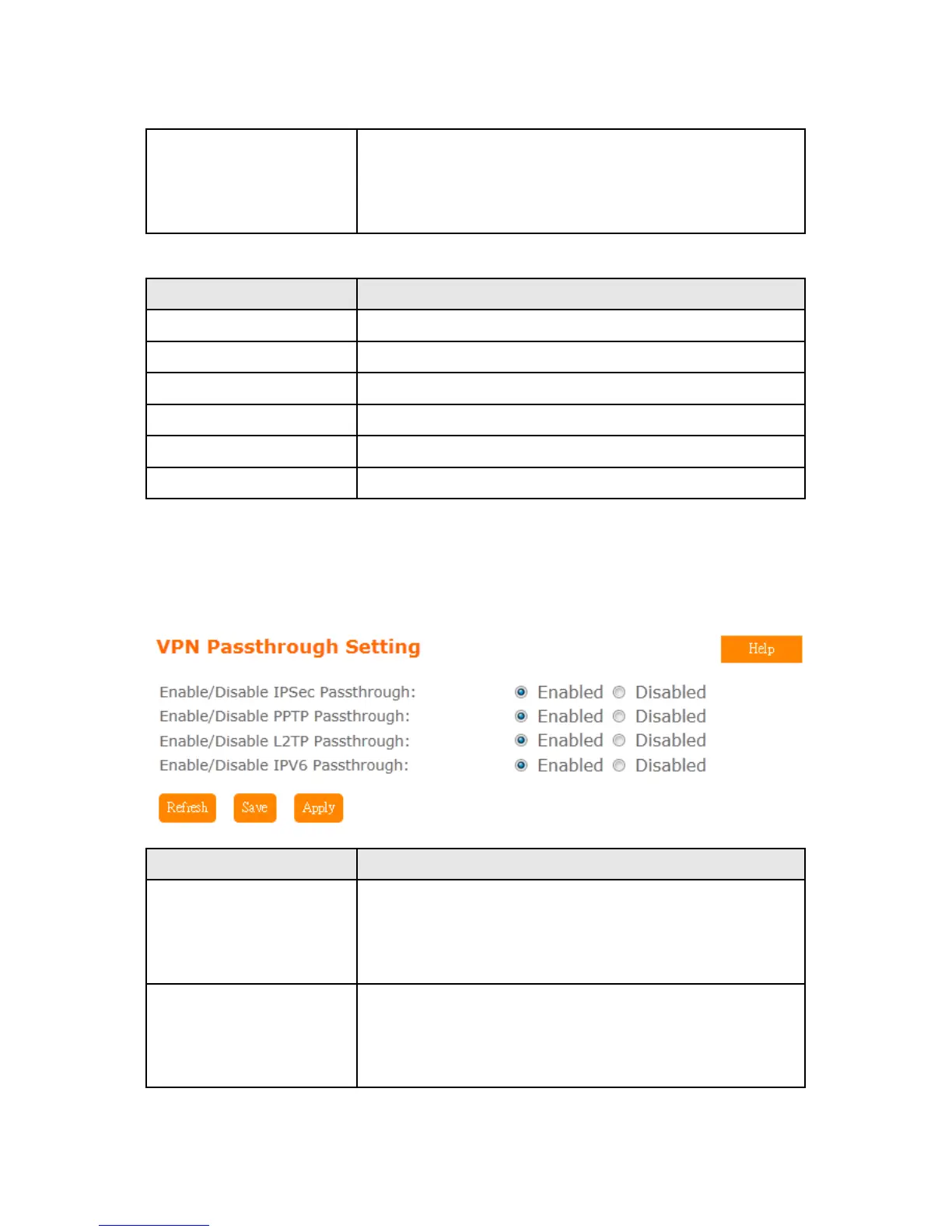
5.6.11 VPN Passthough
Virtual Private Networking (VPN) is typically used for work-related networking. For VPN tunnels,
the router supports IPSec, Pass-through, PPTP Pass-through, and L2TP Pass-through.
Item Description
IPSec Pass-through Internet Protocol Security (IPSec) is a suite of protocols used to
implement secure exchange of packets at the IP layer. To allow
IPSec tunnels to pass through the router, IPSec Pass-through is
enabled by default. To disable IPSec Pass-through , select Disable
PPTP Pass-through Point-to-Point Tunneling Protocol is the method used to enable
VPN sessions to a Windows NT 4.0 or 2000 server. To allow PPTP
tunnels to pass through the router, PPTP Pass-through is enabled
by default. To disable PPTP Pass-through, select Disable.



 To Next Page