2.3.2 Windows XP
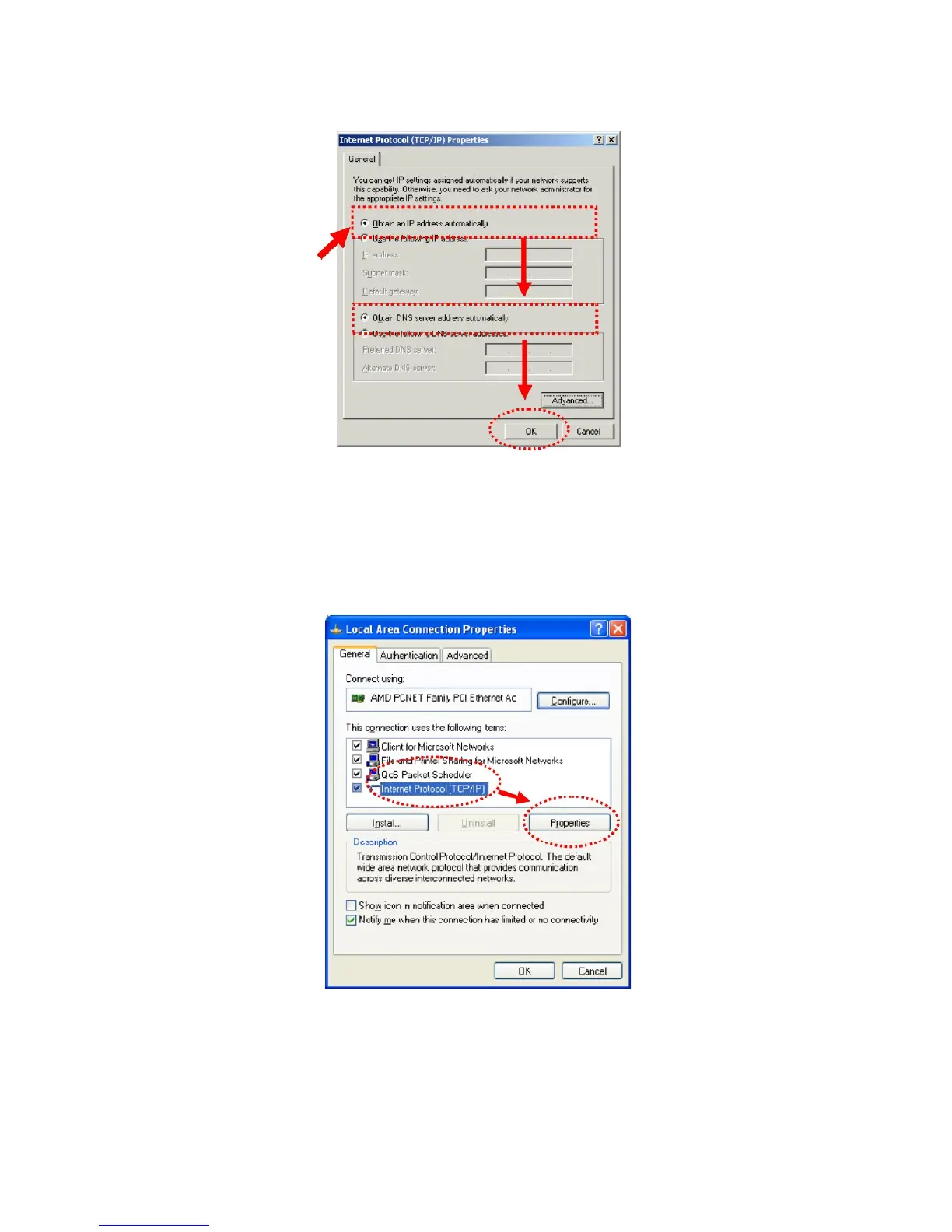
1. Click “Start” button (it should be located at lower-left corner of your computer), then
click control panel. Double-click Network and Internet Connections icon, click Network
Connections, then double-click Local Area Connection, Local Area Connection Status
window will appear, and then click “Properties”.
2. Select “Obtain an IP address automatically” and “Obtain DNS server address
automatically”, then click “OK”.



 To Next Page