Satcube Ku User Manual v2.0-2019
SATCUBE PROPRIETARY
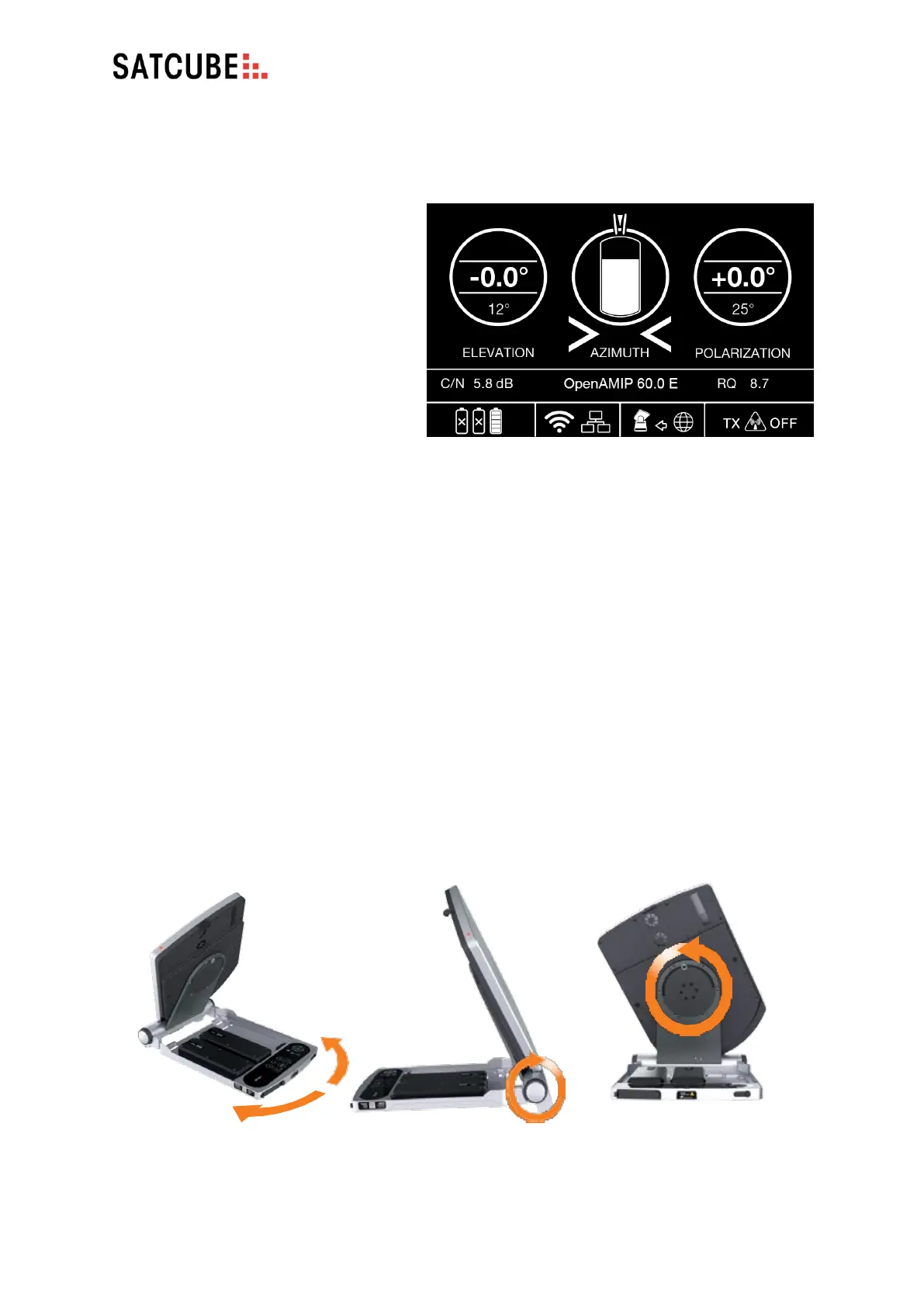
a) Terminal Pointing
• Correct pointing depends on three
elements; Azimuth which is changed
by rotating the terminal base,
Elevation which is changed by
altering the upwards/downwards
angle of the upper part and
Polarization which is changed by
rotating the upper part. The
required values are calculated from
the information provided by the
satellite profile.
• Use the buttons to navigate to the
POINTING screen to view these as
can be seen in Figure 20.
b) Pointing the Terminal
The Satcube terminal is pointed manually by the end-user in the different ways according to Figure
21.
• AZIMUTH: rotate the base of the terminal.
On rough surfaces, lift the terminal slightly before rotating.
• ELEVATION: use the adjustment wheel on the right-hand side of the terminal.
Large adjustments can be made by manually raising the antenna (as with initial deployment -
see section 4). To fine tune the elevation angle, either lightly tighten the lock on the left side
or pull the lever on the right side, seen in section 4 c), then use the right adjustment wheel.
• POLARIZATION: rotate the antenna by hand. Lock in position using the nut.
Figure 20 POINTING screen with current difference or offset from
the absolute pointing value (0.0 for Elevation and Polarization both)
in the middle of the two circles. The current value is the smaller
number in the circles. Azimuth is aligned within the two bars on top
of middle circle.


 To Next Page