Satcube Ku User Manual v2.0-2019
SATCUBE PROPRIETARY
ABOUT
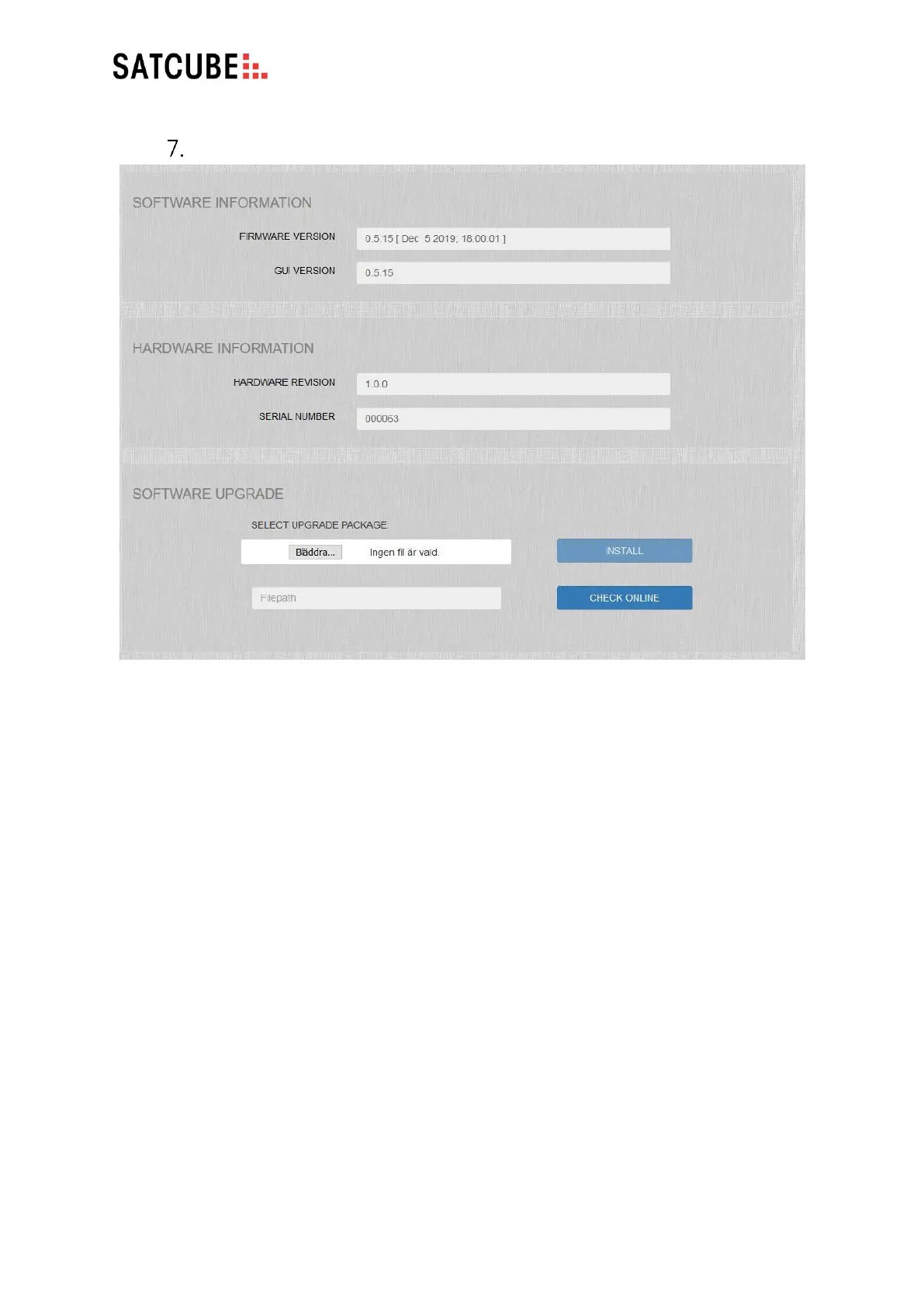
• SOFTWARE INFORMATION: Displays current firmware and GUI versions installed
• HARDWARE INFORMATION: Displays current hardware revision and the serial number
unique for each terminal.
• SOFTWARE UPGRADE: Allows a new software version to be installed. Either upload a file
from a local device and press INSTALL, or with an active internet connection use the function
CHECK ONLINE. After Check online turns green the update can be initiated by clicking the
Install button.


 To Next Page