EasyManua.ls Logo

Satel SLIM-DUAL - User Manual

Satel SLIM-DUAL
11 pages
Print Icon
To Next Page IconTo Next Page
Loading...
SLIM-DUAL
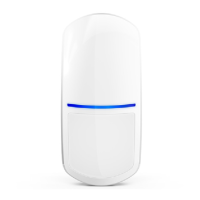
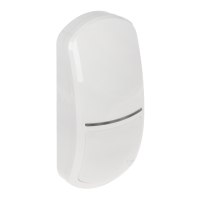
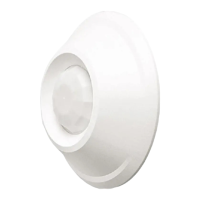
Digital dual technology motion detector
Firmware version 1.00 slim-dual_en 10/19
SATEL sp. z o.o. • ul. Budowlanych 66 • 80-298 Gdańsk • POLAND
tel. +48 58 320 94 00
www.satel.eu
Question and Answer IconNeed help?

Do you have a question about the Satel SLIM-DUAL and is the answer not in the manual?

Summary

Features and Description

Motion Detection and Supervision Features

Details dual sensor technology, adjustable sensitivity, and system supervision for reliable detection.

LED Indicator Functionality and Behavior

Explains LED states for warm-up, detection, alarm, and trouble, and its configuration options.

Electronics Board and Controls

LED Control Methods

Describes enabling the LED via jumper and remote control through a dedicated terminal for flexible management.

Installation and Mounting Guidelines

Selecting an Optimal Mounting Location

Provides guidelines on optimal placement to ensure best detection performance and avoid interference.

Detector Configuration and Testing

Configuring LED Indicator Settings

Step-by-step guide to setting LED colors for alarm/trouble and motion detection signaling.

Start-up and Walk Test Procedure

Instructions for powering on the detector and verifying its coverage area for proper operation.

Technical Specifications

Summary

Features and Description

Motion Detection and Supervision Features

Details dual sensor technology, adjustable sensitivity, and system supervision for reliable detection.

LED Indicator Functionality and Behavior

Explains LED states for warm-up, detection, alarm, and trouble, and its configuration options.

Electronics Board and Controls

LED Control Methods

Describes enabling the LED via jumper and remote control through a dedicated terminal for flexible management.

Installation and Mounting Guidelines

Selecting an Optimal Mounting Location

Provides guidelines on optimal placement to ensure best detection performance and avoid interference.

Detector Configuration and Testing

Configuring LED Indicator Settings

Step-by-step guide to setting LED colors for alarm/trouble and motion detection signaling.

Start-up and Walk Test Procedure

Instructions for powering on the detector and verifying its coverage area for proper operation.

Technical Specifications

Satel SLIM-DUAL Specifications

General IconGeneral
Microwave Frequency10.525 GHz
Coverage Angle90°
Mounting Height2.2 m
Operating Voltage9-15 V DC
Current Consumption (Standby)12 mA
TypeDual Technology Detector
Detection MethodPassive Infrared and Microwave
Detection Range12 m
Operating Temperature-10°C to +55°C
Weight150 g
Tamper Output25 mA / 12 VDC, NC

Related product manuals