EasyManua.ls Logo

Satel OPAL - User Manual

Satel OPAL
14 pages
Print Icon
To Next Page IconTo Next Page
Loading...
OPAL
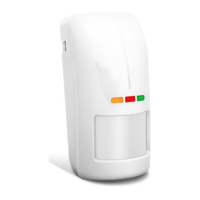
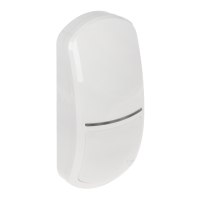
Outdoor dual technology motion detector
Firmware version 3.00 opal_en 03/21
SATEL sp. z o.o. ul. Budowlanych 66 80-298 Gdańsk • POLAND
tel. +48 58 320 94 00
www.satel.eu

Other manuals for Satel OPAL

Question and Answer IconNeed help?

Do you have a question about the Satel OPAL and is the answer not in the manual?

Summary

Features

LED Indicators

Details on what the green, red, and yellow LEDs indicate during operation and warm-up.

Remote LED Control

Enabling or disabling the detector's LEDs remotely via a dedicated terminal connection.

Remote Configuration Mode Control

Enabling or disabling the detector's configuration mode remotely via the SVCE terminal.

Description

Anti-mask Feature

Detection of an object moving at a distance of 10-20 cm interpreted as an attempt to mask.

Supervision Features

Detector signals trouble on voltage drop or motion detection system failure.

Electronics Module

Installation

Wall Mounting

Instructions for mounting the detector base to the wall using plugs and screws.

Angle Bracket Mounting

Steps for attaching the tamper switch and mounting the bracket to the wall.

Ball Bracket Mounting

Instructions for attaching the tamper switch and mounting the ball bracket to the wall.

Connecting Additional Tamper Switch

Details on connecting the additional tamper switch using three wires.

Configuring the Detector

Starting Configuration Mode

How to enter configuration mode using the MODE button or SVCE terminal.

Signaling in Configuration Mode

Explains LED behavior during sensor configuration for microwave and PIR sensors.

Configuring by Detector Buttons

How to adjust sensor sensitivity using the '+' and '-' buttons.

Ending Configuration Mode

Procedure to exit configuration mode using the MODE button or SVCE terminal.

Start-up and Walk Test

Separate Testing of Sensors

Procedure for testing individual sensors within the configuration mode.

Specifications

Summary

Features

LED Indicators

Details on what the green, red, and yellow LEDs indicate during operation and warm-up.

Remote LED Control

Enabling or disabling the detector's LEDs remotely via a dedicated terminal connection.

Remote Configuration Mode Control

Enabling or disabling the detector's configuration mode remotely via the SVCE terminal.

Description

Anti-mask Feature

Detection of an object moving at a distance of 10-20 cm interpreted as an attempt to mask.

Supervision Features

Detector signals trouble on voltage drop or motion detection system failure.

Electronics Module

Installation

Wall Mounting

Instructions for mounting the detector base to the wall using plugs and screws.

Angle Bracket Mounting

Steps for attaching the tamper switch and mounting the bracket to the wall.

Ball Bracket Mounting

Instructions for attaching the tamper switch and mounting the ball bracket to the wall.

Connecting Additional Tamper Switch

Details on connecting the additional tamper switch using three wires.

Configuring the Detector

Starting Configuration Mode

How to enter configuration mode using the MODE button or SVCE terminal.

Signaling in Configuration Mode

Explains LED behavior during sensor configuration for microwave and PIR sensors.

Configuring by Detector Buttons

How to adjust sensor sensitivity using the '+' and '-' buttons.

Ending Configuration Mode

Procedure to exit configuration mode using the MODE button or SVCE terminal.

Start-up and Walk Test

Separate Testing of Sensors

Procedure for testing individual sensors within the configuration mode.

Specifications

Satel OPAL Specifications

Power IconPower
supply voltage12 VDC ±15%
standby current consumption12 mA
maximum current consumption20 mA
Outputs IconOutputs
alarm output current40 mA / 24 VDC
anti-mask output current40 mA / 24 VDC
tamper output current100 mA / 30 VDC
Relay Specifications IconRelay Specifications
alarm output relay contact resistance34 Ω
anti-mask output relay contact resistance34 Ω
Operating Environment IconOperating Environment
operating temperature range-40 to +55 °C
maximum humidity93±3%
ip codeIP54
Dimensions and Weight IconDimensions and Weight
dimensions65 x 138 x 58 mm
detector weight174 g
recommended installation height2.4 m

Related product manuals