8 OPAL SATEL
Ball bracket mounting
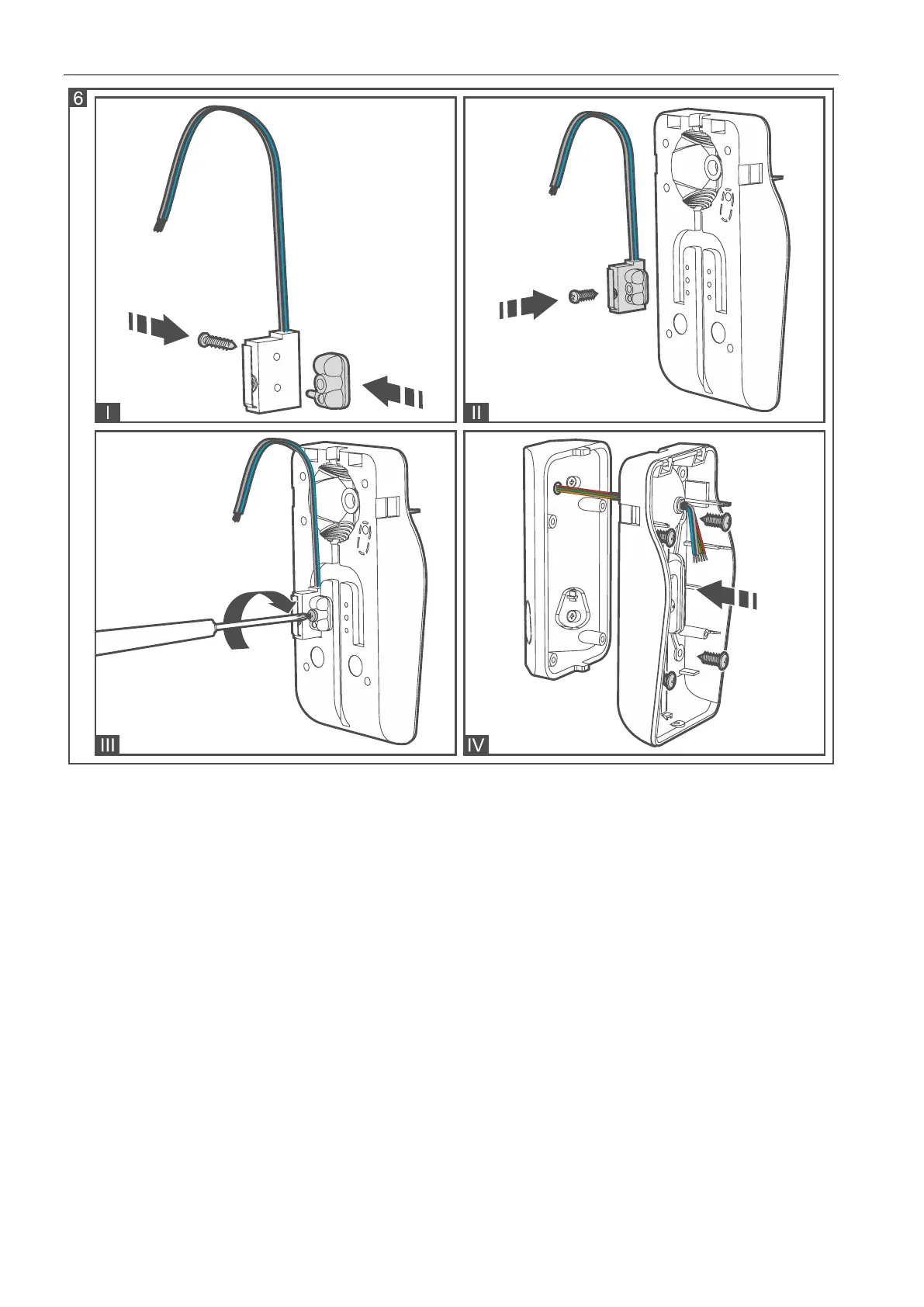
1. Attach extra tamper switch:
– screw the holder to the tamper switch (Fig. 7-I),
– put the unit making the surface bigger on the tamper switch (Fig. 7-II),
– screw the tamper unit to the ball bracket (Fig. 7-IV).
2. Run the cable through the opening in the handle of the bracket.
3. Using wall plugs (screw anchors) and screws, fasten the ball bracket to the wall (Fig. 7-V).
4. Run the cable through the opening in the enclosure base (Fig. 7-VI).
5. Using screws, fasten the enclosure base to the ball bracket (Fig. 7-VII).


 To Next Page