www.satlab.com.se
9
SL900 GNSS RTK System
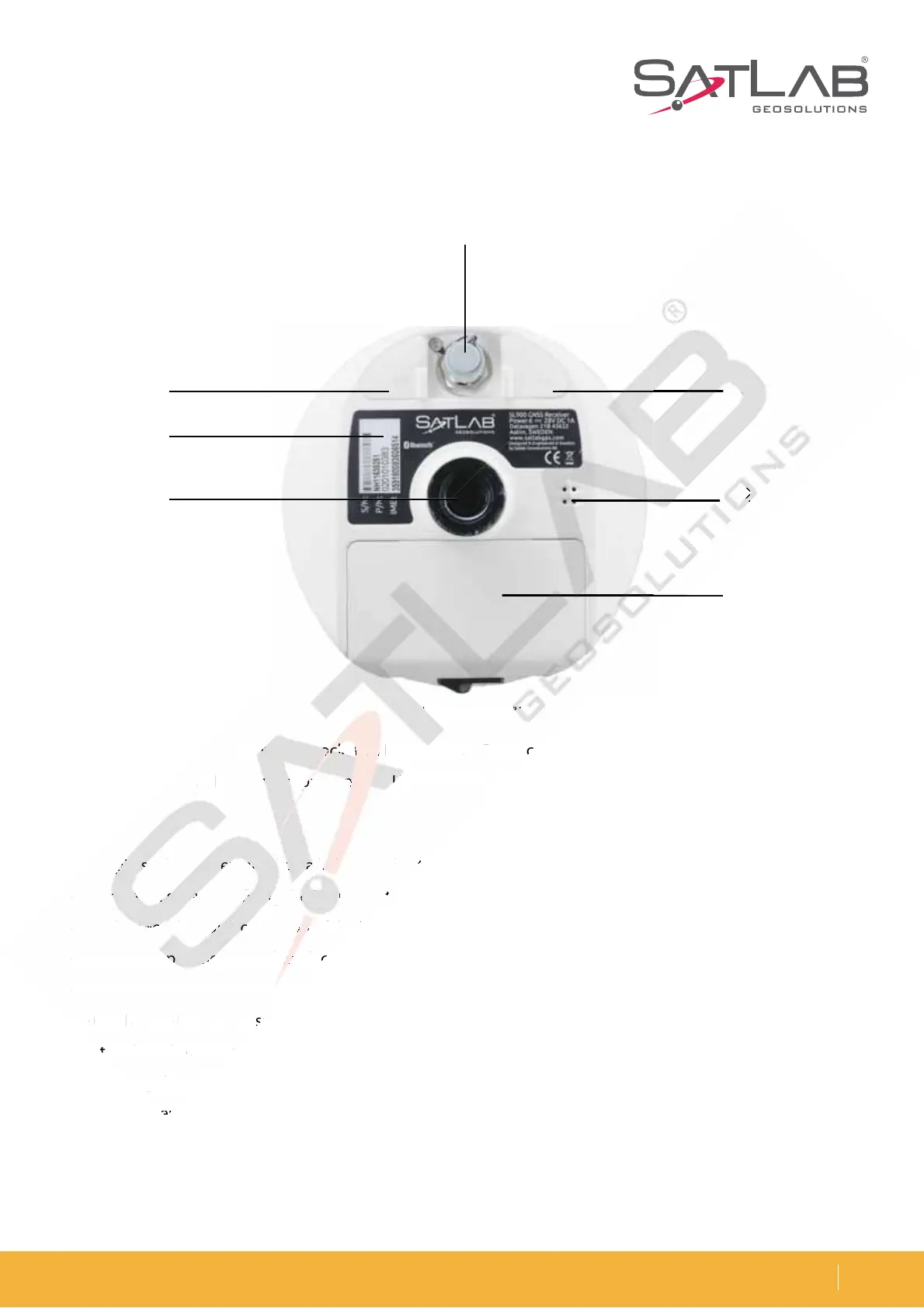
Figure 2-3 Bottom cover
1
2
34
6
7
5
1. Five-pin socket 2. Host label 3. Connection screw 4. Speaker
5. Battery compartment 6. USB socket 7. /FUXPSLSBEJPBOUFOOBJOUFSGBDF
- Five-pin socket: For external data linking and external power supply.
- Connection screw: For fixing the instrument to the base or a pole
- Speaker: For the quick operation of the instrument and to broadcast its status with the voice.
- Battery compartment: Used to place the battery.
- USB socket: To connect the host with external devices, upgrade firmware and download static data. It can also
CFVTFEBTUIF64#UPUIFTFSJBMQPSUJOTQFDJBMXPSLJOHNPEFTZPVXJMMOFFEUPJOTUBMMUIFESJWFS
/FUXPSL3BEJPBOUFOOBJOUFSGBDF5IFOFUXPSLBOUFOOBJTVTFEXIFOVTJOHUIFOFUXPSLBOEUIFSBEJPBOUFOOB
when using the radio.
- Battery cover: The battery cover protects it from dust and water.
- Protective plug: This is used for dustproof and waterproof sockets.
2-3 Bottom
-p
s
Host
e
.
tter
co
t
B s
cke
- USB socket: To connect t
T
U
B



 To Next Page