EasyManua.ls Logo

SatLab SL900 - Data Transfer

Default Icon
38 pages
Print Icon
To Next Page IconTo Next Page
To Previous Page IconTo Previous Page
Loading...
www.satlab.com.se
24
SL900 GNSS RTK System
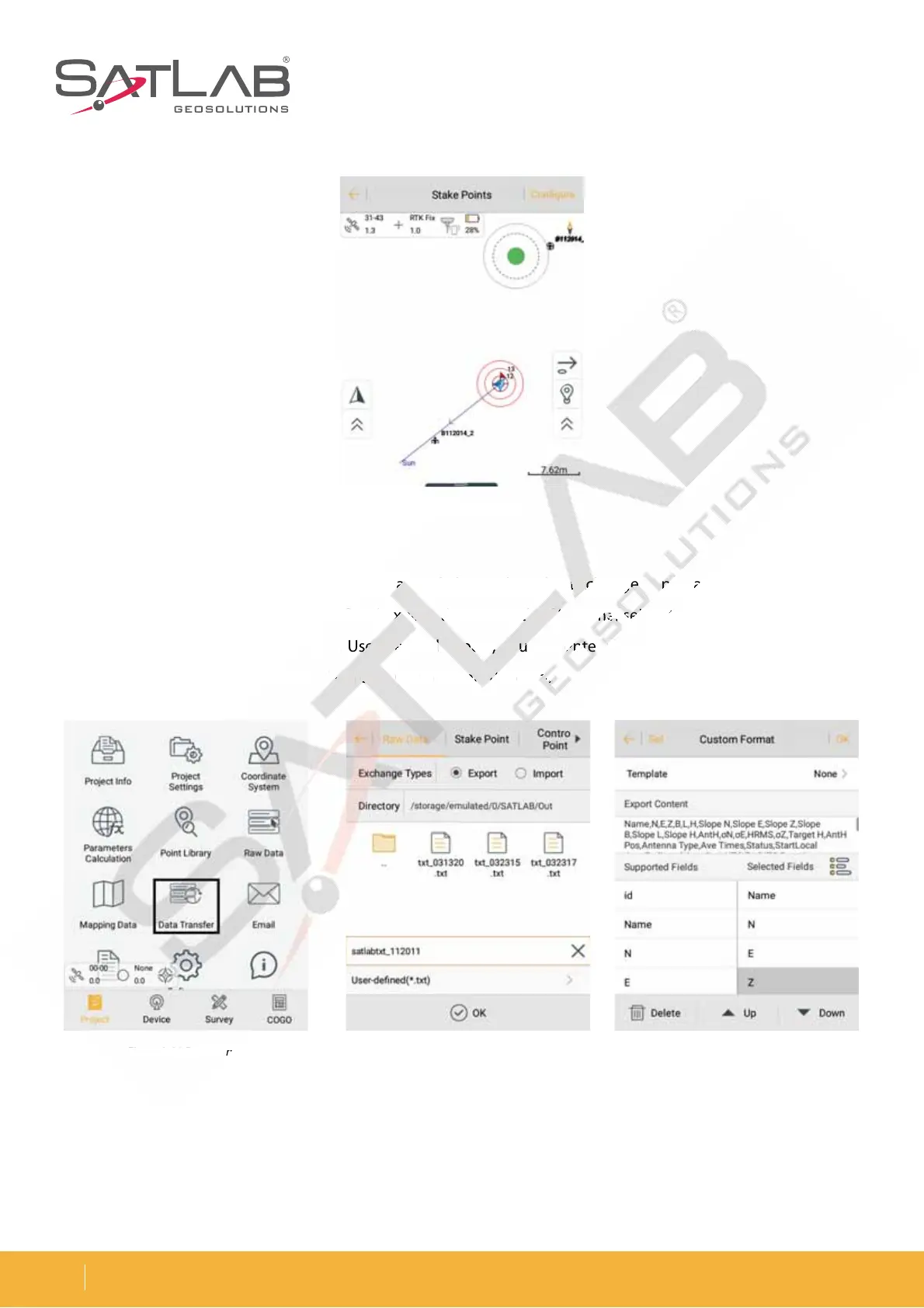
Data Transfer
In the Data Transfer interface, select Raw Data, and then select the Exchange Types as Export. Select the
corresponding format export or User-defined export, then input the file name, select the Directory to save file,
BOEDMJDL0,UPFYQPSUUIFEBUB*GJUTB6TFSEFmOFEFYQPSUZPVDBOFOUFSUIFDVTUPNGPSNBUTFUUJOHTBGUFS
DMJDLJOH0,UPTFMFDUFYQPSUDPOUFOU5IFODMJDL0,UPFYQPSUUIFEBUB
Figure 3-30 ExportFigure 3-29 Data transfer Figure 3-31 Custom format
Figure 3-28 Stake success
w
D
at
t
t
a,
a,
a,
a
nd then select t
he
e
e
E
E
xc
xc
ha
ng
g
g
e
e
e
TyTyTy
pe
p
p
s
a
de
fined
e
e
xp
xp
xp
or
o
o
t,
t
t
t
hen input
th
th
th
e
fil
l
fil
e na
me
me
me
,
,
,
se
se
se
l
l
le
ct
t
G
JU
T
B
6
TF
TF
TF
S
EF
EF
EF
m
m
mO
FE
E
E
FY
F
F
QP
QP
QP
S
U
U
U
Z
PV
PV
V
DB
O
FO
FO
FO
UFUFUF
S
U
U
UI
F
D
P
OUFO
U
5
IF
IF
IF
O
DM
D
D
J
D
L
L
L
0,
0
0
UP
FY
QP
P
P
SU
S
S
UI
UI
UI
F
EB
UB
UB
UB
Figure 3-29 Data t
ran
s
3-
28
Stake success

Related product manuals