www.satlab.com.se
25
SL900 GNSS RTK System
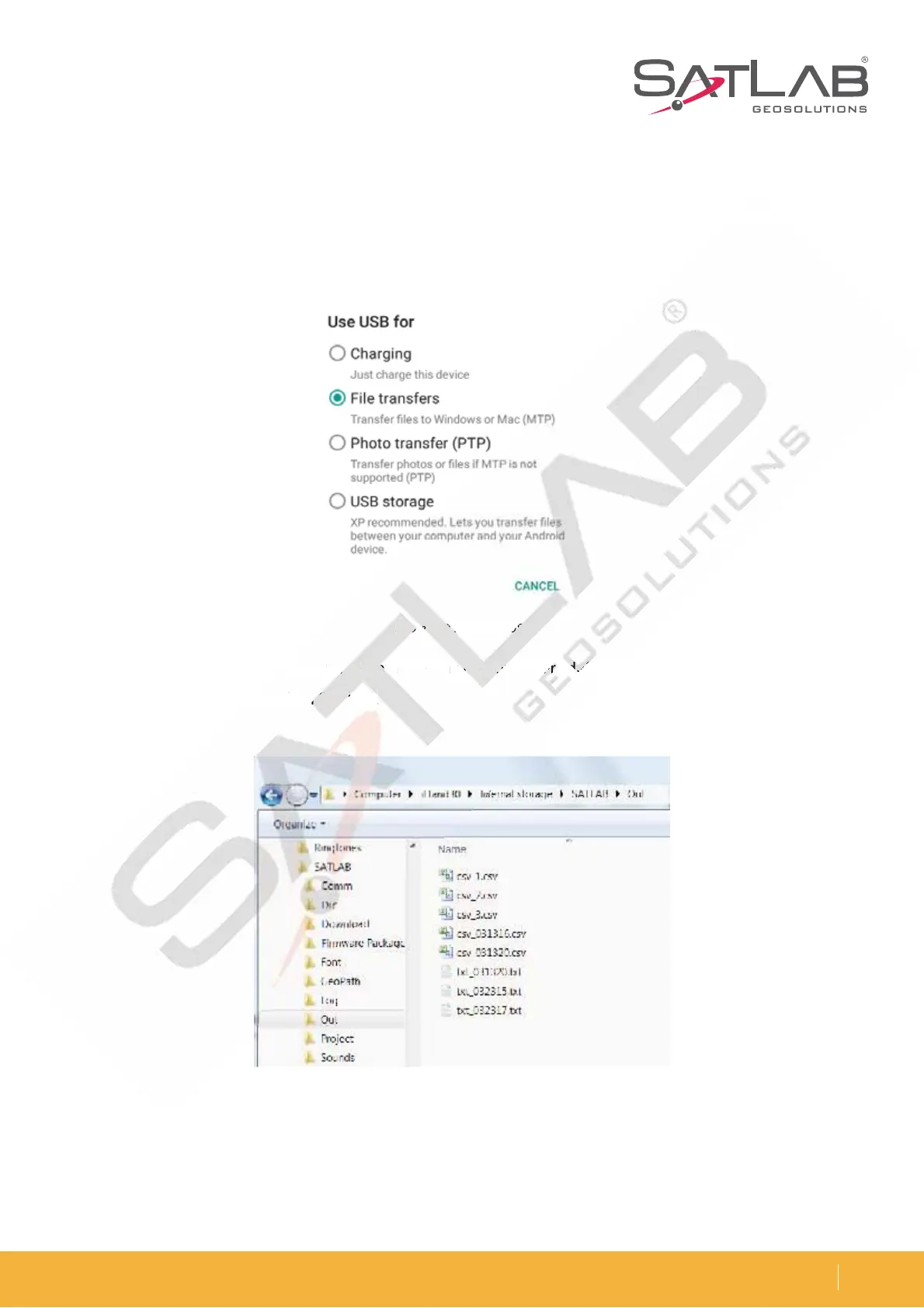
Figure 3-32 Transfer by USB
Figure 3-33 Exported data
Connect the Controller to Download Data
Use the USB data cable to connect the controller to the computer. Open the hidden drop-down window of the
controller. Where it says Use USB for, you will see a list of options. Select File transfers.
'JOE UIF QBUI UIBU JT VTFE UP FYQPSU UIF EBUB mMF PO UIF DPOUSPMMFS EFGBVMU 4"5-"#=0VU BOE DPQZ JU UP UIF
computer. The RTK measure is then finished.
nsfer by
Y
P
M
US
M



 To Next Page