EasyManua.ls Logo

SatLab SL900 - Button & LED

Default Icon
38 pages
Print Icon
To Next Page IconTo Next Page
To Previous Page IconTo Previous Page
Loading...
www.satlab.com.se
10
SL900 GNSS RTK System
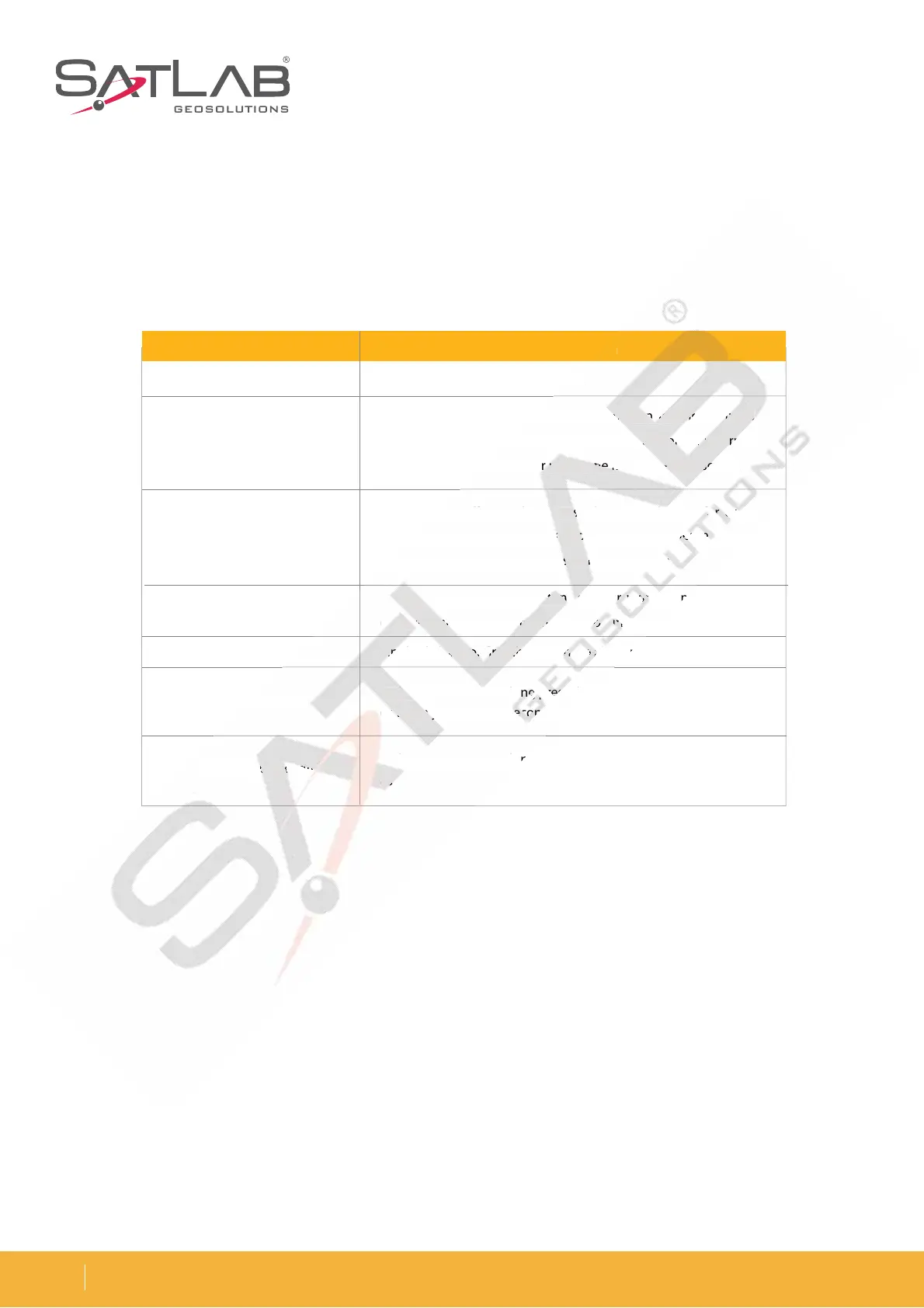
Button & LED
Long press the button for 1 second.
In the power-on state, long press the button for more than 3
seconds and less than 6 seconds. Release the button for a normal
shutdown when the speaker makes the first ding-dong sound.
In the power-off state, long press the power button for 6s to
automatically set the base station, and then release it. The
receiver will now automatically set the base mode.
Double-click the power button to enter working mode; every
double-click will switch to another working mode.
Single click to confirm the current working mode.
In the power-on state, long press the power button for more than
6s when you hear the second ding-dong, and then release it.
In the power-on state, long press the power button for more than
8s.
Function Description
Power-on
Power-o
Auto-set base
Working mode switch
Working mode
Reset motherboard
Mandatory power off
Table 2-1 Button function
o
nd
.
on
g press the
bu
b
b
tt
on
n
n
f
f
f
o
o
or
m
m
m
o
o
or
e
th
h
h
a
a
an
3
3
3
n
6
seconds. Release t
he
e
e
b
b
b
ut
to
o
o
n
n
n
fo
r
r
r
a
a
no
o
rm
rm
rm
al
th
e speake
r
r
r
m
ma
ke
s
th
th
th
e
e
e
fir
fir
st
din
g-
-
-
do
d
d
ng
s
s
s
o
o
ou
nd.
ow
er-off state, long pr
es
s
s
s the power
bu
b
tton
f
f
f
or
or
or
6 6
6
s
s
to
ma
tically set the base
s
s
s
ta
t
ti
o
o
on
, and then r
el
el
l
ea
ea
e
se
e
e
i
t. T
he
re
ceiver will now automatically
s
s
se
t
th
th
th
e base mod
e.
e
e
Do
o
o
ub
u
le
le
e
-c
lick the power b
ut
ut
t
t
to
to
n
n
n
to
to
to
ent
er
er
r
w
w
w
or
or
or
king
m
do
do
do
b
ub
ub
lelele
-c
li
ck
ck
will switch
t
t
t
o
o
an
n
n
o
o
ot
her
wo
wo
wo
rkrkrk
in
in
in
g
mo
de
Si
Si
i
n
n
ng
le cli
ck
k
k
t
t
t
o
o
co
o
o
nfi
nfi
nfi
r
r
rm
t
t
t
h
h
he
cur
re
e
ntnt
nt
w w
w
o
o
or
ki
ng
m
In t
he
he
he
p
ower-on state, l
on
on
n
g g g
prprpr
es
es
es
s th
e
6s
s
w
w
w
he
n
n
n
yo
y
y
u hear the
s
ec
ec
ec
on
on
on
d
d
d
di
n
In
I
the power-on state, l
on
8s
s
s
.
io
n
e
o
th
erboard
Ma
ndator
y
p
p
po
we
e
e
r
off
off
off

Related product manuals