www.satlab.com.se
20
SL900 GNSS RTK System
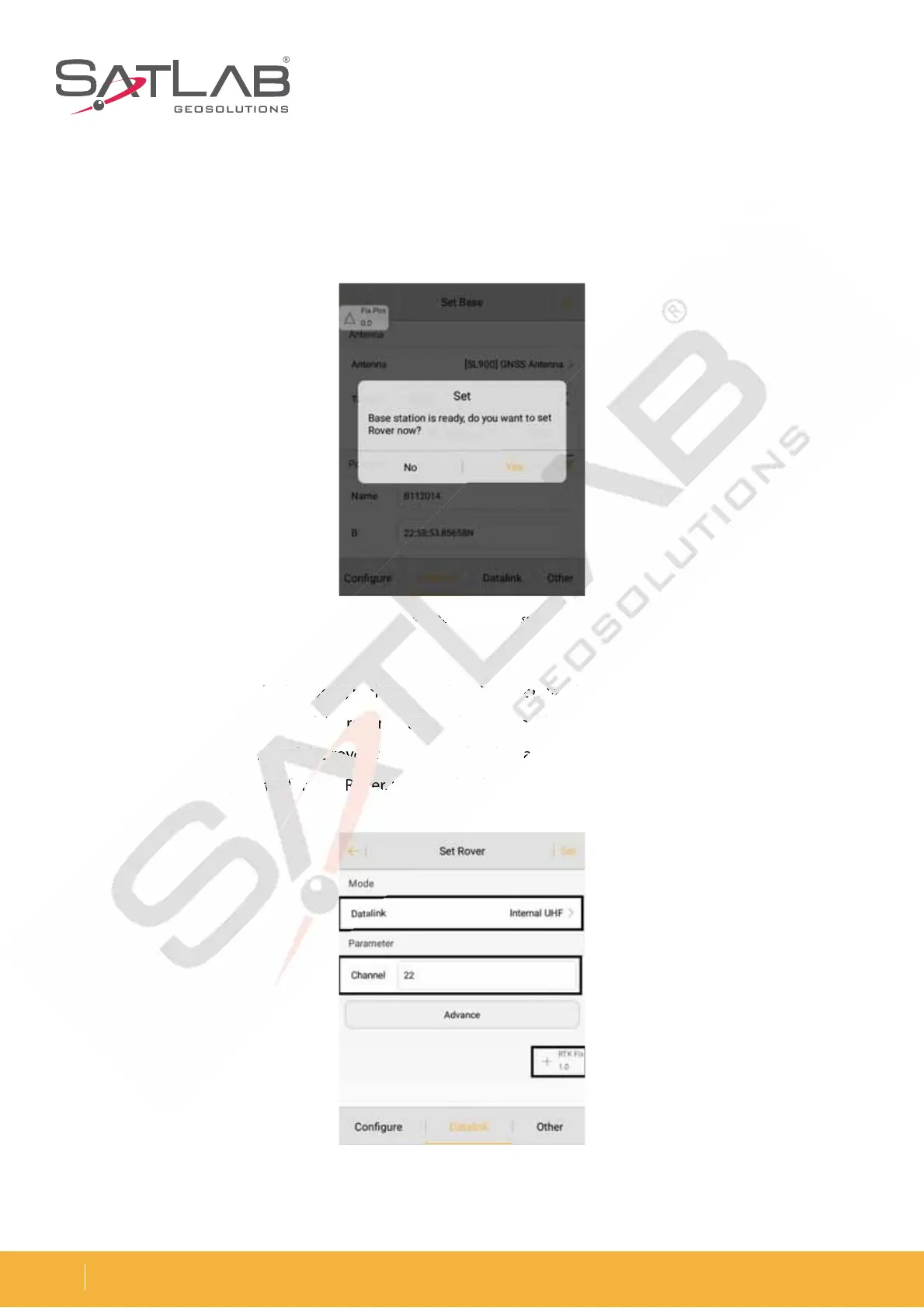
Set the Rover
Connect to the rover through Bluetooth, making sure that the rover data link and other parameters are consistent
with the base station. The setting of the rover station is the same as that of the base station. To receive differential
data, the data link parameters of the rover station must be the same as the base station. Then click Set and the
receiver will do a voice prompt for UHF Rover. Wait until it shows RTK Fix, and then start the measurement.
8BJUVOUJMUIFHSFFOTJHOBMMBNQnBTIFTPODFFWFSZTFDPOETFDPOETJOQPXFSTBWJOHNPEFBOEUIFSBEJPSFE
lamp flashes once every second, indicating that the base station is successfully operating and transmitting the
signal. If the signal lamp does not blink, you can restart the receiver and operate it once again.
Figure 3-16 Set base success
Figure 3-17 Set rover
Set base suc



 To Next Page