www.satlab.com.se
19
SL900 GNSS RTK System
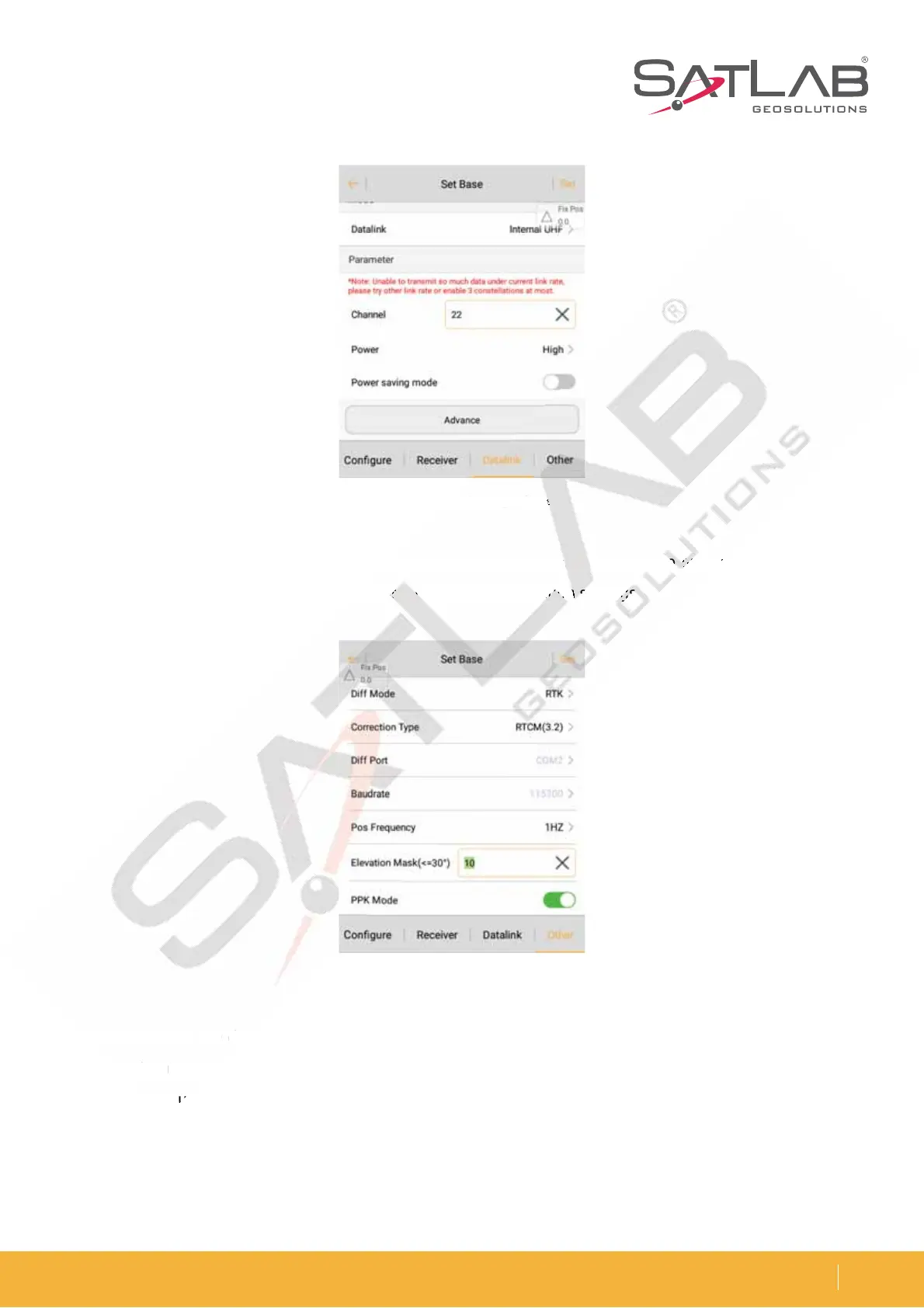
4. Click Other and select the Diff Mode, Correction Type. Then click Set and it will promptly set up successfully. The
parameters of the base station must be consistent with the rover station settings.
$IFDL XIFUIFSUIF EJõFSFOUJBMTJHOBMMBNQPGUIFSFDFJWFSJTnBTIJOH PODFFWFSZTFDPOE TFDPOETJOUIF
QPXFSTBWJOHNPEF8IFOVTJOHUIFFYUFSOBMSBEJPUIFMBNQXJMMnBTIPODFFWFSZTFDPOEJGJUJTOPSNBM*UXJMM
then prompt you with the message: Base station is ready, do you want to set Rover now?
After the parameter is set, click Set and the receiver will give a voice prompt. The signal lamp will then flash twice
a second, indicating that the base station has been set up successfully and is sending the differential data.
Figure 3-14 Datalink settings of base
Figure 3-15 Other base settings
FU
F
U



 To Next Page