www.satlab.com.se
18
SL900 GNSS RTK System
Set both the base station and receiver position, and then set the Datalink and Other.
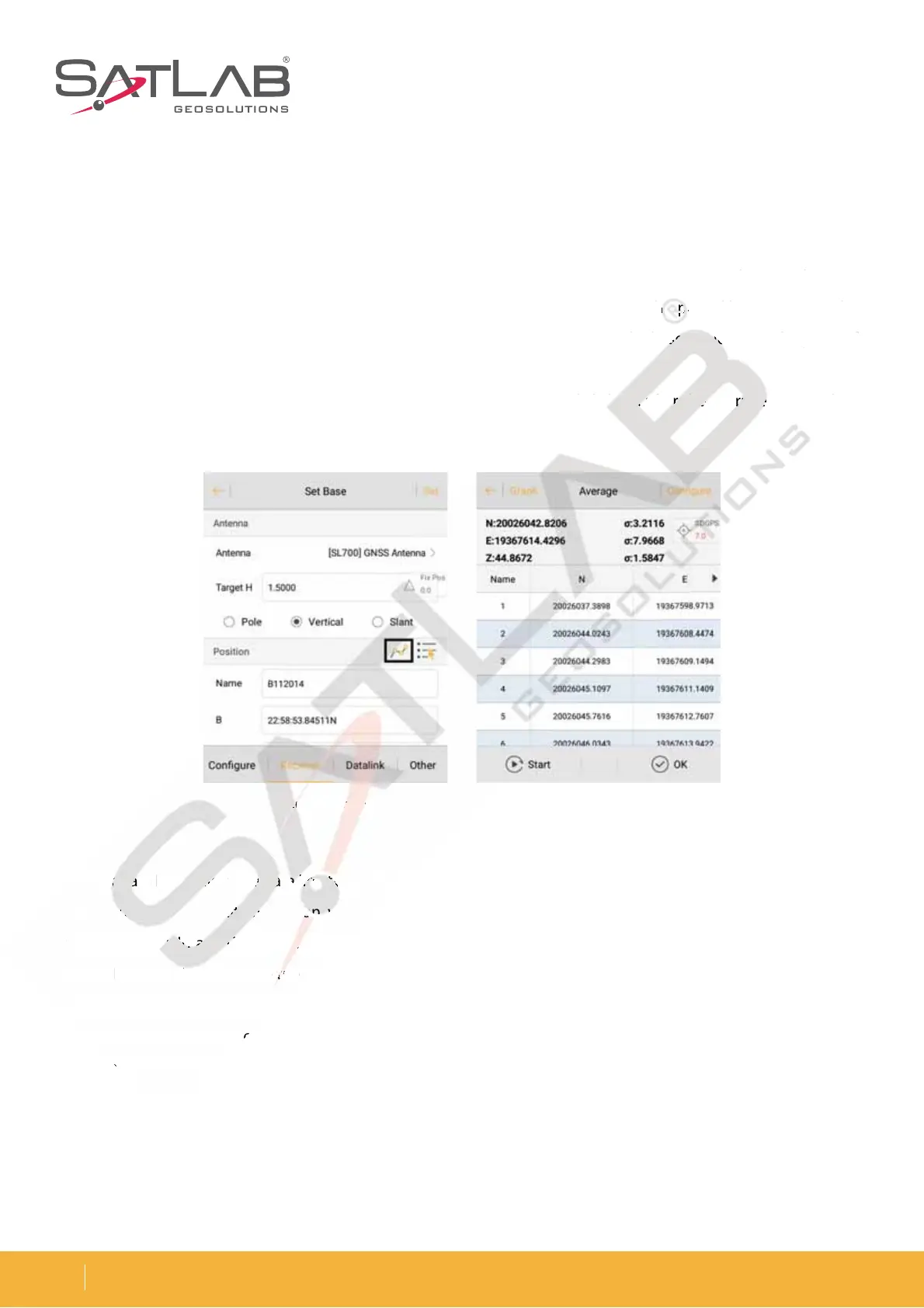
1. Select the antenna type and enter both the height and the type.
2. Set the base location.
- If the base station is located at a known point and you know the conversion parameters, do not select the
Average. Directly input or select the point of the WGS-84 BLH coordinates from the point library or open the
conversion parameters in advance and enter the local NEZ coordinates, so that the base station uses the point of
the WGS-84 BLH coordinates as a reference and transmits the differential data.
- If the base station is located at an unknown point, click Average , and click OK after the average to complete
the coordinates of the base station.
$MJDL%BUB-JOLTFMFDUUIFEBUBMJOLUZQFBOEUIFOFOUFSUIFSFMFWBOUQBSBNFUFSTFHXIFOZPVVTFUIF4"5-"#
server to transfer the data operation, you will need to set the parameters and then select the Internal GSM mode,
where the Area ID and Group ID can be changed. The Area ID is seven digits, the Group ID is three digits less than
8IFOZPVDIPPTFUPVTFUIF*OUFSOBM6)'UPXPSLZPVTIPVMETFUUIFSBEJPDIBOOFM
Radio mode is the traditional data link mode. The Internal UHF mode is taken as an example to show how the
radio station mode can be introduced by taking simple steps.
- Internal UHF: built-in radio
- Channel: 0 ~ 115, any number, but the rover settings should be consistent with the base station
1PXFS)JHI.JEEMF-PX
Figure 3-12 Set base Figure 3-13 Average
J
J
r
Z
Radio mode is the traditio
3-12



 To Next Page