THE PROF E SSI O NAL E QU I PME N T-- - --- - --- - --- - --- | U SER ’S MANU AL| THE PROF E SSI O NAL E QU I PME N T-- - --- - --- - --- - --- | U SER ’S MANU AL|
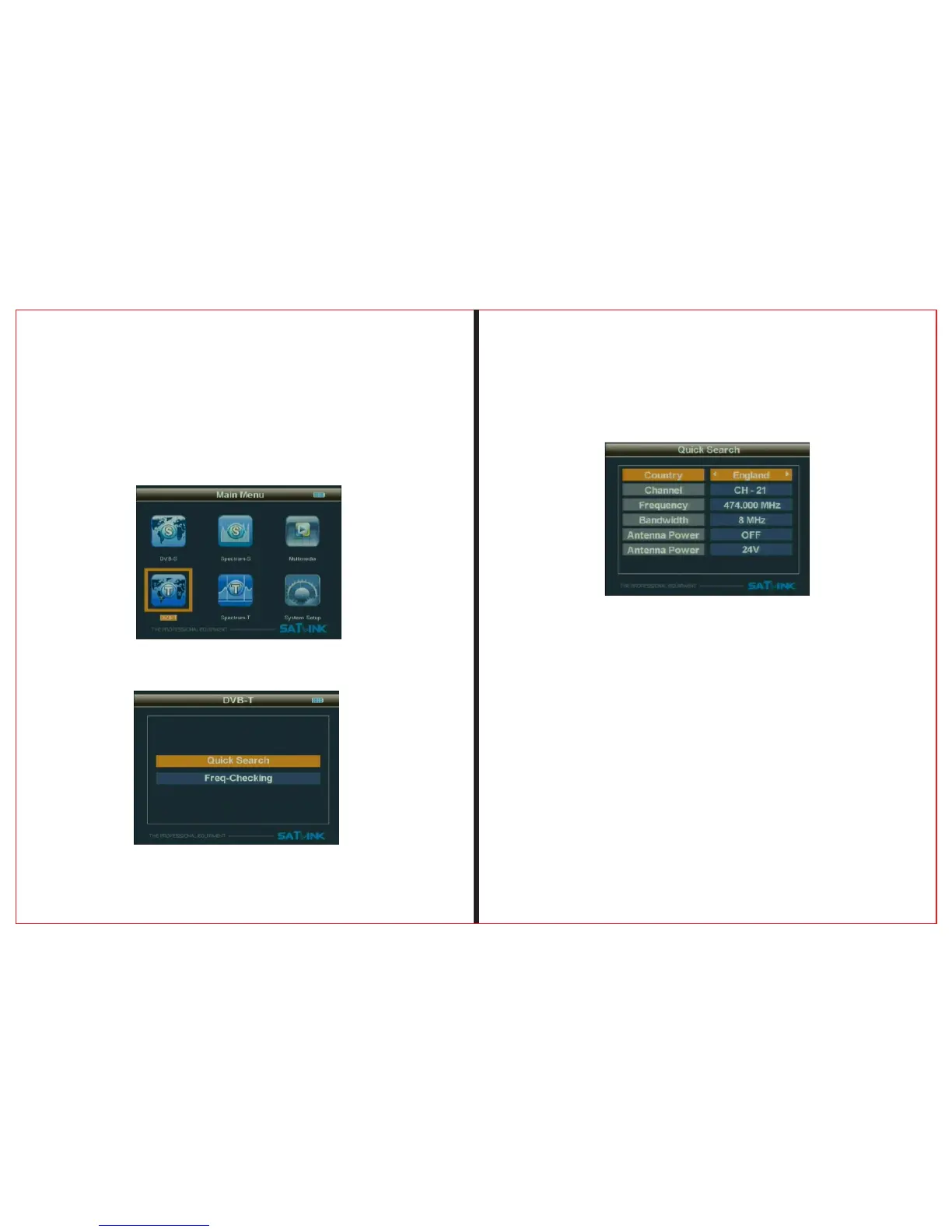
2.2 DVB-T
Press “ MENU” to enter into main menu, and use Arrow
key to move cursor, and Select DVB-T, andthen press
“OK” enter DVB-T system.
Press OK to enter the sub-menu
Signal Finder Professional Combo| 17
16 | Signal Finder Professional Combo
2.2.1.1Quick Search
2.2.1.1.1Country Setting
To select country to receive signal
2.2.1.1.2Channel
To select channel type to be received
2.2.1.1.3Frequncy
To set frequency for receiving signal by inputting frequency
value with numerical keys
2.2.1.1.4Bandwidth
To Select Bandwidth 6M/7M/8M based on your local region.


 To Next Page