THE PROF E SSI O NAL E QU I PME N T-- - --- - --- - --- - --- | U SER ’S MANU AL| THE PROF E SSI O NAL E QU I PME N T-- - --- - --- - --- - --- | U SER ’S MANU AL|
Signal Finder Professional Combo| 25
24 | Signal Finder Professional Combo
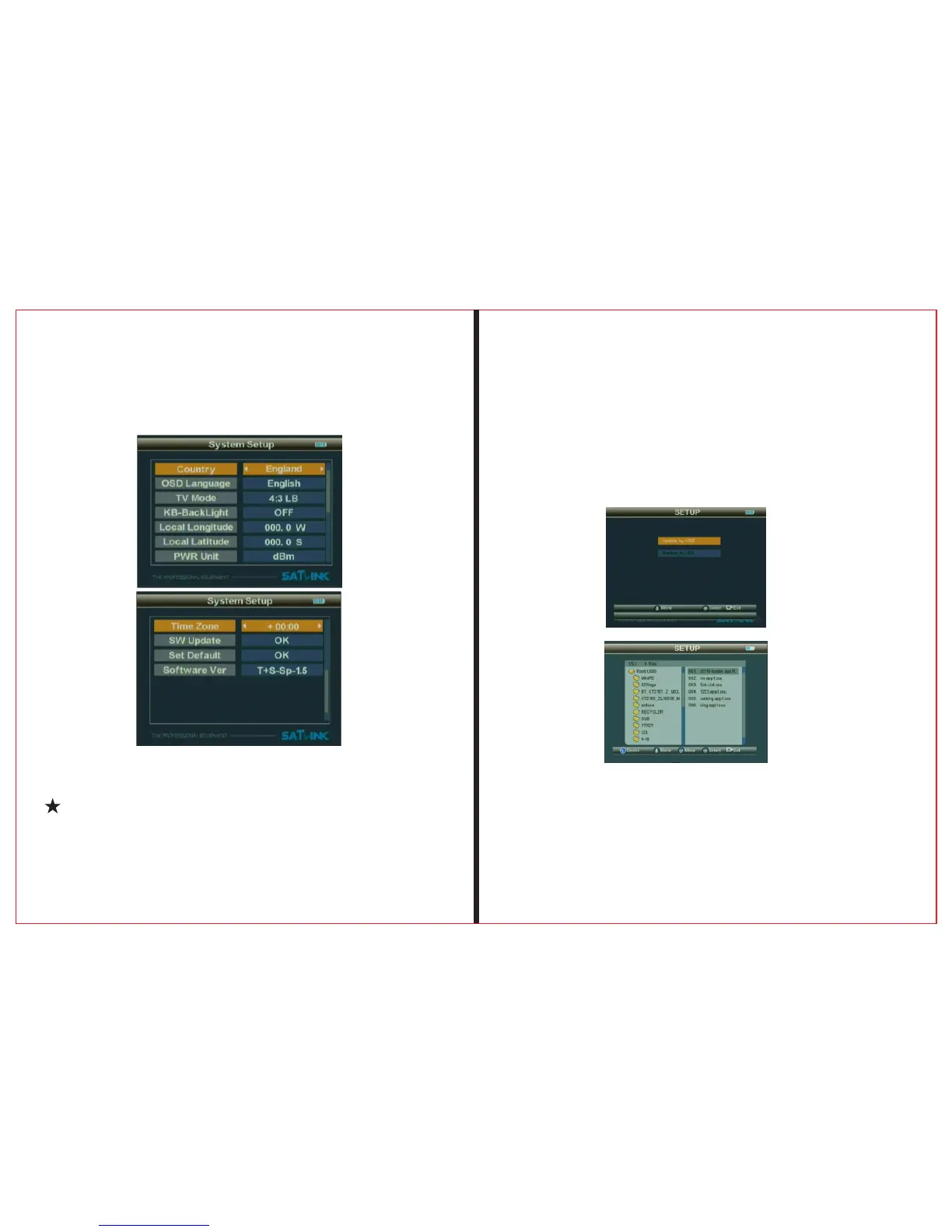
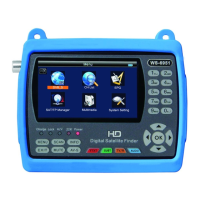
2.4.3 SW Update
To upgrade SW or Data through USB port.
To store the upgrading file in the external memory, and
2.4 System Setup
2.4.1 OSD Language
Set OSD Language
2.4.2 KB-BackLight
Button backlight delay slect switch
(OFF、5 Second、10 Second、20 Second)
insert it into USB port, and then enter upgrade menu.
To select the file, it will automatically return back to the
2.4.4 Set Default
Press “OK” button to set Factory Default.
2.4.5 GMT Usage
Set the GMT parameter


 To Next Page