THE PROF E SSI O NAL E QU I PME N T-- - --- - --- - --- - --- | U SER ’S MANU AL| THE PROF E SSI O NAL E QU I PME N T-- - --- - --- - --- - --- | U SER ’S MANU AL|
Signal Finder Professional Combo| 29
28| Signal Finder Professional Combo
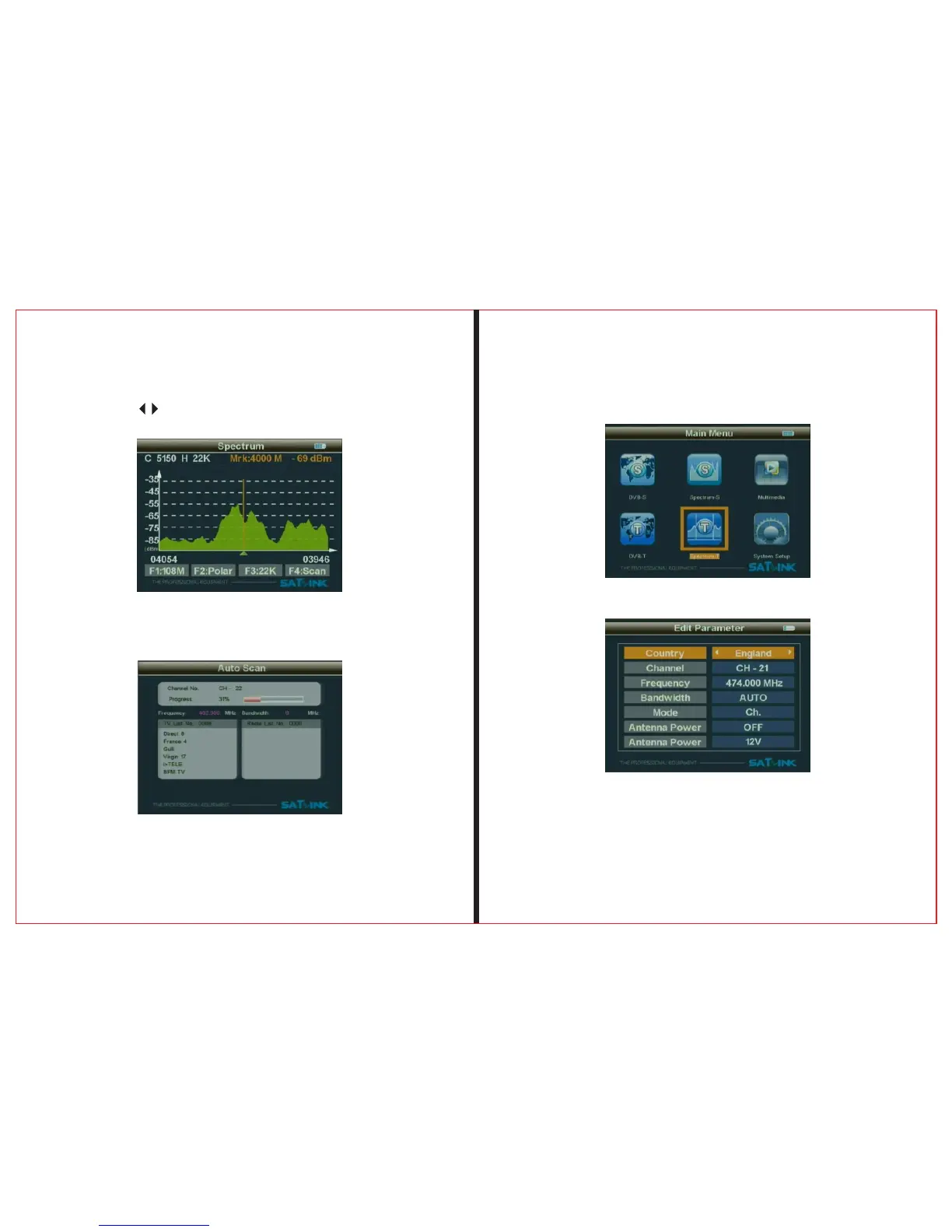
2.5.4 Press button to move the cursor to the end
frequency of the scanning.
2.5.5Press "OK" and "F4" button to enter the selected
frequency range to scan the programs. When finished, exits
2.6 Spectrum-T
Press"ok" keyboard, enter DVB-T spectrum item
Choose pre-store data( country -channel - bandwith
- antenna power supply), press"OK" enter
spectrum working interface.


 To Next Page