RDT724 F002/F022
P100002032 003 A 2/6
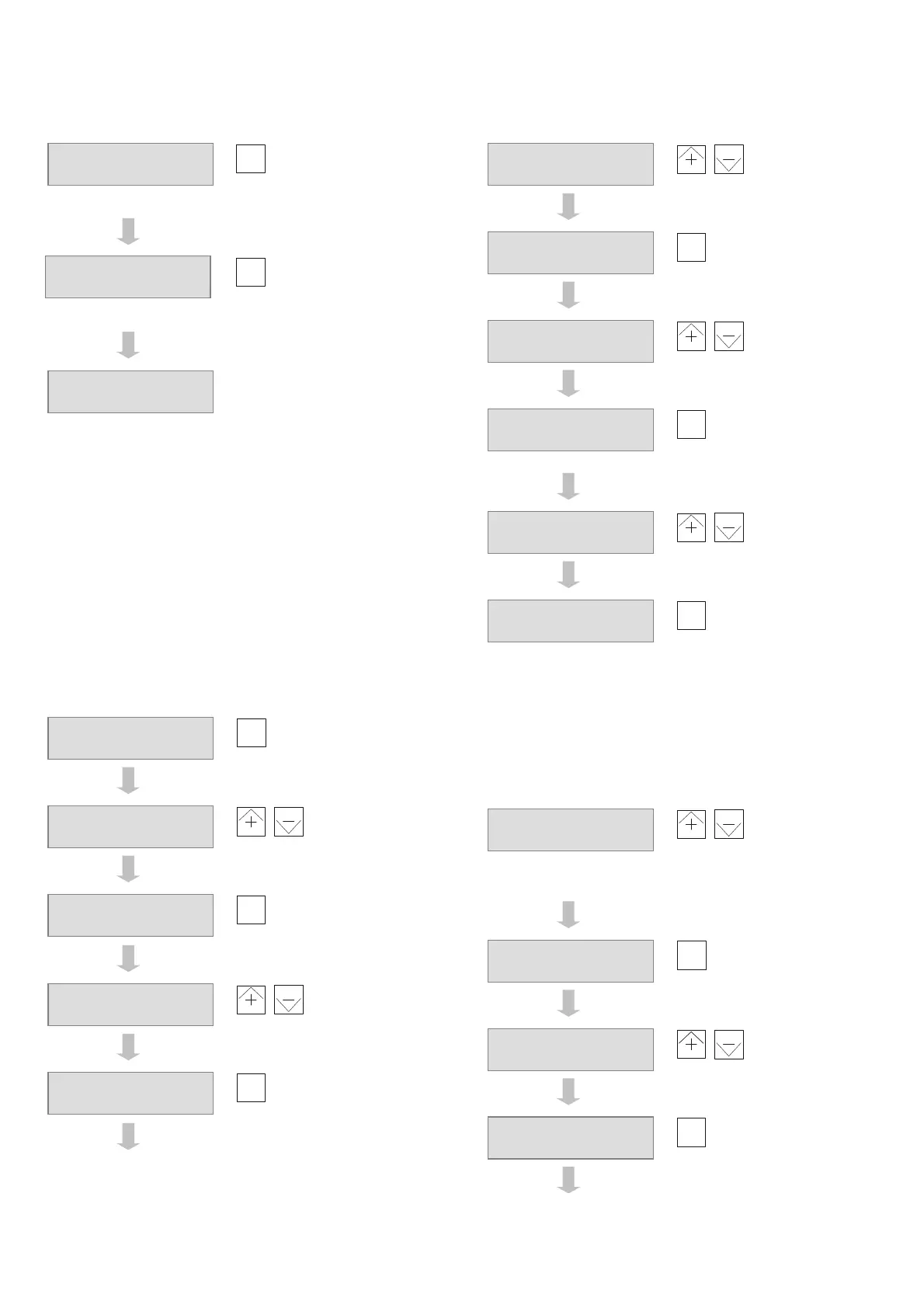
C1: Operating for the first time (continued)
Scroll until next
variable to be
adjusted
Repeat until you see this display:
Repeat until basic display:
When the basic display is shown, the procedure for operating
the device for the first time has been completed.
Note:
Use
menu
instead of
step
to go to the basic display more
quickly. In this case, not all the parameters, setpoints, etc. are
called up (also see section B2).
Important:
As soon as the procedure for first-time operation is completed,
the installation is operational and all the electrical parts are live.
C2: Set the time and date
If necessary, press
menu
and
–
at the same time to go to
the basic display in the user level.
Scroll until you see
the time display
,
Change the time
Accept the value
and select date
display
,
Change the date
Accept the value
and select year
display
C2: Set the time and date (continued)
,
Change the year
Accept the value
and select
summertime
changeover display
,
Change the
changeover time
Accept the value
and select
wintertime
changeover display
,
Change the
changeover time
Accept the value
Press
menu
and
–
at the same time to return to the basic
display in the user level.
C3: Select and parameterise the application
Press
menu
and
+
at the same time to go to the password
level.
,
Enter password
Note:
The password for the parameterisation level is 102.
Password is
accepted. The
selected application
is shown
,
Select the
application
Confirm selection of
the application
D300:Time
13:25
A110:E1 function
20:
Temp.0-10V
Setpoint 20.0°C
Act. val. 17.3°C
Setpoint 20.0°C
Act. val. 17.3°C
D300:Time
15:52
D300:Time
16:15
D301:Day.month
We
14.03
D301:Day.month
Fr 2
1.09
D302:Year
2006
D302:Year
2007
D303:Summer time
1.02:
Week.month
D303:Summer time
5.03:
Week.month
D304:Winter time
3.09:
Week.month
D304:Winter time
5.10:
Week.month
Password?
0
Password?
102
A001:Application
204:
CTR HCE
A001:Application
202:
CTR HC



 To Next Page