RDT724 F002/F022
P100002032 003 A 3/6
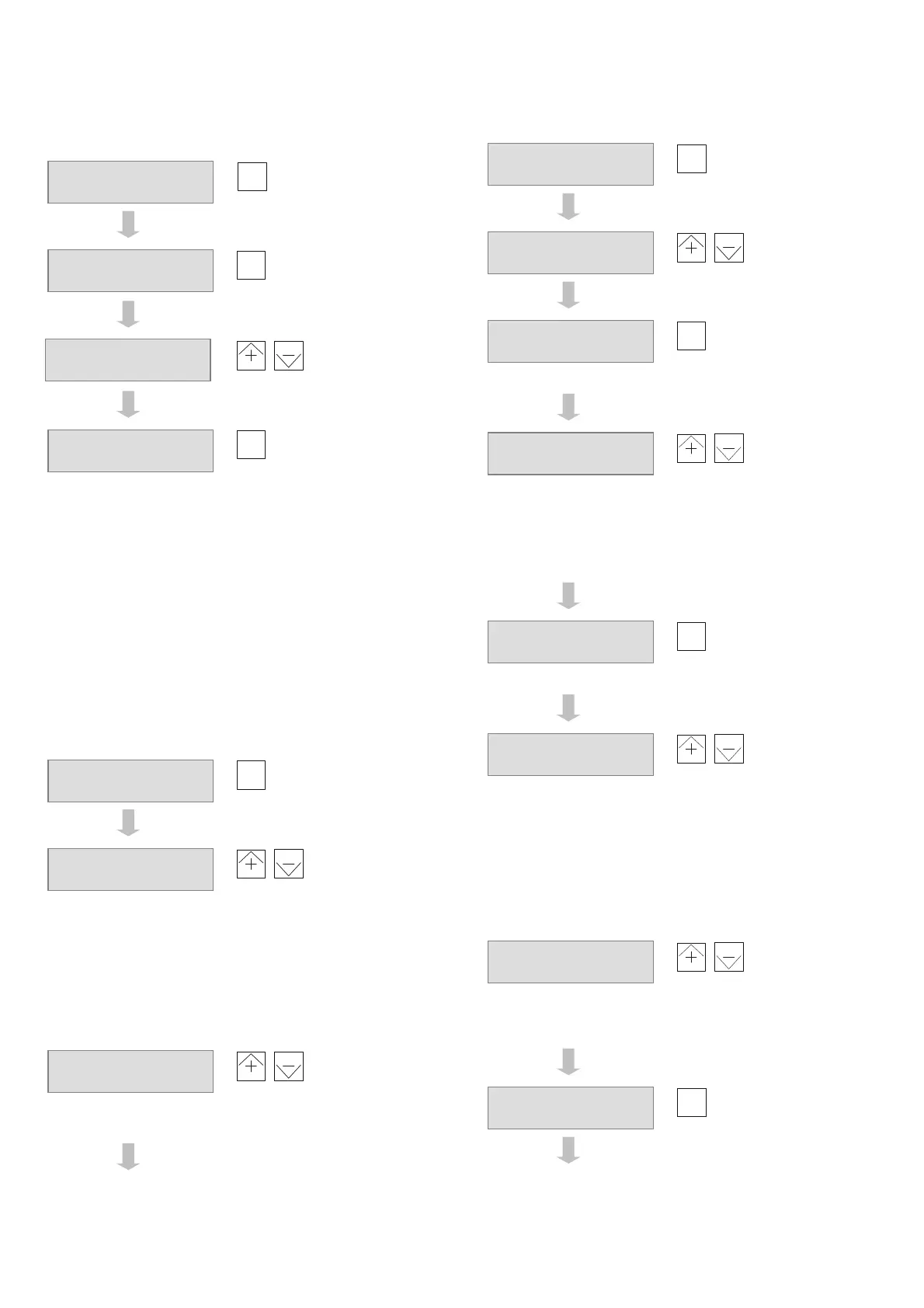
C3: Select and parameterise the application
(continued)
Load the application
Scroll until you see
the first parameter to
be adjusted
,
Adjust the value
Scroll until you see
the next parameter
to be adjusted
…etc.
Press
menu
and
–
at the same time to return to the basic
display in the user level
Note:
See document 7010047 and the application sheets for a list and
description of the individual parameters.
Important:
Each adaptation of a parameter is immediately accepted by the
controller and is included in the control behaviour.
C4: Change language selection
If necessary, press
menu
and
–
at the same time to go to
the basic display in the user level.
Scroll until you see
the language display
,
Select the language
Press
menu
and
–
at the same time to return to the basic
display in the user level.
C5: Manual operation
Press
menu
and
+
at the same time to go to the password
level.
,
Enter the password
Note:
The password for the manual operating level is 101.
C5: Manual operation (continued)
The password is
accepted. The first
analogue output is
shown
,
Change the value
The next analogue
output is shown
… etc.
,
Unlock / Lock the
output
0 = Unlock: after exiting manual
mode, the output is regulated
according to the control again.
1 = Lock: the output still remains at
this value after you exit from manual
mode
Release / fix next
output
… etc.
,
Switch the relay
… etc.
To exit from manual mode, press
menu
and
–
at the same
time. This also returns you to the basic display in the user level.
C6: View and change communication parameters
(RDT724 F022 only)
Press
menu
and
+
at the same time to go to password level.
,
Enter the password
Note:
The password for the level containing the communication parameters is
104.
Use
menu
to scroll
until you see the
following display
A110:E1 function
3:
Temp.Ni1000
Load new appl.?
menu=execute
A001:Application
202:
CTR HC
A110:E1 function
20:
Temp.0-10V
Z1 Setpoint 8.5°C
Act. val. 3.2°C
Language/Sprache
Deutsch
Password?
0
Password?
101
H301:Output Y1
100%x0.1V
H301:Output Y1
53.0%x0.1V
H351:Output Y1
0:
Unlock
H351:Output Y1
0:
Unlock
H401:Relais R1
0:
off
Password?
0
Password?
104



 To Next Page