SAVI Dual™ Migraine Therapy Instructions for Use 16
Additional Information
Battery Capacity Indicator
Your SAVI Dual has rechargeable batteries. The battery capacity indicator on your device shows how much charge
is remaining in the battery. eNeura recommends that you keep your device’s battery charged so that it is always
ready when you need it. Typically, a fully charged battery can deliver 18 treatments. Your battery pack life is
roughly a minimum of 100 charge cycles.
Recharging the Battery
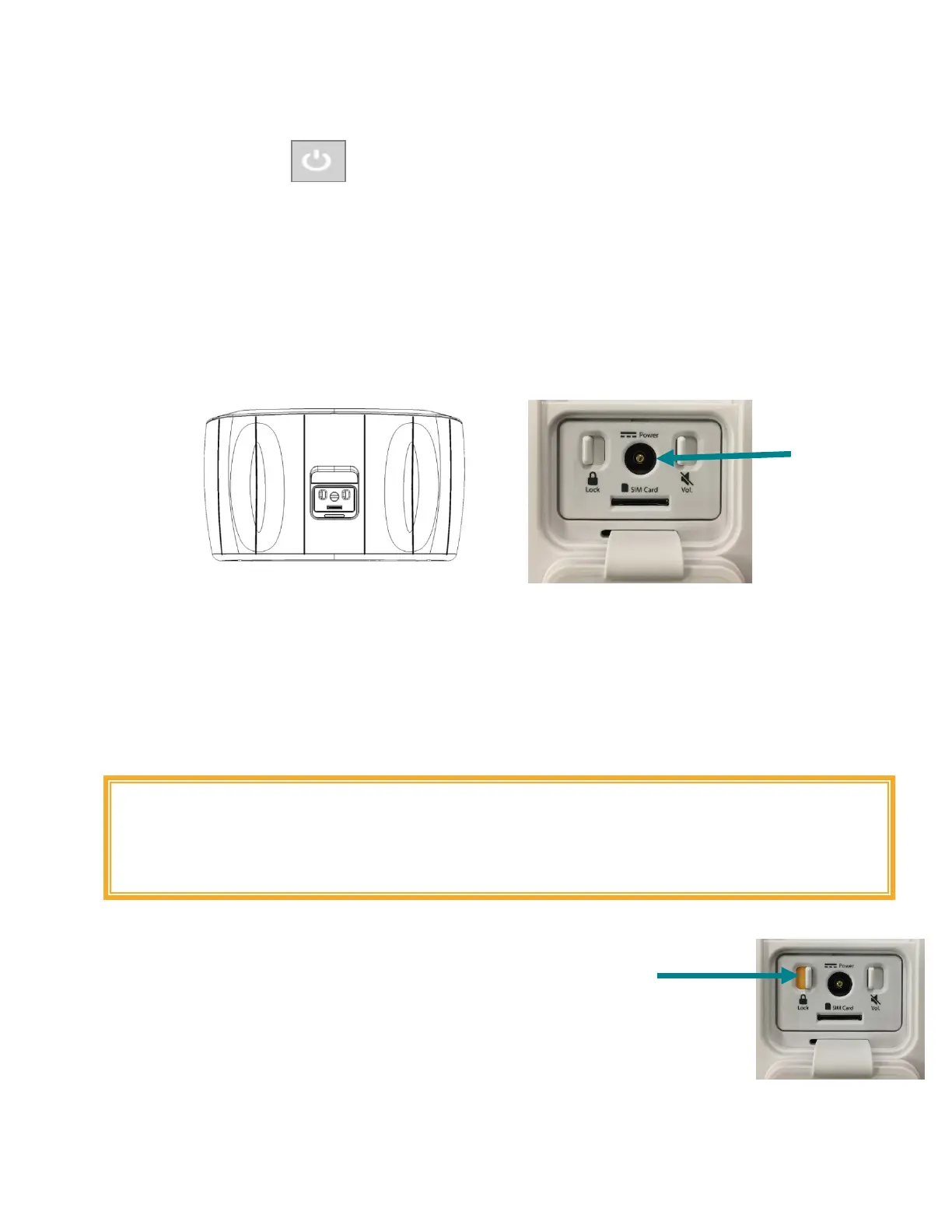
To recharge your battery, push the round plug on the battery charger into the battery charger port on the
back of the device. Plug the battery charger into a standard wall outlet.
The AC adapter must be disconnected to allow the device to connect to a cellular network. Wait for the device
to shut itself off before connecting the AC adapter.
The AC adapter, power button and battery power indicator symbols will be lit for approximately 10 seconds
when the AC adapter is connected to the device. After 10 seconds, the lights will shut off while the AC adapter
continues to charge the battery pack.
Treatment while recharging is disabled for safety. To use the device for treatment, unplug the battery charger
and proceed with your treatment.
WARNING: The battery charger cable may present a strangulation or trip hazard if
the System is left unattended around infants and small children. Recharge the
System’s battery in a safe location, away from foot traffic and children. Store the
battery charger in a safe place when not in use.
Locking the System/Airplane Mode
The System lock switch is located beneath the Accessory door.
The System lock may be controlled by sliding the switch to the desired position
(ON or OFF).
When the System is locked, the device will prevent others from using it by disabling treatment
functionality.
The System lock switch must be OFF to allow the device to connect to a cellular network. Wait
for the device to shut itself off before you lock it.
Activating the System lock switch places the device in Airplane Mode. Place the System in
Airplane Mode whenever you are in a location where use of cellular devices is discouraged or forbidden.



 To Next Page