SAVI Dual™ Migraine Therapy Instructions for Use 9
Getting to Know Your Device
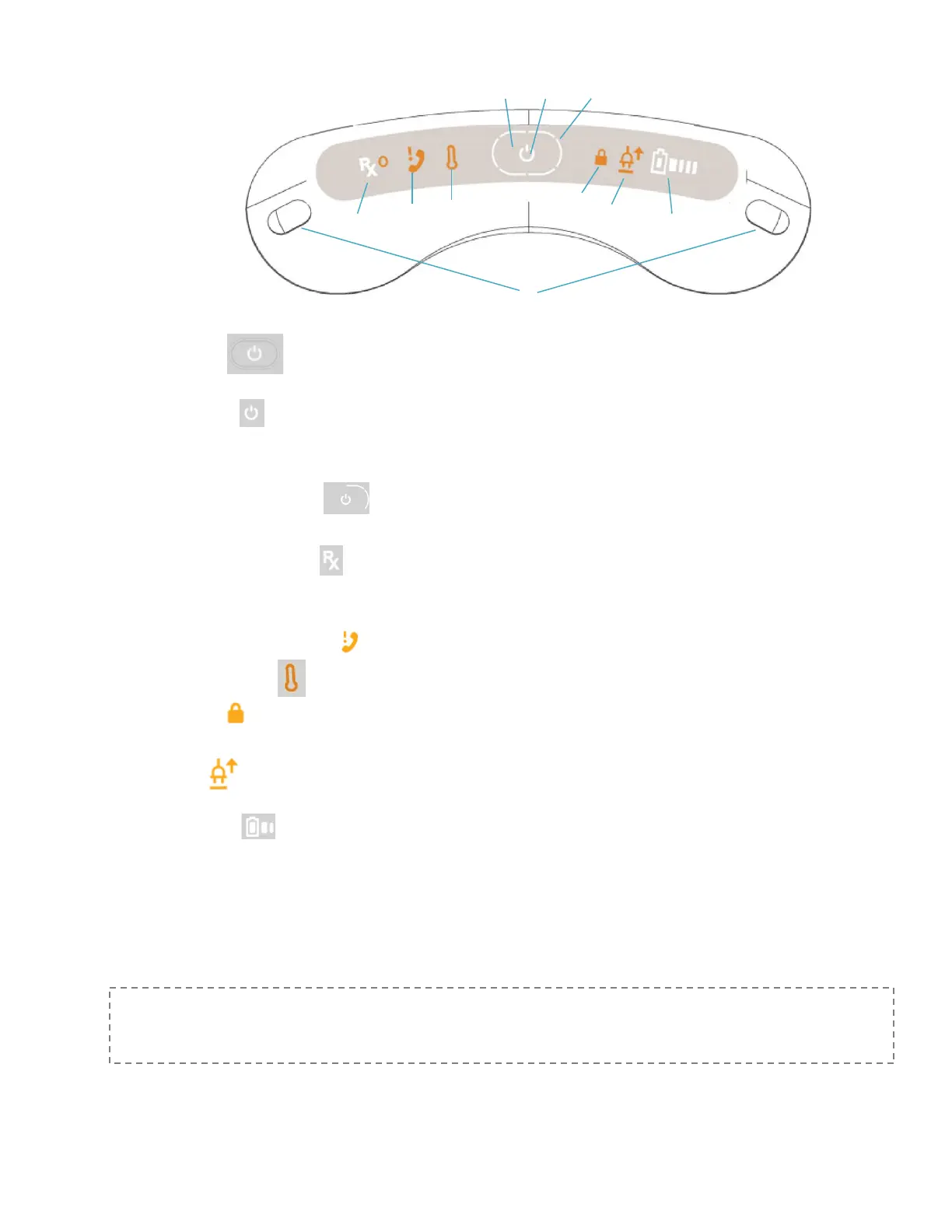
A. Power Button In the center of the panel on the top of the System. Press the power button to turn
the device on and off.
B. Power Indicator LED light on the top of the System inside the Power button. Static white illumination
shows the device is on and ready. Pulsing blue illumination indicates device is connecting to the cellular network
to transfer data or upload prescription data.
C. Treatment Progress Indicator LED light around the power button on the top of the System, shows
status as it prepares for treatment.
D. Prescription Status Indicator Located on left side on the top of the System. Confirms a valid prescription is
available and shows the status of the prescription: White illumination indicates Rx is active; static orange
indicates Rx will expire soon; static orange with orange Power Button indicates Rx has expired.
E. Contact eNeura Customer Care Action required. Call Customer Care.
F. Temperature warning The device temperature is not in range for safe use.
G. Lock Indicator On the right of the Power button. Indicator is visible when device is turned on if the security
lock switch is enabled.
H. AC Adapter On the right of the Power button. Indicator is lit when the AC adapter is connected to the
device.
I. Battery Capacity On right side on the top of the System. Indicates whether or not battery power is
enough to allow treatment. White illumination indicates battery power is available; orange illumination indicates
battery power will soon be or has been exhausted.
J. Treatment Buttons On the right and left edge of the panel on the top of the device. Press one or both buttons
to deliver a treatment.
Read “Understanding System Display Messages” for more
information.



 To Next Page