11
RT-LFT/RT-DCB OWNER’S MANUAL
Lock
15
16
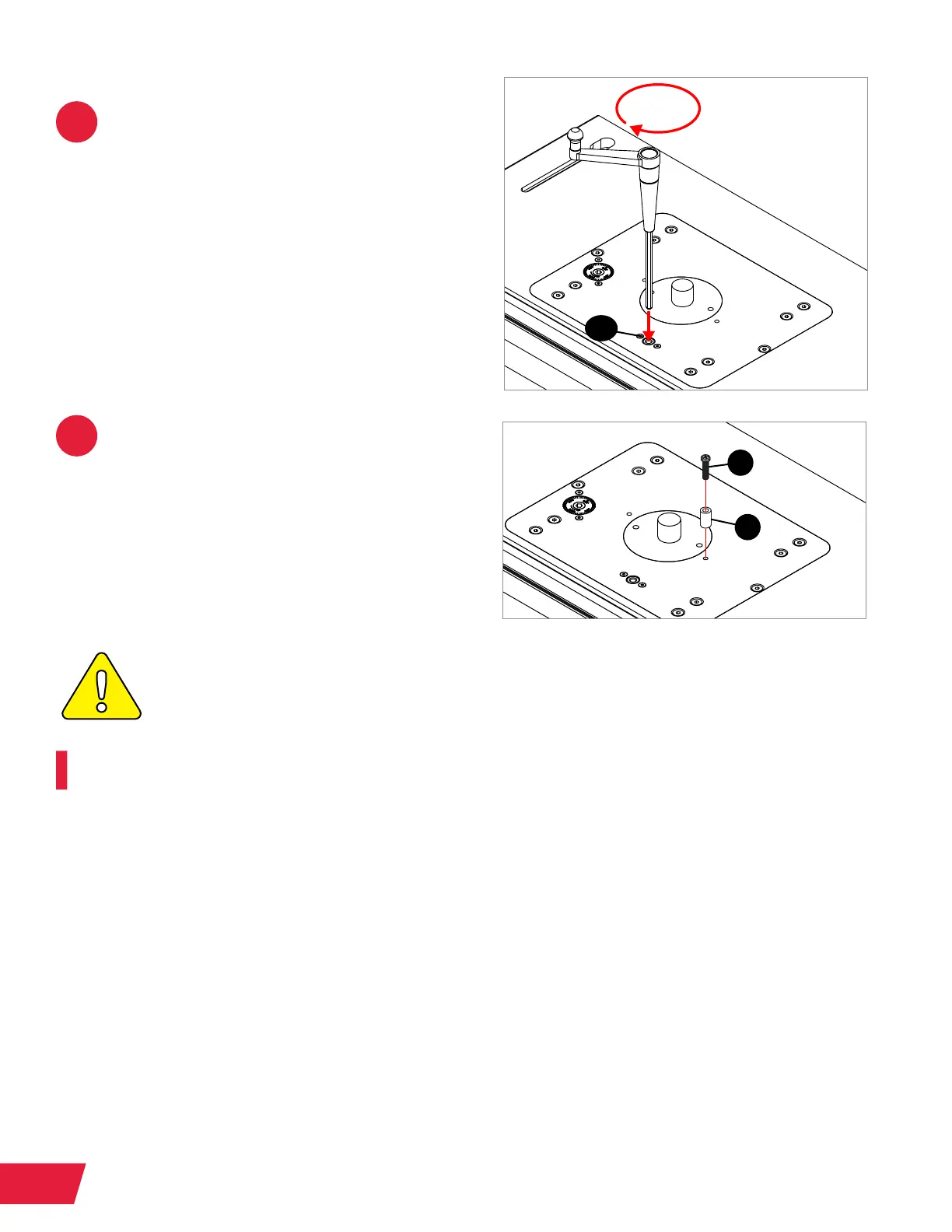
In order to lock the router lift elevation,
insert the elevation handle through the
elevation lock upper guide bushing
(1.14) near the front of the aluminum
router plate, and turn it clockwise to
lock the lift. Repeat this process in
reverse to unlock the router lift.
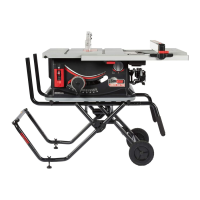
Optional step: To do template routing
or freehand routing, insert a pan head
Phillips screw (1.4) through the starting
pin sleeve (1.5), then thread the screw
into either of the threaded holes in the
aluminum router plate just to the sides
of the insert ring.
THE STARTING PIN SHOULD ONLY BE USED FOR TEMPLATE ROUTING OR
FREEHAND ROUTING.
Congratulations! You have completed the Router Lift assembly and installation.
1.4
1.5
1.14


 To Next Page