WiFi module PCB of the printer, according to the router set the wireless mode to click on the corresp
-onding model, and fill in the network name, key password, authentication type, encryption algorithm.
Set wireless IP
NOTE: Set up WIFI printer’s wireless connection parameters,the settings should be consistent with
the parameters of the wireless router.
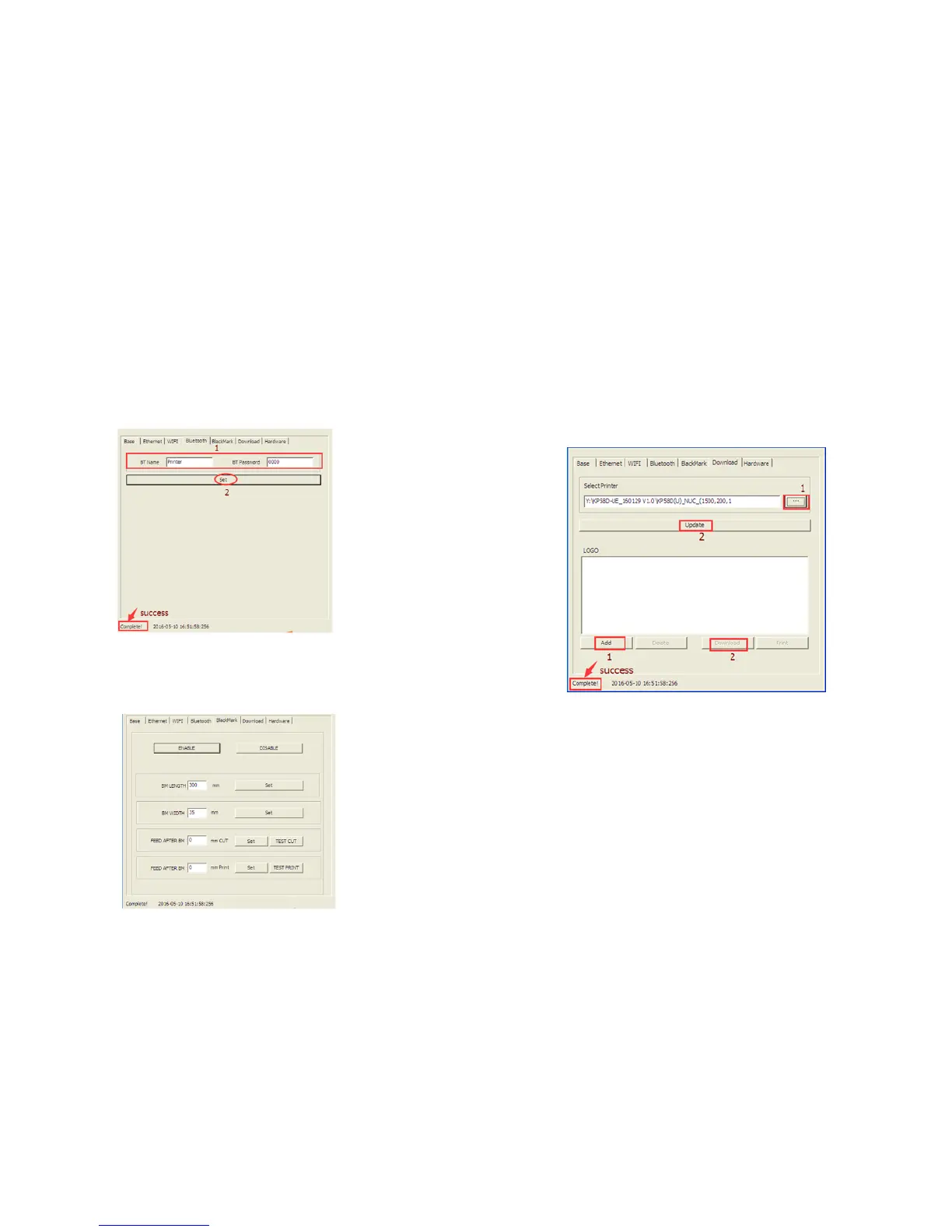
11.5.4 Bluetooth
After set,print a self-test page to check the setting determine is OK.
11.5.5 Black label
NOTE:
Enable the black label pattern and disable the black label pattern are both settings take effect the
need to restart the printer.
The button of test cut and test print can adjust the cutting and printing position, find a suitable
location to set.
11.5.6 Download
Update the printer firmware
1.Select the file
2.Update(please don’t change the firmware if not necessary)
11.5.7 Hardware
For example:As the picture show ,setting cutter available.
32 33


 To Next Page