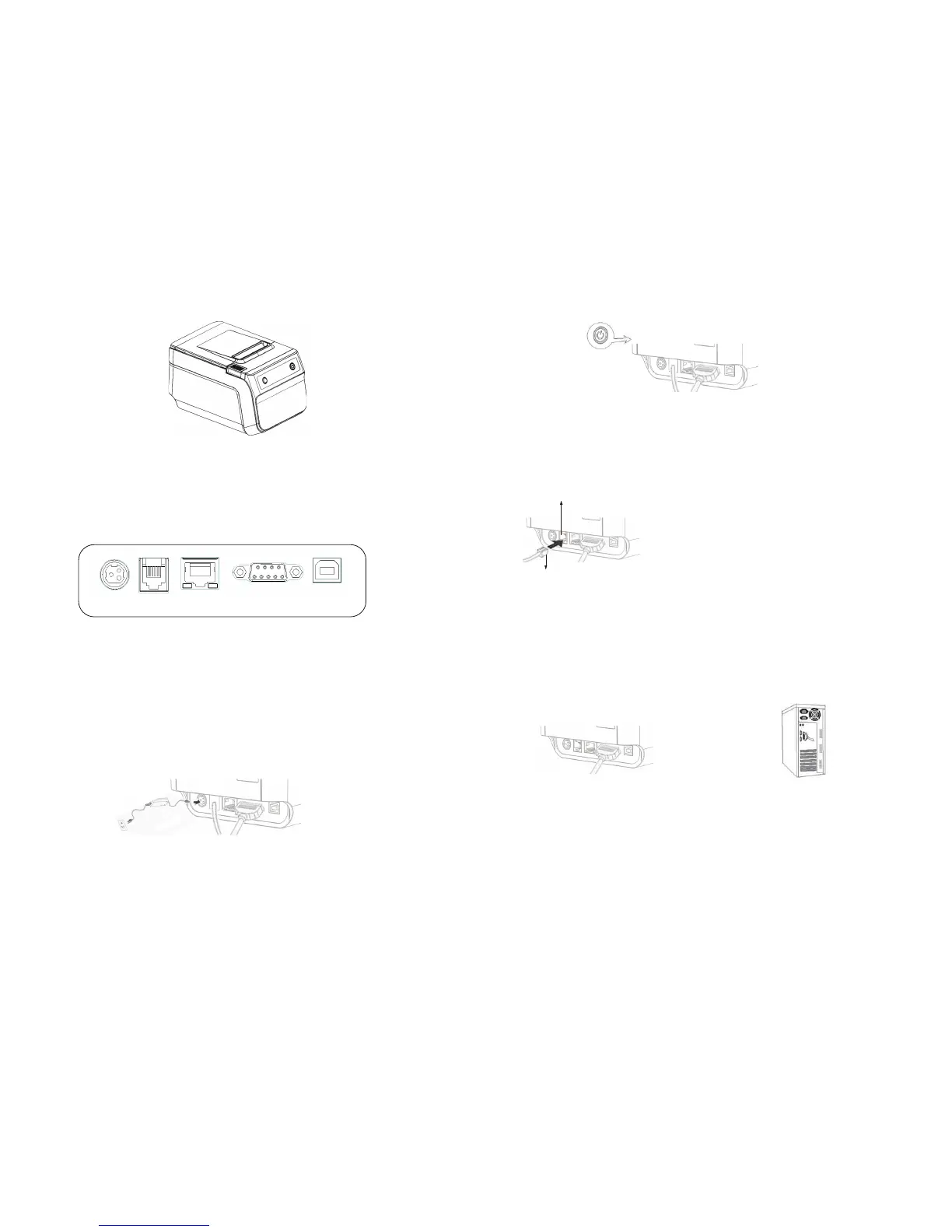
2.3 Connect Cable
SGT-88IV printer comes with the USB cable in addition to the selected interface cable upon
purchasing.
If connecting to ECR,POS or computer is prefered,please use the cable provided in printer or
request it from the place of purchase.
RS232
Power Port
USBLAN
Rj11
2.3.3 Connect to Computer ( PC-POS )
Connect to the provided USB cable as shown in the image below.
1 Connect the other end of RS232 cable to
printer port on the computer.
2 Connect the other end of RS232 cable
to the RS232 port of computer.
Connect to ComputerConnect to SGT-88IV
2.3.2 Connect to Cash Drawer
Connect cash drawer cable to cash drawer port which is behind the printer
Use 12-24V/1A power supply cash drawer,which is also
compatible with printer.The improper cash drawer will cause
damage both the cash drawer and the printer.Do not connect
cash drawer port to the telephone line.It may cause failure
condition on telephone line and printer.
Cash Drawer
Cash drawer cable connection.
2.3.1 Connect to Power
1.Make sure the power is unplugged and the printer is powered off before connecting the power cord.
2.Turn on the power switch on the printer side to connect to the power supply.
2.4 Printer Control Panel
Control Board
4
5


 To Next Page