Electronic products such as printers are susceptible to static damage.To avoid this kind of damage,
please power off the printer before connecting or switching off behind cable.Once static damage
happens, please contact the nearest maintenance center.
Product Introduction:
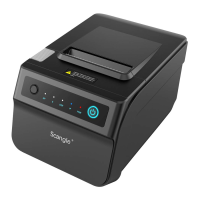
SGT-88IV printer is compatible with electronic instrument, such as ECR、POS、cash register、
receipt bill、computer peripheral equipment etc.
Notice:
Directory
Chapter 2. Printer Setup and Operation...............................................................................................02
2.1 Contents in the Package..............................................................................................................................................02
2.2 Load and Replace Paper Roll......................................................................................................................................02
2.3 Connect Cable.............................................................................................................................................................04
2.3.1 Connect to Power...................................................................................................................................................04
2.3.2 Connect to Cash Drawer........................................................................................................................................05
2.3.3 Connect to computer..............................................................................................................................................05
2.4 Printer Control Panel....................................................................................................................................................05
Chapter 3. Printer Management.............................................................................................................................06
3.1 Self-Checking Function................................................................................................................................................06
3.2 Self-Checking Process.................................................................................................................................................06
3.3 Printer Maintenance.....................................................................................................................................................07
3.4 Fix Paper Jam..............................................................................................................................................................07
Chapter 1. Appendix and Product Specification.............................................................................................01
Specification.......................................................................................................................................................................01
Chapter 5. SGT-88IV Ethernet Interface Setup Tool Manual........................................................................09
5.1 Cuations during installation and operation...................................................................................................................09
6.1 Using USB port to revise the IP address.....................................................................................................................12
6.2 Using Ethernet port to revise the IP address...............................................................................................................13
7.1 How to connect WIFI printer........................................................................................................................................18
10.1 Test with the serial communication port for print test page........................................................................................20
10.2 Test with USB communication port for the print test page..........................................................................................22
10.3 Test with Ethernet/LAN communication port for the print test page............................................................................23
11.1 Cutter and Cash Drawer Settings...............................................................................................................................26
11.2 Buzzer Setting ...........................................................................................................................................................27
11.5 Select module.............................................................................................................................................................30
11.5.1 Base.....................................................................................................................................................................30
11.5.2 Ethernet...............................................................................................................................................................31
11.5.3 WIFI.....................................................................................................................................................................31
11.5.4 Bluetooth..............................................................................................................................................................32
11.5.5 Black label............................................................................................................................................................32
11.5.6 Download.............................................................................................................................................................33
11.5.7 Hardware..............................................................................................................................................................33
11.3 How to add NV LOGO ...............................................................................................................................................28
11.4 Communication port ..................................................................................................................................................29
Specification
Chapter 1. Appendix and Product Specification
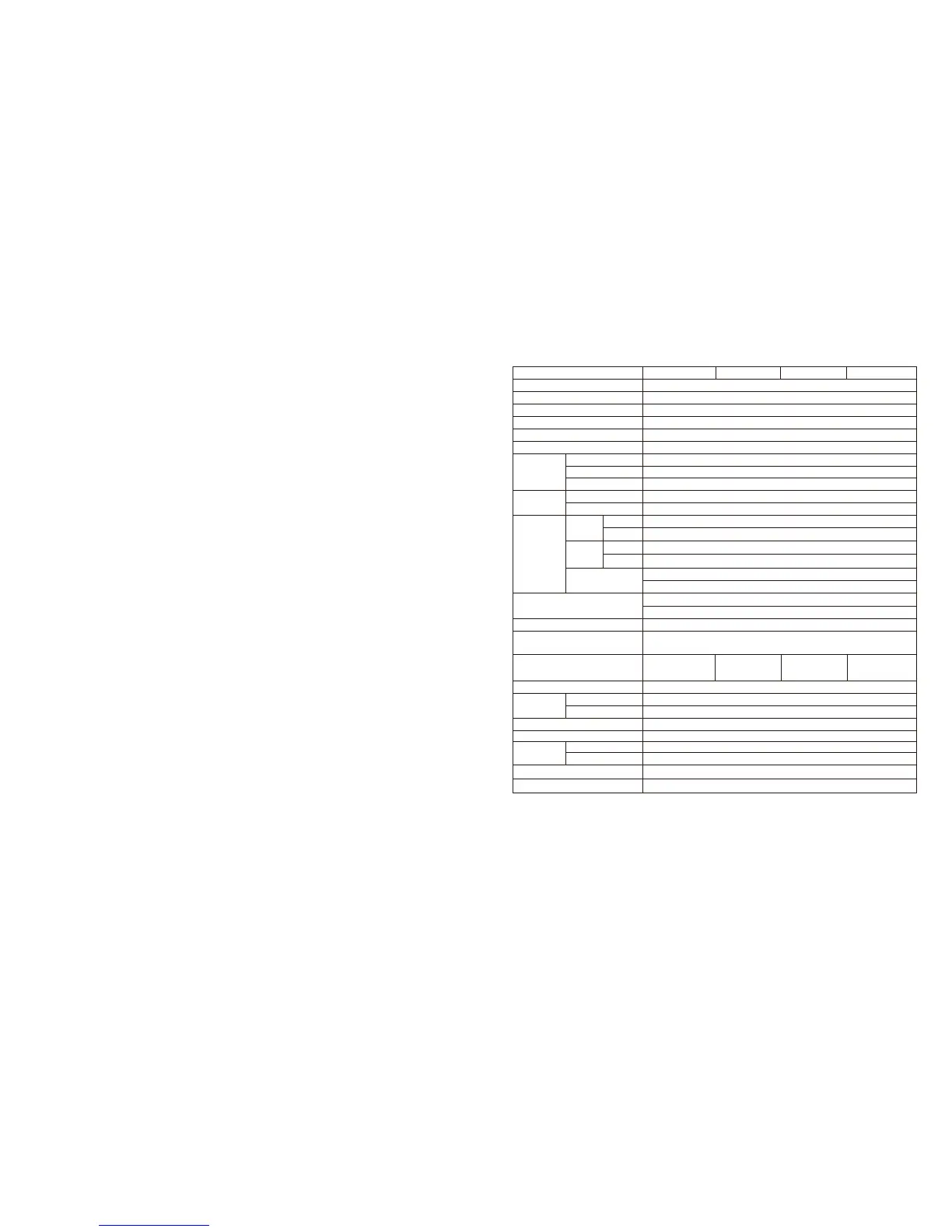
Model SGT-88IV SGT-88IV-B SGT-88IV-W SGT-88IV-WB
Product Description 3" Receipt Printer 58+80mm
Printing Method Thermal Line Printing
Resolution 203dpi
Printing Speed 300mm/sec (Max)
Paper Spec
Paper Width
79.5±0.5mm
Paper Roll Diameter
Flash
Memory
SDRAM 16Mbytes
12 x 24
Charater
Size
Font A
Font B
Font B
Column
Capacity
Font A
Character Set
9 x 24 9 x 17
Barcode
UPC-A,UPC-C,EAN-13,EAN-8,CODE39,ITF,CODEBAR,CODE93,CODE128, QR code
PC437,Katakana,PC850,PC860, PC863,PC865,WPC1252,PC866,PC852,PC858
SDK
iOS SDK, Android SDK
Driver
Windows CE SDK, Windows 10, Windows 7, Windows 8Windows XP/ VISTA/ 7/ 8/
8.1/10 Linux, Android OS and Mac
Interface
Dimensions
Weight
Temperature
Humidity
Power
Output
Color
Black,White,Silvery,Gold,Green
Effective Printing Width 72mm or 48mm
Printing Density
504dot/line or 576dot/line
Φ80mm
Paper supply method
Easy paper loading
4Mbytes
48 or 56
Alphanumeric Characters: 95
Extended Characters: 128 x 30 Page
International Characters: 32
Printing command ESC/POS/OPOS
Environment
Operating:0~45℃, Stock:-10~50℃
Operating:10-80%, Stock:10-90%(exclude paper roll)
145 (W) x 215 (D) x 135 (H) mm
2.5KG
Input AC 100V ~ 240V, 50Hz ~ 60Hz
DC 24V, 2.5A
Cash drawer Port control
DC 24V,1A
1
Chapter 6. SGT-88IV Ethernet Interface Printer Setup Tool Instructor
....................................................12
Chapter 7 WIFI router setup guide......................................................................................................................17
Chapter 8
How to connect Bluetooth printer
.................................................................................................19
Chapter 4 SGT-88IV Driver Setup Guide .....................................................................................................08
Chapter 9 How to test the communication ports with SGT-88IV Driver..................................................19
Chapter 10 Test with the communication ports for print test page..........................................................20
Chapter 11 General setting......................................................................................................................................26
Chapter 12 Safety Warning......................................................................................................................................35
USB+RS232+LAN
USB+RS232+LAN
+Bluetooth
USB+RS232+LAN
+WIFI
USB+RS232+LAN
+WIFI+Bluetooth


 To Next Page